
The "No Skills" Myth: What You Really Need to Start
The phrase "no skills" is a bit of a misnomer. What you really mean is "no specialized technical skills." You already possess a wealth of valuable, everyday skills that are highly marketable in the digital product space.
Think about it:
- Are you organized? You can create planner templates, checklists, or budget trackers.
- Do you have hobbies? You can create guides, tutorials, or resource lists related to them.
- Are you good at explaining things simply? You can create beginner's guides or short courses.
- Do you have an eye for aesthetics, even basic ones? You can create simple digital art, social media templates, or printable quotes.
- Are you a good researcher or curator? You can compile valuable information into an ebook or resource directory.
The real "skills" you need are:
- Observational Skills: The ability to spot problems people are trying to solve.
- Empathy: Understanding your potential customer's pain points and desires.
- Curiosity: A willingness to learn simple tools (many are free or low-cost).
- Persistence: The drive to iterate and improve.
Your "no skills" advantage is often your unique perspective or lived experience. Don't underestimate the value of a product created by someone who genuinely understands a specific struggle.
What Digital Products Can I Create With Zero Technical Skills?
This is where we get concrete. Forget coding, graphic design degrees, or video editing wizardry. Here are the top digital product categories perfect for absolute beginners, along with how to create them.
1. Printables (The Ultimate Beginner Product)
What they are: Digital files that customers download and print themselves. Think planners, trackers, wall art, invitations, journals, labels, games, and more.
Why they're great for beginners:
- Low Barrier to Entry: You don't need advanced software.
- High Demand: People love organizing, decorating, and personalizing.
- Infinite Niches: From wedding planners to meal prep trackers, the possibilities are endless.
How to create them (no skills required):
- Canva: This is your best friend. Canva has a free tier and countless templates. You can drag-and-drop elements, change fonts, add text, and export as a PDF. Canva has democratized design.
- Google Docs/Sheets: For simple checklists, budget trackers, or basic templates, these free tools are perfectly adequate.
- Free Stock Photos/Elements: Use sites like Pexels, Unsplash, or Pixabay for royalty-free images and elements if you're not using Canva's built-in library.
Examples:
- Daily Planner: A simple PDF with hourly slots, a to-do list, and a water tracker.
- Budget Tracker: A basic spreadsheet or PDF template to track income and expenses.
- Affirmation Wall Art: Text-based quotes with a pretty background.
- Kids' Activity Sheets: Simple mazes, coloring pages, or word searches.
2. Templates (Beyond Printables)
What they are: Pre-designed structures that users can customize for their own needs. This includes social media templates, resume templates, Notion templates, website themes (for simple builders), or email templates.
Why they're great for beginners:
- Solves a Time Problem: Users want a head start, not to design from scratch.
- Leverages Existing Platforms: You create within popular platforms.
How to create them (no skills required):
- Canva Social Media Templates: Design Instagram carousels, Pinterest pins, or Facebook post templates directly in Canva. Users simply swap text and images.
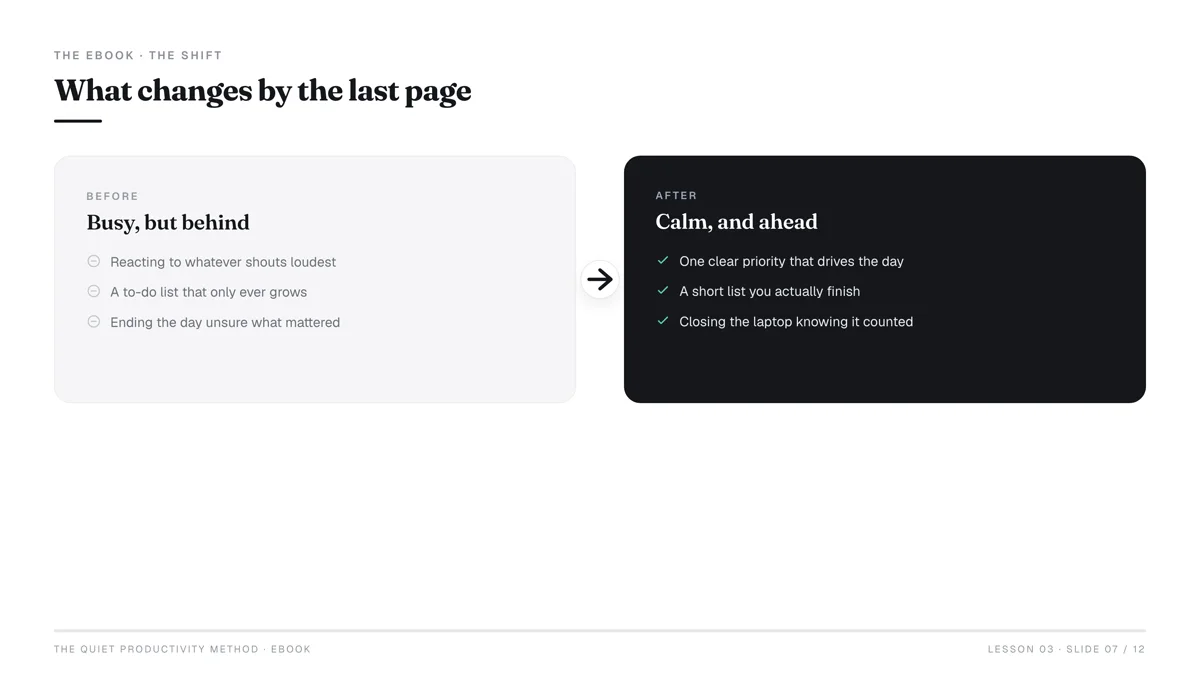
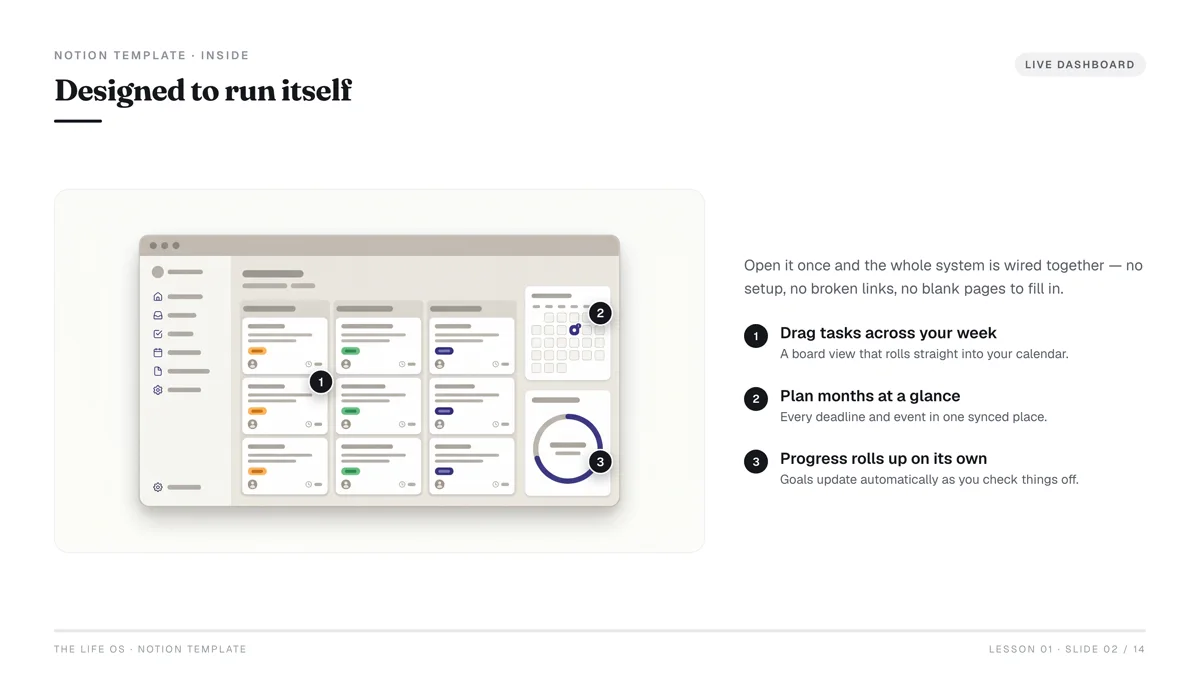
- Notion Templates: If you're organized and understand Notion (a free workspace tool), you can create templates for habit tracking, project management, content calendars, or personal dashboards. Many people are willing to pay for well-structured Notion setups.
- Google Docs/Sheets/Slides Templates: Resume templates, meeting agenda templates, pitch deck templates.
- Email Templates: Simple, clean email layouts for newsletters or sales sequences, designed in a basic email builder or even just HTML/CSS (if you learn a tiny bit, or use a drag-and-drop builder).
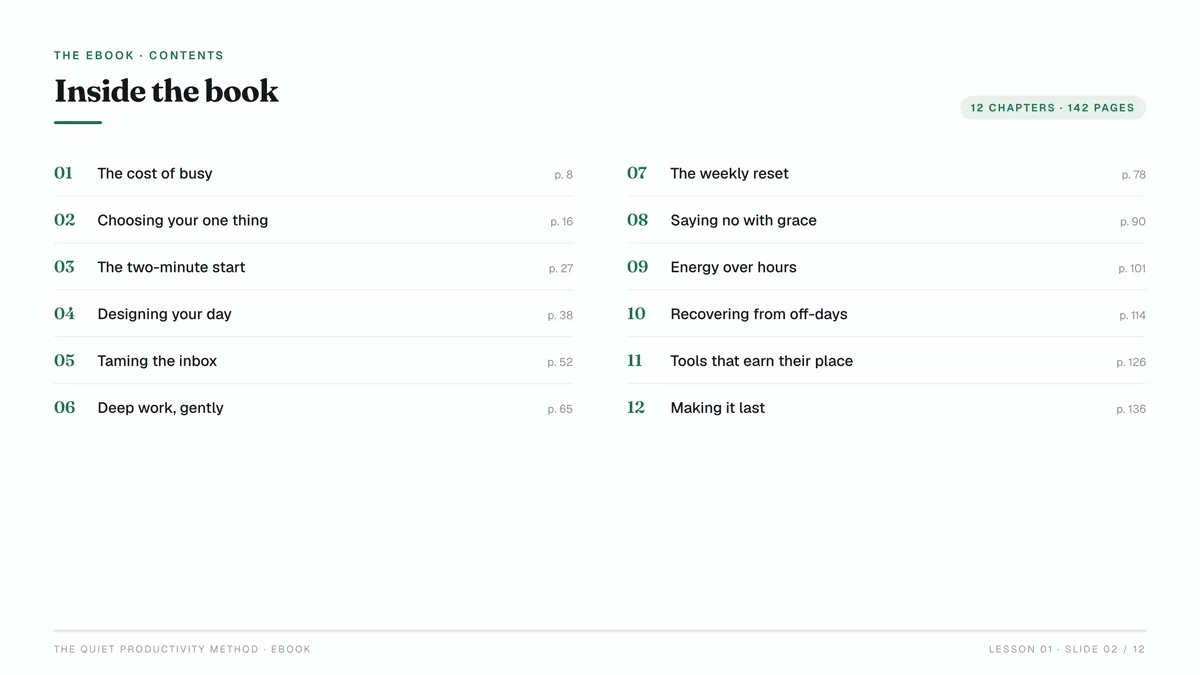
3. Simple Ebooks & Guides
What they are: Short, focused digital books or guides on a specific topic. These are not full-length novels but rather concise solutions to a problem.
Why they're great for beginners:
- Leverages Your Knowledge: Everyone is an expert in something, even if it's a niche hobby.
- Content Curation: You can compile existing public information in a new, organized, and valuable way.
How to create them (no skills required):
- Google Docs/Microsoft Word: Write your content.
- Canva: Design covers and internal pages using templates. Export as PDF.
- Compile Existing Information: Research a specific niche (e.g., "10 Best Free Productivity Apps," "Beginner's Guide to Houseplant Care," "Recipes for 5-Ingredient Dinners"). Structure it logically.
Focus on micro-niches for ebooks. Instead of "How to Be Healthy," try "5-Minute Morning Routines for Busy Parents." The more specific, the easier to write and sell.
4. Digital Art & Stickers
What they are: Graphics, illustrations, icons, patterns, or digital stickers for use in planners, social media, or crafting.
Why they're great for beginners:
- Simple Design Tools: You don't need Photoshop.
- Creative Outlet: Fun to make!
How to create them (no skills required):
- Canva: Use Canva's vast library of elements to combine and create unique designs. You can also upload your own simple hand-drawn sketches (scanned with a phone) and "digitize" them by tracing or enhancing in Canva.
- Procreate (iPad + Apple Pencil): If you have an iPad, Procreate is incredibly intuitive for drawing simple illustrations or lettering. While it requires an iPad, the skill barrier is lower than traditional graphic design software.
- Public Domain Images/Vectors: Transform and combine elements from public domain resources into new creations.
5. Audio (Simple Tracks)
What they are: Short audio files like meditations, sound effects, or background music loops.
Why they're great for beginners:
- Equipment can be minimal: A decent smartphone can record good audio.
- Content can be simple: Guided meditations, ambient sounds.
How to create them (some skills required, but easily learned):
- Audacity (Free Software): Record and edit audio. Learn basic functions like cutting, fading, and adding simple effects.
- Royalty-Free Music/Sound Effects: Combine your voice with free background music for guided meditations.
- Smartphone Recording: Many modern smartphones have excellent microphones. Record your voice clearly for affirmations or simple spoken guides.
Comparison of Beginner-Friendly Digital Product Types
| Product Type | Creation Effort | Tools Needed (Beginner) | Potential Price Range | Target Audience Example | Key Advantage for Beginners |
|---|---|---|---|---|---|
| Printables | Low | Canva, Google Docs | $2 - $15 | Busy parents, students, homemakers | Easiest to create, high demand, low tech barrier |
| Templates | Low-Medium | Canva, Notion, Google | $5 - $50 | Small business owners, content creators | Solves a common "time-saving" problem for users |
| Simple Ebooks | Medium | Google Docs, Canva | $7 - $29 | Niche hobbyists, learners, problem-solvers | Leverages existing knowledge, builds authority |
| Digital Art/Stickers | Low-Medium | Canva, Procreate (iPad) | $1 - $10 (per pack) | Digital planners, crafters, designers | Creative outlet, can be sold in bundles |
| Simple Audio | Medium | Audacity, Smartphone | $5 - $25 | Stress relief seekers, meditation users | Unique niche, can offer recurring value |
How Do I Choose the Right Digital Product Idea?
With so many options, how do you pick one that will actually sell? The key is validation – confirming there's demand before you invest significant time.
1. Identify Your "Micro-Niche"
Don't try to appeal to everyone. Think about specific groups of people with specific problems.
- Instead of: "Planners"
- Try: "Printable Meal Prep Planner for Busy Vegan Parents" or "Notion Template for Freelance Writers to Track Pitches."
Your micro-niche could be based on:
- Your own interests/hobbies: What do you enjoy or know a lot about?
- Problems you've solved: What challenges have you overcome?
- Groups you belong to: Are there specific needs within your community?
2. Validate Demand (The Smart Way)
This is the most critical step. Don't guess; check.
- Google Trends: Type in your potential product idea or niche. Are people searching for it? Is the trend stable or growing? A growing trend is a good sign.
- Etsy Search: Go to Etsy.com and type in keywords related to your idea.
- Auto-suggest: What does Etsy auto-suggest? These are popular search terms.
- Competition: Are there some listings (shows demand) but not thousands (too saturated)? Look for products with sales (check reviews).
- "Bestseller" tags: These indicate strong demand.
- Pinterest Search: Similar to Etsy, see what's popular, what people are pinning, and what kind of templates/printables are getting engagement.
- Amazon Kindle Store (for ebooks): Browse the "Kindle Short Reads" or specific non-fiction categories. What topics are selling well in short formats?
3. Assess Your "Effort vs. Value"
For a beginner, the sweet spot is a product that is relatively easy for you to create but provides significant value to the customer.
- High effort, low value: Avoid (e.g., a complex spreadsheet no one understands).
- Low effort, high value: This is the goal (e.g., a simple, beautifully designed printable that saves someone an hour of work).
The Simplest Path: From Idea to Your First Sale
You've got your idea. Now, let's get it out there.
Step 1: Create Your Product (The Lean Way)
Remember, perfection is the enemy of profit. Focus on a Minimum Viable Product (MVP) – the simplest version that still solves the customer's problem.
- Outline: For a printable or ebook, sketch out the structure. What sections, pages, or features does it need?
- Use Free/Low-Cost Tools:
- Canva: For almost anything visual (printables, templates, ebook covers, social media graphics).
- Google Docs/Sheets/Slides: For text-based guides, simple trackers, or presentation templates.
- Audacity: For simple audio editing.
- Focus on Clarity and Usability: Is it easy to understand? Does it look clean? Does it clearly solve the problem?
- Test It: Use your product yourself. Does it work as intended? Ask a friend or family member to test it too.
Step 2: Prepare Your Product for Sale
Once created, you need to package it correctly.
- File Format:
- PDF: Standard for printables and ebooks. Ensures consistent formatting.
- JPG/PNG: For digital art, stickers, or individual graphic elements.
- Link to template: For Canva templates, provide a PDF with a direct link to the editable template. For Notion, share the template link.
- Zip Files: If your product includes multiple files (e.g., a bundle of printables, different sizes of wall art), compress them into a `.zip` file. This makes it easy for customers to download everything at once.
- Mockups: Create appealing images of your product.
- Canva Mockups: Canva has mockup templates where you can drop your design onto a phone, tablet, or picture frame.
- Placeit.net (freemium): Offers professional-looking mockups for digital products.
- Real-life photos: Print your printable and take a nice photo of it on a desk.
Step 3: Choose Your Selling Platform
You don't need to build a website from scratch. Leverage existing marketplaces.
- Etsy (Best for Printables, Templates, Digital Art):
- Pros: Huge built-in audience actively searching for digital products. Easy setup.
- Cons: Listing fees ($0.20 per listing, renews every 4 months), transaction fees (6.5% of sale price), payment processing fees (3% + $0.25) Etsy Fees. Competition can be high.
- Ideal for: Visual, creative products with a clear niche.
- Gumroad (Best for Ebooks, Guides, Audio, Templates):
- Pros: Super simple setup, low friction for buyers, global reach. You control the customer experience.
- Cons: No built-in audience; you need to drive your own traffic. Higher fees for lower sales volume (10% + $0.30 per transaction for free tier, lower tiers with monthly fee) Gumroad Pricing.
- Ideal for: Information products, simple software, or creators building their own audience.
- Shopify (For Scaling, More Control):
- Pros: Full control over your brand, highly customizable, powerful e-commerce features.
- Cons: Monthly subscription fee (starting around $29/month), requires more setup and marketing effort.
- Ideal for: Once you've validated your product and are ready to build a dedicated brand.
Step 4: Write Compelling Product Descriptions
Your description sells your product. Focus on benefits, not just features.
- Headline: Grab attention and include keywords.
- Problem/Solution: What problem does your product solve? How does it make life easier/better?
- What's Included: Clearly list all files, formats, and sizes.
- How to Use: Give simple instructions.
- Call to Action: Encourage purchase ("Buy now!", "Add to cart!").
- Keywords: Use relevant keywords that people would search for.
Step 5: Set Up Pricing and Launch
We'll cover pricing in detail next, but for now, aim to get your first product live. Don't wait for perfection. Launch, learn, and iterate.
Pricing Your Digital Product for Profit (and Value)
Pricing is tricky, but here's a beginner-friendly approach.
1. Research Competitor Pricing
- Etsy: Search for similar products. What's the average price range? Note how bestsellers are priced.
- Gumroad/Individual Creator Sites: Look for comparable ebooks or templates.
2. Consider Your Value Proposition
- How much time/money does your product save the customer? If your template saves a small business owner 5 hours of design work, it's worth more than $5.
- How unique or specialized is it? Highly niche products can command higher prices.
- What's the perceived value? A professionally designed, well-written guide feels more valuable than a hastily put-together document.
3. Factor in Platform Fees
Remember that platforms like Etsy and Gumroad take a cut. Ensure your price covers these fees and still leaves you with a profit.
- Example (Etsy):
- Product Price: $10.00
- Etsy Listing Fee: $0.20 (initial)
- Etsy Transaction Fee (6.5%): $0.65
- Etsy Payment Processing (3% + $0.25): $0.30 + $0.25 = $0.55
- Your Net Revenue: $10.00 - $0.20 - $0.65 - $0.55 = $8.60
4. Experiment with Pricing Tiers
- Single Product: Start with one clear price.
- Bundles: Offer multiple related products at a slightly discounted combined price (e.g., a "Basic Planner" for $7 and a "Ultimate Productivity Bundle" with the planner + habit tracker + goal setting worksheet for $15).
- Upsells/Downsells: Offer a related product at checkout (e.g., "Customers who bought this planner also bought our digital sticker pack").
Don't price too low out of fear. Low prices can sometimes signal low quality. Aim for a price that reflects the value you provide and gives you a healthy profit margin. It's easier to lower a price later than to raise it.
Promoting Your Product Without a Marketing Degree
Getting eyeballs on your product is essential. You don't need a massive marketing budget or complex strategies; focus on organic, authentic promotion.
1. Optimize Your Listings (SEO Basics)
- Keywords are King: Use the keywords you found during your validation research in your product title, description, and tags. Think like your customer: what would they type into the search bar?
- High-Quality Images: Your product images (mockups) are your storefront window. Make them clear, attractive, and show the product in use. Include multiple angles/variations.
- Clear Call to Action: Make it obvious what you want people to do (buy, add to cart).
2. Leverage Social Media (Organically)
You don't need to be on every platform. Pick one or two where your target audience hangs out.
- Pinterest (Visual Products): Pinterest is a visual search engine. Create beautiful pins (using Canva!) that link directly to your product listing. Focus on solving problems (e.g., "How to organize your week with our printable planner").
- Instagram (Visuals & Community): Share visually appealing images of your product, behind-the-scenes glimpses, and tips related to your niche. Use relevant hashtags. Engage with your audience in stories and DMs.
- TikTok (Short Video & Trends): If your product lends itself to quick demonstrations or relatable problem/solution scenarios, TikTok can be powerful. Use trending audio and relevant hashtags.
3. Build an Email List (Long-Term Strategy)
This is one of the most powerful assets you can build.
- Lead Magnet: Offer a free mini-version of your product (e.g., a single page from your planner, a sample chapter of your ebook) in exchange for an email address.
- Email Service Provider: Use a free one like MailerLite or ConvertKit (free up to a certain number of subscribers).
- Nurture: Send valuable content, tips, and occasional promotions to your list. These are your most engaged potential buyers.
4. Collaborate and Network
- Find Complementary Creators: Are there other creators whose products align with yours but aren't direct competitors? You could promote each other's products.
- Participate in Online Communities: Join Facebook groups, forums, or Reddit communities related to your niche. Share your expertise (without being overly salesy) and naturally mention your product where it's genuinely helpful.
This underscores the power of consistent, focused effort even without a large budget.
Scaling Your Digital Product Business (Without Overwhelm)
Once you've made your first few sales, you'll naturally start thinking about growth. Here's how to scale without burning out.
1. Automate What You Can
- Delivery: Most selling platforms (Etsy, Gumroad, Shopify) automate digital product delivery instantly upon purchase.
- Email Marketing: Set up automated welcome sequences, abandoned cart reminders, and follow-up emails in your email service provider.
- Social Media Scheduling: Use tools like Buffer or Later (freemium) to schedule your social media posts in advance.
2. Diversify Your Product Portfolio
- Related Products: If your planner sells well, create complementary products like stickers, a goal-setting worksheet, or a matching journal.
- Different Formats: Turn your ebook into a short audio guide, or your template into a video tutorial.
- Bundles: Create attractive bundles of your existing products.
3. Diversify Your Selling Platforms
- Once you have traction on Etsy, consider adding your products to Gumroad for a different audience, or setting up a simple Shopify store. This reduces reliance on a single platform.
4. Invest in Learning (Small Amounts)
- Courses: If you want to dive deeper into a specific area (e.g., advanced Canva techniques, Pinterest SEO), consider a low-cost online course.
- Tools: As your business grows, you might invest in a paid Canva plan for more features, or a slightly more advanced email marketing tool. Start small and only invest when you see a clear return.
5. Repurpose Your Content
- If you wrote an ebook, pull out key tips and turn them into Instagram carousels, blog posts, or short videos.
- If you created a popular printable, expand it into a full digital journal or a series of themed printables.
Scaling isn't about doing more work; it's about making your existing work smarter, reaching more people, and providing more value in different ways. Start with one solid product, learn from your customers, and grow from there.
Frequently Asked Questions
What's the fastest way to make my first digital product sale?
Focus on a highly specific niche, create a simple printable or template using Canva, and list it on Etsy with strong keywords and appealing mockups. Etsy's built-in audience can lead to quicker initial sales compared to platforms where you need to drive all your own traffic.
How much money can I realistically make with digital products as a beginner?
It varies widely, but it's realistic to aim for a few hundred dollars a month initially. Consistency,market research, and actively promoting your products are key to increasing earnings over time.
Do I need a website to sell digital products?
No, you do not need a website to start. Platforms like Etsy, Gumroad, and even marketplaces within social media (e.g., Instagram Shop) allow you to list and sell your digital products without needing to build or maintain your own site. A website becomes useful for branding and more control as you scale.
How do I handle customer support for digital products?
Keep it simple. Provide clear instructions with your product. For common questions, create a simple FAQ section in your product description or a dedicated document. Respond promptly and politely to inquiries, offering to help with downloads or basic usage. Most platforms have built-in messaging systems.
What about copyright and intellectual property?
Always use your own original work, public domain resources, or elements from platforms like Canva that grant commercial usage rights for their free and paid assets. Never use copyrighted material without explicit permission. If you're creating templates, clearly state that the template is for personal or commercial use (as per your terms) but the template itself cannot be resold.
Can I really start with "no skills" or do I need to learn design software?
You absolutely can start with "no skills" by leveraging user-friendly tools like Canva. While learning some basic design principles (e.g., color theory, typography) will improve your products, you don't need to master complex software like Adobe Photoshop or Illustrator. Many successful digital products are simply well-organized information or aesthetically pleasing layouts created with drag-and-drop tools.