
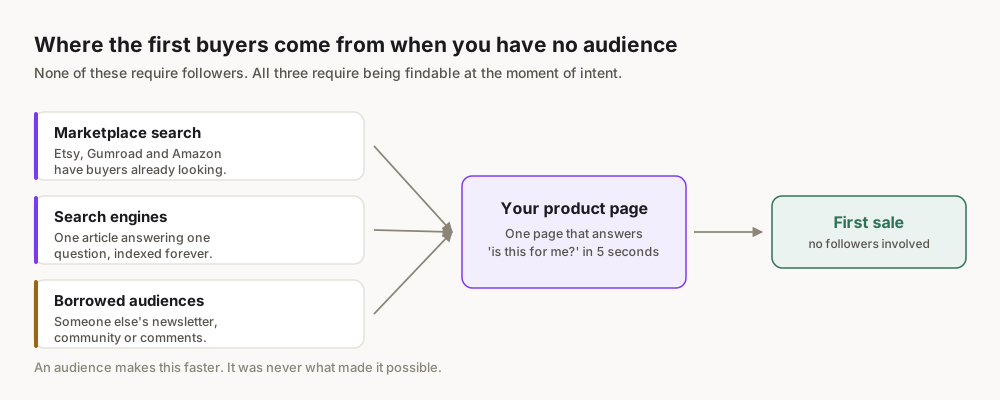
Obteno's founder built a $23,718 digital-product business in 60 days. That was not an accident. It proves that selling digital products online works, even for beginners. Instagram is a powerful place to find your first customers. It is a discovery engine, not a shop. You need to understand that distinction. This guide shows you how to use Instagram to sell digital products in 2026.
What Digital Products Sell Best on Instagram?
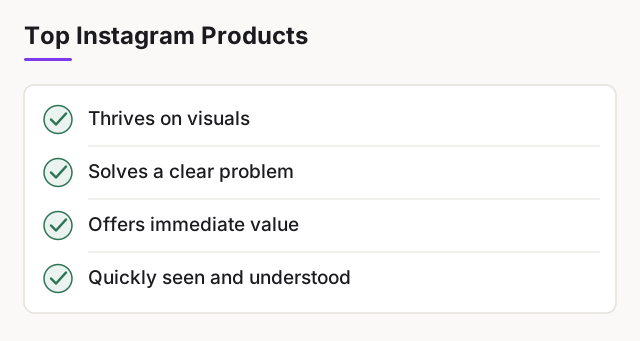
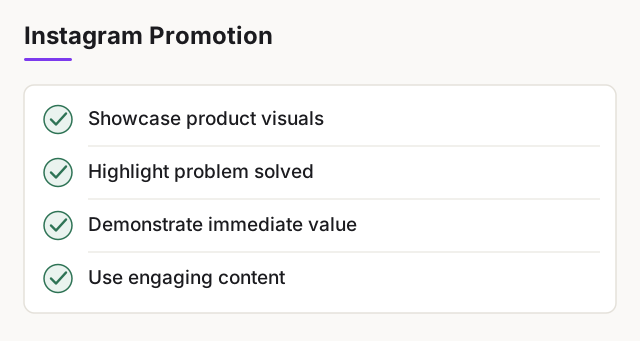
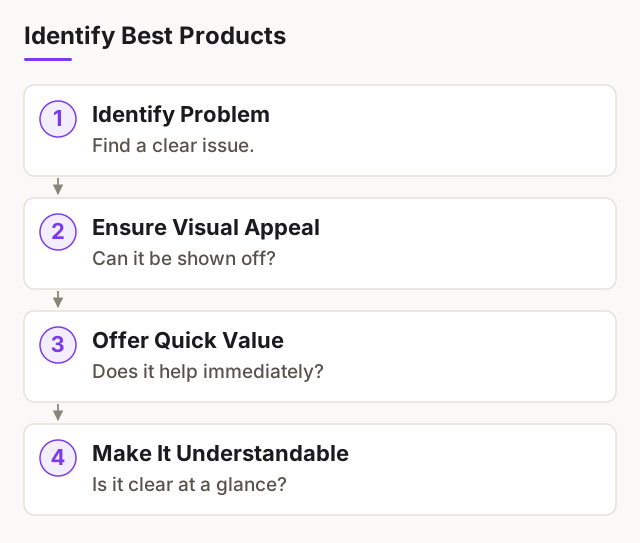
Instagram thrives on visuals. The best digital products for this platform are those you can show off. They solve a clear problem. They offer immediate value. Think about what someone can see and understand quickly.
Ebooks and Guides
These are popular. They offer deep knowledge on a specific topic. A short, actionable guide sells better than a long, academic book. Focus on a niche. "A Beginner's Guide to Watercolour Florals" works. "The History of Art" does not. You can show pages, testimonials, or the results people get from following your advice.
Templates (Canva, Notion)
Templates are visual by nature. People see the finished product. They understand the benefit instantly. A well-designed Canva template for Instagram stories is easy to demonstrate. A Notion template for budget tracking shows organisation. People want to save time. Templates do that. Canva itself offers a vast library of templates, showing their popularity canva.com/templates/. You can create your own unique designs.
Presets and Filters
These are perfect for Instagram. They directly enhance photos. You can show before-and-after examples. The value is obvious and instant. Photographers, influencers, and everyday users buy these. They want to achieve a certain aesthetic.
Online Courses (Short, Actionable)
Long, expensive courses are harder to sell on Instagram. Short, focused mini-courses work well. Think "How to Edit Reels in 15 Minutes" or "3 Steps to Better iPhone Photos." You can promote these with video snippets and testimonials. They need to deliver a clear, quick win.
Here is a comparison of popular digital product types:
| Product Type | Pros | Cons | Best for Instagram? |
|---|---|---|---|
| Ebooks/Guides | High perceived value, evergreen | Can be time-consuming to write | Yes, if visual & niche |
| Templates | Easy to demonstrate, high demand | Requires design skills, competition | Yes, very visual |
| Presets/Filters | Instant gratification, highly visual | Niche audience, constant updates | Yes, perfect fit |
| Online Courses (Mini) | High profit margin, builds authority | Requires teaching skills, production time | Yes, if short & actionable |
| Stock Photos/Videos | Broad appeal | High competition, quality demands | Less direct, but possible |
How Do You Create a Digital Product?
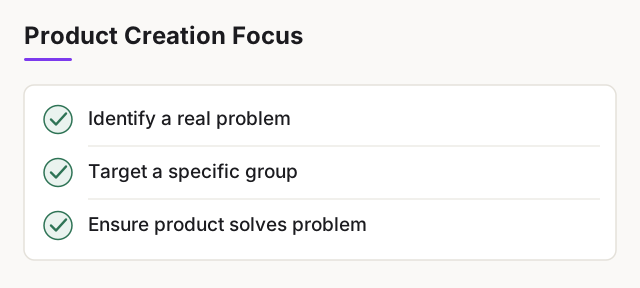
Creating a digital product might seem hard. It is not. The key is to solve a real problem for a specific group of people.
Identify a Niche and Problem
Do not guess what people want. Find out. Go to actual places where your potential customers spend time. The subreddit for "small business marketing." The Facebook group for "new mums." The comment section under a popular product like yours. What questions do they ask? What struggles do they share? That is your niche. That is your problem to solve.
Build Your Product
Once you know the problem, build the solution. If it's an ebook, outline the chapters. If it's a template, sketch the layout. Do not aim for perfection on the first try. Aim for completion. Obteno builds the ebook, designs the cover, and writes the sales copy based on keyword data. It packages the files for you.
Package Your Files
Your product needs to be easy to deliver. Most digital products are PDFs, JPEGs, PNGs, or ZIP files. Make sure they are high-quality. Name them clearly. Include a simple "Read Me" file if needed. This file can contain instructions or a thank you message. Ensure the file size is manageable for download.
Before you create anything, search for existing products in your niche. Buy one. See what they do well. See what they miss. You can always do it better.
Where Do You Actually Sell Digital Products from Instagram?
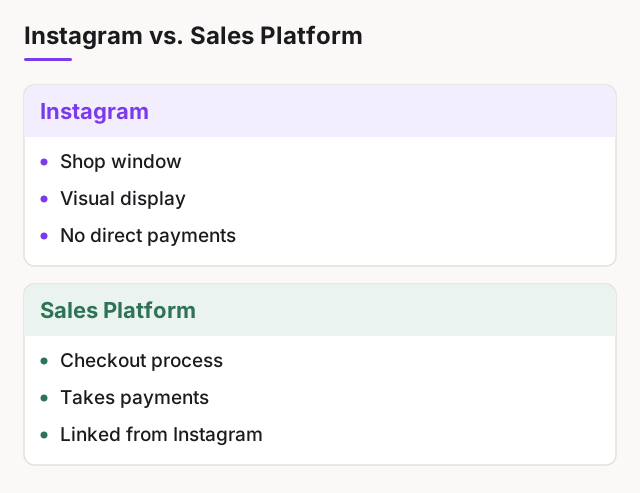
Instagram is a shop window. It is not a checkout. You cannot take payments directly on Instagram. You need a link. This link sends people to a different platform where they can buy your product.
Direct Link in Bio
This is the simplest method. Instagram lets you put a link in your profile bio. You change this link depending on what you are promoting. This works for single product launches.
Link-in-Bio Tools
Tools like Linktree or Beacons create a single link that leads to a mini-page. This mini-page has multiple links. You can link to all your products, your website, or other social media. This is better if you have several products or offers.
Your Own Website
Having your own website gives you full control. You can customise the sales page. You can collect email addresses. You can use your own branding. This requires more setup. Platforms like Shopify can add a buy button to a website shopify.com/lite. Check their pricing page for current rates.
Marketplaces and Platforms
These platforms handle the payment processing and file delivery for you. They take a fee.
- Gumroad: Easy to set up. Good for beginners. Gumroad takes 10% plus $0.50 per sale gumroad.com/pricing.
- Etsy: Known for handmade and vintage items, but digital products are huge there. Etsy charges $0.20 per listing and 6.5% of the sale price, plus payment processing fees etsy.com/legal/fees/. It has a built-in audience.
- Other Platforms: Whop, Lemon Squeezy, Payhip are other options. Always check their pricing pages for fees and features.
Here is a comparison of selling platforms:
| Feature | Gumroad | Etsy | Shopify | Your Own Website (e.g., WordPress) | Obteno |
|---|---|---|---|---|---|
| Monthly Fee | $0 | $0 (plus listing fees) | Check their pricing page | Varies (hosting, theme) | $39-99/month |
| Transaction Fee | 10% + $0.50 per sale | 6.5% per sale + $0.20 listing + payment processing | Check their pricing page | Varies (payment processor) | Not a checkout — you sell elsewhere |
| Audience | Creators, general public | Craft, handmade, digital products | Your own traffic | Your own traffic | Not a storefront |
| Ease of Setup | Very Easy | Easy | Moderate | Moderate to Complex | Not applicable |
| Customisation | Limited | Limited (storefront) | High | Full | Not applicable |
| What it Does | Hosts product, processes payments, delivers files | Hosts product, processes payments, delivers files | Adds buy button to existing site, processes payments | Full control over sales process | Builds product, writes copy |
Start simple. Use Gumroad or Etsy first. Get your product out there. You can always build a full website later. Do not let complexity stop you.
How Do You Price Your Digital Products?
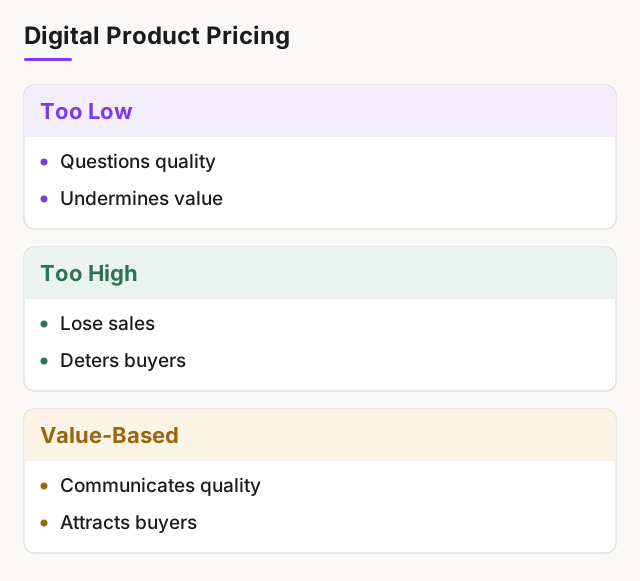
Pricing is not just picking a number. It is about communicating value. Too low, and people question quality. Too high, and you lose sales.
Value-Based Pricing
Think about the problem your product solves. What is that solution worth to your customer? If your template saves someone 5 hours of work, what is their hourly rate? If your guide helps them earn more money, how much more? Price based on the value delivered, not just the time you spent creating it.
Tiered Pricing
Offer different versions of your product. A basic version at a lower price. A premium version with extra features or support at a higher price. This lets you capture different segments of your audience. For example, a basic preset pack, and a "pro" pack with more presets and a tutorial video.
Competitive Analysis
Look at what others are charging. Open Etsy and search your niche. Look at the first ten listings. What are their prices? Are they selling well? This gives you a baseline. This does not mean you should copy them. It means you understand the market. If everyone is selling an ebook for $15, selling yours for $150 will be a hard sell unless your value is clearly ten times higher.
Here are key considerations for pricing:
- Your Costs: Include your time, software subscriptions (like Canva Pro canva.com/pricing/), and platform fees.
- Market Value: Research what similar products sell for.
- Perceived Value: How much does your product solve a pain point?
- Target Audience: What can your ideal customer afford?
- Bundling Opportunities: Can you offer more value by combining products?
Set a price. It is not permanent. You can adjust it based on sales data.
How Do You Promote Your Digital Product on Instagram?
This is where Instagram shines. It is a visual platform. You need to use that to your advantage.
Optimise Your Profile
Your Instagram bio is prime real estate.
- Clear Niche: State what you do and who you help. "Helping small businesses with stunning Canva templates."
- Call to Action: Tell people what to do. "Shop templates below!"
- Link: Point your bio link at your selling platform.
Create Engaging Content (Reels, Stories, Carousels)
This is the core of your promotion.
- Reels: Short, engaging videos are king. Show your product in action. Demonstrate how to use a template. Show before-and-after with a preset. Use trending audio.
- Stories: Use polls, Q&As and link stickers to engage directly. Share testimonials. Show behind-the-scenes glimpses of your product.
- Carousels: Use these to break down complex information. Show multiple pages of an ebook. Explain the steps of a mini-course. Highlight different features of a template.
- High-Quality Visuals: Instagram is visual first. Poor quality images or videos will not get attention.
Use Relevant Hashtags
Hashtags help people find your content. Do not just use popular ones. Use specific, niche hashtags. If you sell Notion templates, use #notiontemplates #notionproductivity #notionhacks. Mix broad and niche hashtags. Research what your competitors use.
Call to Action (CTA)
Every piece of content needs a clear CTA. "Link in bio to shop!" "Tap the link to learn more." "Download your free guide now!" Do not assume people know what to do next. Tell them.
Paid Promotion
Once you have some organic traction, consider Instagram Ads. You can target specific demographics. You can reach people who are already interested in products like yours. Start small. Test different ads.
Create three Reels this week showing different features of your product.
What Mistakes Do Beginners Make?
Many beginners make similar errors. You can avoid them.
Selling Too Early
They create one piece of content. They expect instant sales. Instagram needs consistency. Build an audience first. Provide value for free. Then introduce your product. It takes time to build trust.
Poor Quality Visuals
Your product might be great. If your Instagram content looks bad, nobody will stop scrolling. Invest time in learning basic photo and video editing. Use good lighting. Canva offers great tools for design canva.com/.
Ignoring Analytics
Instagram provides insights. Look at them. What content performs best? What time of day gets the most engagement? Who is your audience? Use this data to optimise your strategy. Do not just post and hope.
Overcomplicating the Offer
Too many products. Too many options. Too many steps to buy. Keep it simple. One clear product. One clear call to action. One clear link. People get overwhelmed easily.
Your first digital product does not need to be perfect. It needs to exist. Launch it. Learn from it. Improve it. Iteration is better than inaction.
Frequently Asked Questions
Can you sell directly on Instagram?
No, Instagram does not have a native checkout for digital products. You must link to an external selling platform or your own website for transactions.
What is the best platform for selling digital products?
The "best" platform depends on your needs. Gumroad is excellent for ease of use and has no monthly fee. Etsy offers a built-in marketplace. Your own website provides maximum control.
How much does it cost to sell digital products?
Costs vary. Platforms like Gumroad charge a percentage per sale (10% + $0.50) but have no monthly fee. Etsy charges $0.20 per listing and 6.5% per sale. Obteno, which builds your product, costs $39-99 per month.
Do I need a website to sell digital products?
No, you do not need a full website. You can use platforms like Gumroad or Etsy. A simple link-in-bio tool can also direct customers to your product pages.
How do I deliver digital products to customers?
Selling platforms like Gumroad and Etsy handle file delivery automatically after a purchase. If you use your own website, you will need to integrate a payment processor that includes digital file delivery.
Is it too late to start selling digital products on Instagram in 2026?
No, it is not too late. Focus on creating high-quality, niche-specific products and consistent, valuable content.