
The global market for digital goods is booming. This isn't just about software giants; it's about individual creators like you, tapping into a vast ocean of demand for unique, downloadable content. If you've been dreaming of passive income, creative freedom, or simply a way to monetize your design skills, selling digital products on Etsy is one of the most accessible and rewarding paths you can take in 2026. This guide cuts through the noise, offering a comprehensive, step-by-step blueprint to launch and scale your digital product business on Etsy, designed specifically for beginners. You'll learn everything from product ideation to optimizing your listings and attracting your first customers.
The Digital Product Opportunity: Why Etsy?
Etsy has carved out a unique space in the e-commerce landscape, becoming the go-to platform for handmade, vintage, and craft supplies. What many beginners don't realize is that this ecosystem is perfectly suited for digital products. Buyers on Etsy are already in a discovery mindset, seeking out items that are unique, personalized, or offer creative solutions.
Why Etsy for Digital Products?
- Targeted Audience: Unlike general marketplaces, Etsy's audience actively seeks out creative, DIY, and niche items. Your digital planners, printable art, or custom templates find a natural home here.
- Low Barrier to Entry: You don't need inventory, shipping logistics, or a complex website. Your "product" is a file you create once and sell repeatedly.
- Passive Income Potential: Once your digital product is listed, Etsy handles the transaction and file delivery automatically. You earn money while you sleep, travel, or work on your next creation.
- Established Trust: Etsy is a recognized and trusted brand. Buyers feel secure making purchases, which translates to higher conversion rates for sellers.
- Built-in Tools: From shop setup to listing creation and analytics, Etsy provides a comprehensive suite of tools to manage your business.
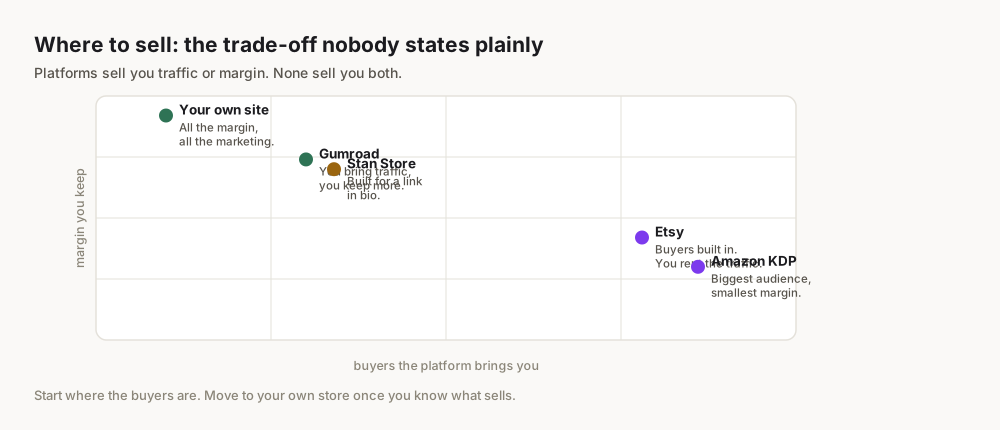
While Etsy does charge fees – a listing fee of $0.20 per item, a 6.5% transaction fee on the sale price (including shipping), and a payment processing fee (which varies by country, typically 3% + $0.25 in the US) etsy.com – these are generally competitive and well worth the access to its massive audience.
What Digital Products Can You Sell on Etsy?
The range of digital products you can sell on Etsy is vast, limited only by your imagination and skills. However, for beginners, some categories offer a smoother entry point.
For Total Beginners: Low-Barrier Options
These products often require less specialized software or advanced design skills, making them excellent starting points.
- Printables: This is arguably the most popular category. Think planners (daily, weekly, monthly), trackers (budget, habit, fitness), journals, coloring pages, chore charts, stationery, and wall art. You design it once, and customers print it themselves.
- Digital Stickers: Used for digital planners (like GoodNotes or Notability), these are small, often transparent PNG files that users can import and use to decorate their digital notes or schedules.
- Social Media Templates: Customizable templates for Instagram posts, stories, Pinterest pins, or Facebook banners. Tools like Canva make these incredibly accessible to create.
- Etsy Shop Banners & Logos: Many new Etsy sellers look for pre-made, professional branding elements to kickstart their own shops.
- Resume/CV Templates: Professionally designed templates that help job seekers stand out.
Advanced Options: Skill-Based Products
As your skills grow, or if you already possess specialized knowledge, you can explore more complex and potentially higher-value digital products.
- Ebooks & Guides: Short, focused ebooks on a niche topic (e.g., "Beginner's Guide to DSLR Photography," "Healthy Meal Prep for Busy Parents").
- Digital Art & Illustrations: High-resolution digital prints, clip art bundles, or custom digital portraits.
- Software Presets: Presets for photo editing software like Lightroom or video editing software.
- Website Templates: Simple website themes or landing page templates for platforms like Canva or Notion.
- Patterns & Tutorials: Digital patterns for sewing, knitting, or crafting, accompanied by detailed instructions.
To help you decide, here's a quick comparison of popular digital product types:
| Product Type | Pros | Cons | Complexity for Beginners |
|---|---|---|---|
| Printables | High demand, easy to create, wide appeal | Can be competitive, requires good design eye | Low-Medium |
| Digital Art | High perceived value, showcase creativity | Requires artistic skill, can be niche | Medium-High |
| Social Media Temps | Consistent demand, easy to update | Requires understanding of platform trends | Low-Medium |
| Ebooks/Guides | High value, establish authority | Requires writing/research skills, content creation is time-consuming | Medium-High |
| Software Presets | Niche market, high profit margin | Requires software expertise, smaller audience | High |
Before you dive into creation, do some market research. Use Etsy's search bar to see what's already selling well in your chosen niche. Look at best-sellers, read reviews to identify customer pain points, and use trends.google.com to validate interest in specific keywords or topics.
Setting Up Your Etsy Shop for Digital Success
Your Etsy shop is your brand's home. Setting it up correctly from the start is crucial for attracting customers and building trust.
Naming Your Shop
Your shop name should be:
- Memorable: Easy to recall and pronounce.
- Relevant: Hint at what you sell (e.g., "PrintablePlannerCo," "DigitalArtPrintsBy[YourName]").
- Unique: Check for availability on Etsy and social media platforms.
Avoid overly generic names. A good shop name helps with branding and can even aid in search engine optimization if it includes relevant keywords.
Shop Policies & Branding
For digital products, specific policies are important:
- No Returns/Exchanges: Clearly state that due to the digital nature of the product, returns or exchanges are not accepted.
- Usage Rights: Specify whether the product is for personal use only or if a commercial license is included/available.
- Support: Let customers know how they can contact you if they have issues with downloads or files.
Beyond policies, your shop's visual branding is vital:
- Shop Banner: A visually appealing banner that reflects your style and what you offer.
- Shop Icon (Profile Picture): A clear, professional icon, often your logo.
- About Section: Share your story, your passion, and what makes your shop unique. This builds connection and trust.
- Announcements: Use this section for promotions, new product launches, or important updates.
Consistency in your branding across all elements – colors, fonts, tone of voice – creates a professional and cohesive experience for your customers.
Creating Your First Digital Product: Tools & Workflow
This is where your creativity comes to life. The process involves ideation, design, and preparing your files for sale.
Design Tools Breakdown
The right tools depend on your product and skill level:
- Canva: Excellent for beginners. It's a user-friendly drag-and-drop design tool perfect for printables, social media templates, simple ebooks, and mockups. Many templates are available to get you started quickly.
- Adobe Creative Suite (Photoshop, Illustrator, InDesign): The industry standard for professional designers. Offers unparalleled control and versatility for complex graphics, illustrations, and multi-page documents. Requires a steeper learning curve.
- Procreate: An iPad app for digital drawing and painting. Ideal for creating unique digital art, illustrations, and custom digital stickers.
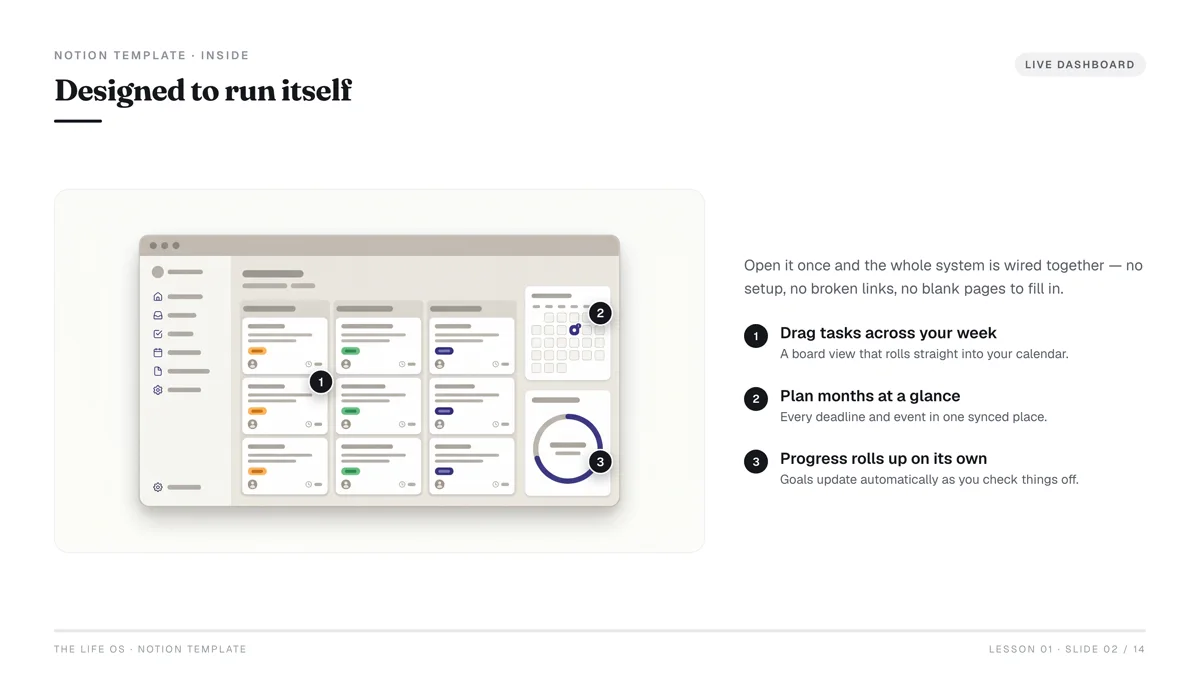
- Notion: A powerful workspace tool that can be used to create and sell customizable templates for productivity, project management, or content calendars.
- Google Docs/Sheets/Slides: Simple, free tools for creating basic templates, checklists, or educational guides.
Workflow for Common Products (e.g., a Printable Planner)
Let's walk through the steps to create a simple printable planner:
- Define Your Niche & Audience: Who is this planner for? (e.g., "Busy Moms," "Students," "Fitness Enthusiasts"). What specific problems will it solve?
- Outline Content: What pages does it need? (e.g., daily schedule, to-do list, habit tracker, meal planner, goal setting).
- Choose Your Software: For a beginner, Canva is an excellent choice.
- Design Each Page:
- Set dimensions (e.g., US Letter, A4).
- Choose a consistent color scheme and font pair.
- Create layouts for each page, ensuring clear hierarchy and functionality.
- Add design elements, but keep it clean and user-friendly.
- Export as PDF: For printables, PDF is the standard format. Ensure it's high-resolution (300 DPI) for clear printing.
- Create Mockups: Design attractive images showing your product in use (e.g., a planner printed out on a desk with a coffee cup, or a digital planner on a tablet). Use free mockup generators or Canva's mockup features.
- Test Thoroughly: Print the planner yourself to check for layout issues, readability, and print quality. Have a friend test it too.
Avoid common beginner mistakes like low-resolution files or poor file organization. Always deliver professional, easy-to-use files. This meticulous attention to detail is crucial for customer satisfaction and repeat business.
How Do You List a Digital Product on Etsy?
Once your product is created, the next critical step is to list it effectively on Etsy. This isn't just about uploading a file; it's about crafting an irresistible storefront.
Crafting Compelling Listings
Every element of your listing contributes to its visibility and conversion rate.
- Product Title: This is your primary SEO driver.
- Include your main keyword phrase at the beginning (e.g., "Budget Planner Printable," "Daily Planner 2026").
- Add descriptive words and long-tail keywords (e.g., "A4 A5 Letter Size, Finance Tracker, Goal Setting, Instant Download PDF").
- Keep it concise but packed with relevant terms.
- Tags: Etsy allows 13 tags. Use them all!
- Think like a buyer: What would they type into the search bar?
- Use multi-word phrases (e.g., "digital planner," "printable budget," "undated planner").
- Include synonyms and related terms.
- Don't repeat words unnecessarily; mix and match.
- Description: This is where you sell your product's value.
- Start with a hook that highlights benefits.
- Clearly state what the product is and what it includes.
- Explain how to use it (e.g., "Print at home," "Use with GoodNotes").
- List specific features (e.g., "15 pages," "Hyperlinked tabs").
- Include important disclaimers (e.g., "Digital download only, no physical item will be shipped").
- Add a call to action (e.g., "Add to cart now!").
- Mockup Images & Video: Visuals are paramount for digital products.
- Show your product in various contexts (e.g., printed, on a tablet, zoomed into details).
- Use lifestyle mockups to help customers visualize using the product.
- Include images that explain features, benefits, and how-to-use instructions.
- Consider a short video demonstrating the product.
- Categories & Attributes: Fill these out meticulously. They help Etsy understand your product and show it to the right buyers.
File Delivery & Automation
This is the magic of passive income for digital products.
- File Preparation:
- Ensure all files are high-resolution and correctly formatted (e.g., PDF for printables, PNG for stickers, JPG for art).
- If you have multiple files, compress them into a single .ZIP folder.
- Name your files clearly (e.g., "BudgetPlanner-USLetter.pdf").
- Upload to Etsy:
- When creating your listing, select "Digital" as the product type.
- Etsy will prompt you to upload your digital files. You can upload up to five files per listing, with a maximum size of 20MB per file. If your files exceed this, you'll need to upload a PDF with a link to an external cloud storage (e.g., Google Drive, Dropbox).
- Instant Download: Once a customer purchases your digital product, Etsy automatically makes the file available for download immediately from their "Purchases and Reviews" section. They also receive an email with a download link. This automation is what makes digital products so powerful for passive income.
Here's a checklist for your Etsy listing:
- Compelling, keyword-rich title
- All 13 tags utilized with relevant phrases
- Detailed description highlighting benefits and instructions
- 5+ high-quality mockup images and/or a video
- Correct categories and attributes selected
- High-resolution, correctly formatted digital file(s) uploaded
- Clear usage policies stated
Pricing Your Digital Products for Profit
Pricing digital products can feel tricky because there are no material costs. However, your time, skill, and the value you provide are very real.
Value-Based Pricing
Instead of thinking about cost, focus on the value your product delivers:
- Problem Solved: How much is it worth to a customer to organize their finances, save time planning, or decorate their home instantly?
- Time Saved: If your template saves them hours of design work, that has significant value.
- Uniqueness & Quality: Is your design exceptionally beautiful, functional, or unique?
- Niche Appeal: Highly specific, targeted products can often command higher prices because they cater to a precise need.
Competitive Analysis
Research is key to finding the "sweet spot" for your pricing.
- Browse Competitors: Search Etsy for similar products. Note their prices, features, and quality.
- Identify Price Ranges: You'll likely see a range (e.g., digital planners from $3 to $20). Position your product within this range based on its quality and unique selling points.
- Consider Bundles: Offering multiple related products as a bundle can increase perceived value and allow for a higher overall price.
- Sales & Promotions: Factor in room for future sales or discount codes to attract buyers.
Don't undervalue your work. Many beginners price too low, thinking it will attract sales. While competitive pricing is important, extremely low prices can signal low quality. Start with a price you feel confident in, and be prepared to adjust based on sales data and customer feedback. Remember, you're selling solutions, not just files.
Marketing Your Etsy Shop: Beyond the Search Bar
Getting found on Etsy isn't solely about its internal search engine. A proactive marketing strategy amplifies your reach.
Etsy SEO Essentials
Etsy's search algorithm prioritizes relevance and quality.
- Keywords are King: As discussed in the listing section, use relevant keywords in your titles, tags, and descriptions. Think about long-tail keywords (more specific phrases) as they often have less competition.
- Shop Sections: Organize your shop into clear sections (e.g., "Printable Planners," "Digital Wall Art," "Social Media Templates"). This improves user experience and helps Etsy understand your product categories.
- Renew Listings: While not a direct SEO factor, refreshing older listings can sometimes give them a slight boost in visibility.
- Customer Reviews: Positive reviews signal trustworthiness and quality to both potential buyers and Etsy's algorithm. Encourage satisfied customers to leave reviews.
- Conversion Rate: Etsy's algorithm favors listings that convert well. High-quality photos, clear descriptions, and competitive pricing contribute to a better conversion rate.
Leveraging Social Media & Pinterest
External marketing can drive significant traffic to your Etsy shop.
- Pinterest: This is a visual search engine, not just a social media platform, making it perfect for digital products.
- Create multiple pins for each product, using different mockups, headlines, and descriptions.
- Link pins directly to your Etsy listing.
- Use relevant keywords in your pin titles and descriptions.
- Create Idea Pins or video pins to showcase your product in action.
- Join relevant group boards or create your own boards focused on your niche.
- Instagram: A great platform for visual content and community building.
- Share visually appealing mockups of your products.
- Use Instagram Stories to show behind-the-scenes glimpses of your creative process.
- Run polls or Q&As to engage your audience and gather product ideas.
- Use relevant hashtags to reach new audiences.
- Utilize your "Link in Bio" to direct followers to your Etsy shop or specific listings.
- TikTok: Short-form video is highly engaging.
- Create quick tutorials on how to use your digital products.
- Showcase "day in the life" content featuring your products.
- Use trending audio and hashtags to increase visibility.
Focus on one or two external platforms where your ideal customer spends the most time, rather than trying to be everywhere at once. For digital products, Pinterest is often the most effective for driving traffic due to its search-engine like nature and visual focus.
Common Pitfalls & How to Avoid Them
Even with the best intentions, beginners can stumble. Being aware of common mistakes can help you navigate them.
- Ignoring Niche Research: The mistake we see most beginners make is creating products they think are good, without validating demand. Always research what's selling and what problems need solving before you invest time in creation. Use tools like Google Trends and Etsy's own search suggestions.
- Poor Quality Files: Fuzzy images, incorrect dimensions, or files that don't open properly will lead to negative reviews and refunds. Always double-check your files before uploading.
- Vague Listings: If your title, tags, or description are unclear, buyers won't find your product or understand its value. Be explicit and use strong keywords.
- Neglecting Customer Service: Even with digital products, customers might have questions or issues. Respond promptly and professionally. Good customer service leads to positive reviews and repeat business.
- Copyright Infringement: Never use copyrighted images, fonts, or designs without proper licensing. This can lead to your shop being shut down. Stick to commercial-use licensed assets or create everything yourself.
- Giving Up Too Soon: Building momentum takes time. Don't get discouraged if sales aren't immediate. Continuously refine your products, optimize your listings, and market consistently. Success is a marathon, not a sprint.
- Forgetting to Track Analytics: Etsy provides shop stats. Regularly review which listings are performing well, where your traffic comes from, and what keywords are driving sales. Use this data to inform your future decisions.
Frequently Asked Questions
How much does it cost to start selling digital products on Etsy?
The initial costs are very low. Etsy charges a $0.20 listing fee per item. Beyond that, your main investments are time for product creation and potentially subscriptions to design software (like Canva Pro, which is optional but highly recommended for efficiency).
Can I sell digital products that use commercial fonts or graphics?
Yes, but you must ensure you have the appropriate commercial license for all fonts, graphics, and assets used in your digital products. Using unlicensed materials can lead to legal issues and the closure of your shop.
How do customers receive their digital files on Etsy?
After purchasing, customers can instantly download their files from their "Purchases and Reviews" section on Etsy. They also receive an email from Etsy with a direct download link. You don't need to manually send files.
Do I need a business license to sell on Etsy?
This depends on your local laws and sales volume. For many hobby sellers starting out, a formal business license isn't immediately required. However, as your business grows, you'll need to consider local tax regulations and whether registering as a sole proprietor or LLC is appropriate. Consult with local authorities or a legal professional.
How can I protect my digital products from being copied?
While it's impossible to completely prevent digital copying, you can take steps to deter it:
How long does it take to make sales on Etsy?
There's no definitive answer. Some sellers make sales within days, while others take weeks or months to gain traction. Factors like product quality, niche demand, listing optimization, and external marketing all play a role. Consistency and patience are key.