
Can You Really Sell Digital Products Without an Audience?
The short answer is an emphaticyes. Many aspiring digital entrepreneurs get stuck on the idea that they need a massive social media following or a huge email list before they can even think about selling. This is a myth, and it prevents countless valuable products from ever seeing the light of day.
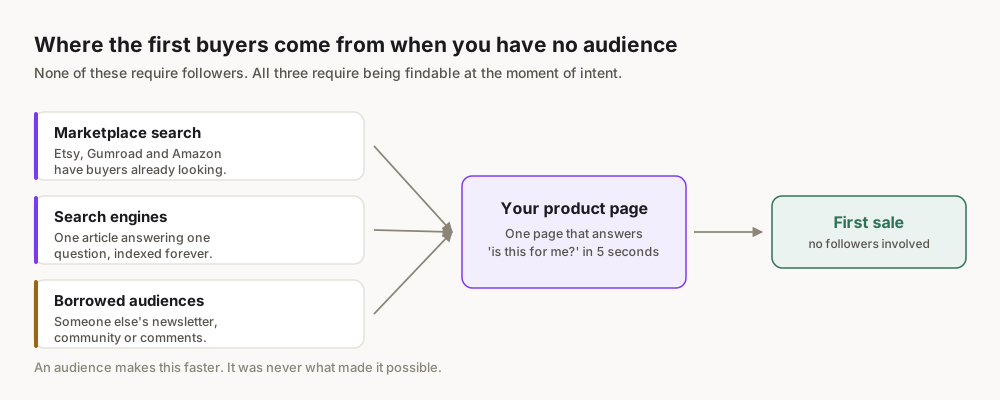
The truth is, millions of people are actively searching for solutions to their problems, entertainment, or tools to improve their lives right now. They're using search engines like Google, browsing marketplaces like Etsy, or scrolling through Pinterest for inspiration. Your job isn't to create demand, but to meet existing demand with a high-quality digital product and place it where those buyers are already looking.
This playbook will show you exactly how to do that, step-by-step, focusing on strategies that don't require you to be an influencer or have a pre-existing fan base. We'll leverage the power of search, niche markets, and established platforms to get your products in front of paying customers.
Step 1: Identify Your Niche & Product Idea
This is the foundational step. Without a clear understanding of who you're serving and what problem you're solving, even the best marketing won't save you. Forget broad categories like "fitness" or "productivity." Think micro-niches.
How to Find Profitable Niches
- Start with your own skills and passions: What do you know or love that others might find valuable? Are you great at organizing, designing, writing, or teaching a specific skill?
- Identify pain points: What problems do you, your friends, or online communities frequently encounter? Digital products are often solutions to these pains.
- Explore existing marketplaces:
- Etsy: Search for "digital planner," "notion template," "wedding invitation template." Look at best-sellers and reviews. What are people asking for that isn't available?
- Gumroad: Browse their discover section. What types of guides, courses, or tools are performing well?
- Creative Market: Focus on design assets, fonts, mockups.
- Keyword research (basic): Use Google Trends trends.google.com to see if interest in a topic is growing or declining. Type in potential product ideas (e.g., "AI prompt guide," "budget spreadsheet excel," "canva template social media") and observe trends. Look at "related queries" for deeper niche ideas.
- Analyze competitor gaps: Find successful products in your potential niche. Read their reviews. What features are customers requesting? What complaints do they have? This is your opportunity to create a superior product.
Brainstorming Product Ideas for Beginners
Once you have a niche, brainstorm specific product types. The best digital products for beginners are often:
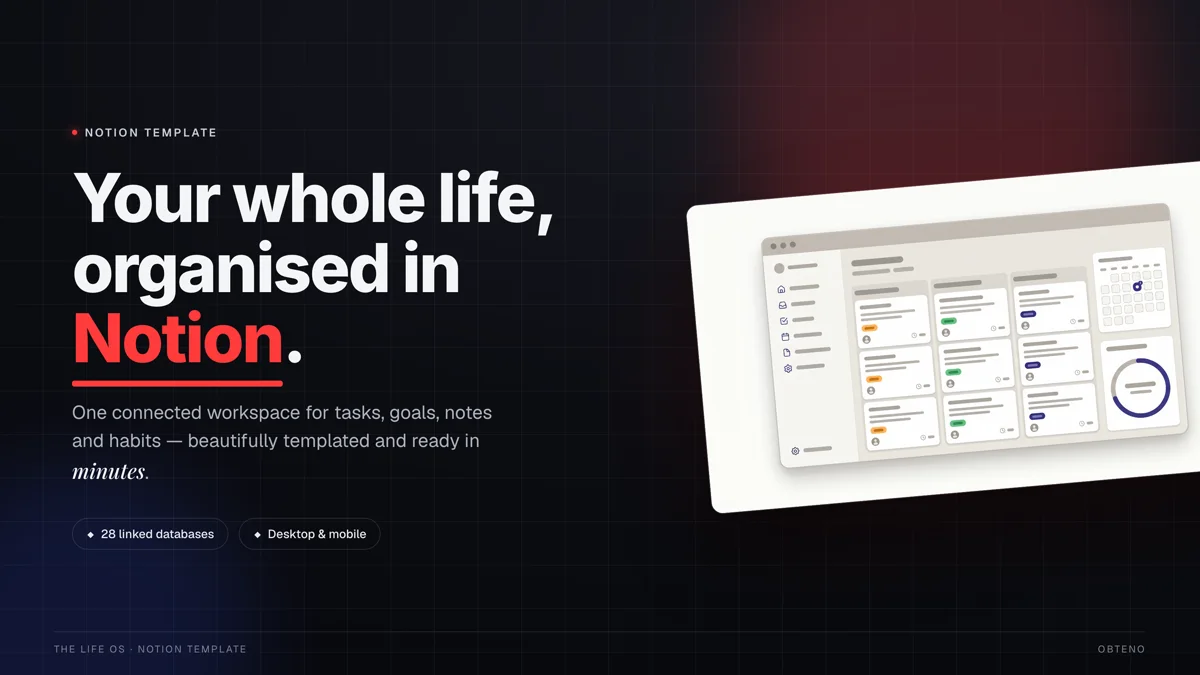
- Templates: Canva templates (social media, presentations, resumes), Notion templates (project management, habit trackers), Excel/Google Sheets templates (budgets, trackers), legal document templates. These are relatively quick to create and in high demand.
- Printables: Planners, journals, wall art, coloring pages, stickers. These require design skills but can be very popular on platforms like Etsy.
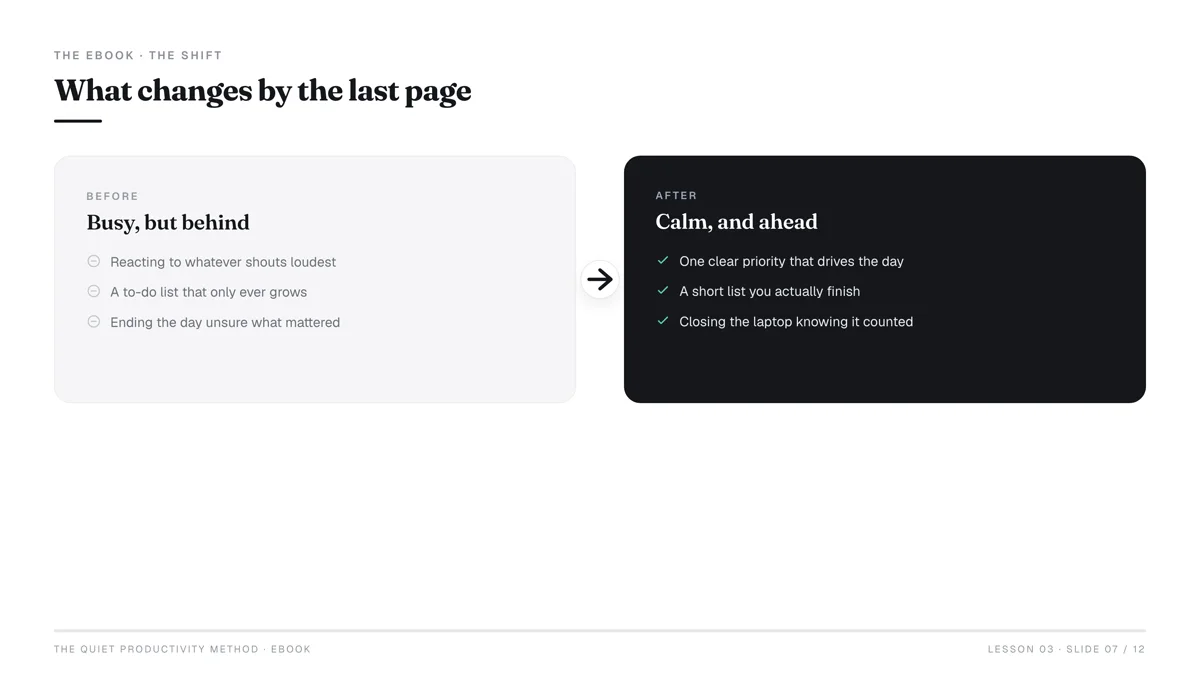
- Ebooks/Guides: Short, actionable guides (e.g., "10 Proven Strategies for Mastering LinkedIn," "Beginner's Guide to Digital Art with Procreate"). Focus on solving a specific problem.
- Preset Packs: Lightroom presets for photographers, video editing LUTs.
- Digital Art/Illustrations: Stock photos, clipart, SVG files for crafters.
Don't try to reinvent the wheel initially. Find a proven product type within your niche and aim to make it better or more specific than what's currently available. For example, instead of "budget spreadsheet," try "budget spreadsheet for freelancers in Europe."
Step 2: Create a High-Value Digital Product
Quality is paramount. Even without an audience, a poorly made product won't sell. A high-value product solves a clear problem, is easy to use, and delivers on its promise.
Tools for Creation
The tools you use will depend on your product type and your skill level.
- Design & Visuals:
- Canva: Excellent for templates, social media graphics, simple printables, and even basic ebooks. User-friendly for beginners.
- Adobe Creative Suite (Photoshop, Illustrator, InDesign): Industry standard for professional design, more complex learning curve.
- Procreate (iPad): For digital art and illustrations.
- Documents & Writing:
- Google Docs/Microsoft Word: For ebooks, guides, checklists.
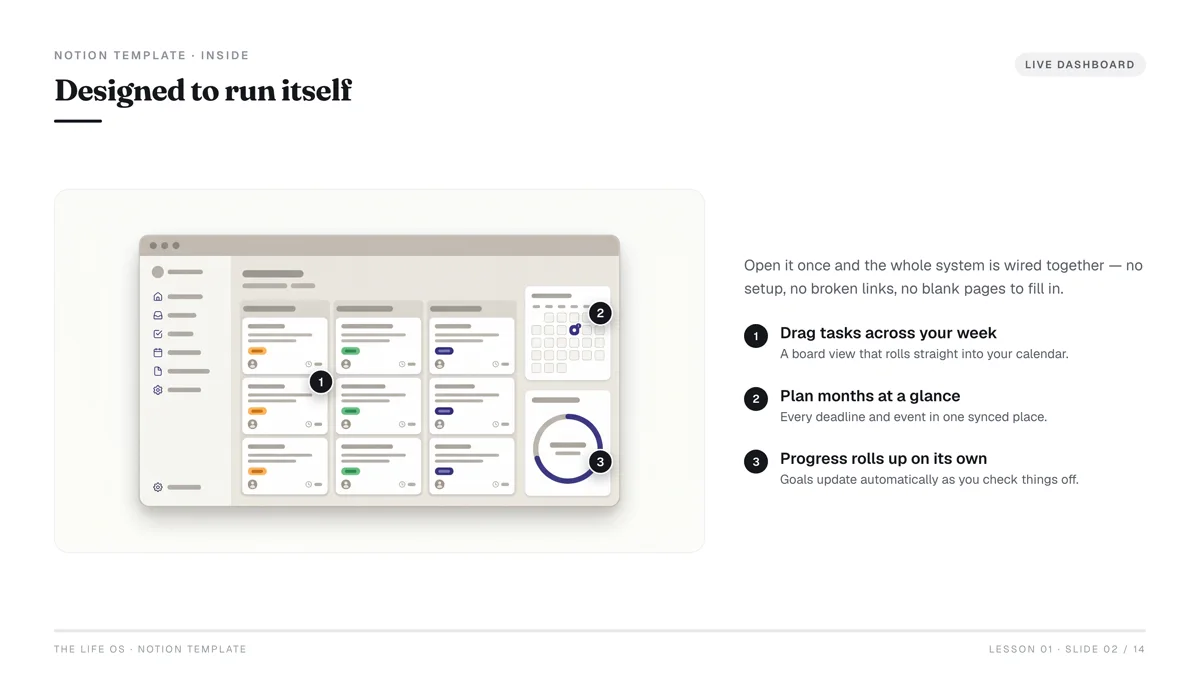
- Notion: For creating powerful, interactive templates (e.g., project management systems, habit trackers).
- Spreadsheets:
- Google Sheets/Microsoft Excel: For budgeting tools, trackers, data organizers.
- Audio/Video:
- Audacity (free), Adobe Audition: For podcasts, audio guides.
- OBS Studio (free), Screenflow (Mac), Camtasia: For screen recordings, tutorials.
The Creation Process
- Outline and Structure: Before you open any software, plan your product. For an ebook, outline chapters. For a template, map out sections and features.
- Focus on User Experience: How easy is your product to use? Is it intuitive? Provide clear instructions if necessary.
- Aesthetics Matter: Even for a spreadsheet, good design (clean layout, consistent fonts, appealing color scheme) makes a huge difference in perceived value.
- Proofread and Test: Crucial for any digital product. Check for typos, broken links, incorrect formulas, or missing elements. Get a friend to test it if possible.
- Export and Package: Ensure your product is in a universally accessible format (PDF for printables/ebooks, JPG/PNG for images, CSV/XLSX for spreadsheets). Bundle related files into a ZIP folder if needed.
Step 3: Choose Your Selling Platform Wisely
This is where the "no audience" strategy truly shines. Instead of building your own website and trying to attract visitors from scratch, you leverage platforms that already have millions of active buyers.
Marketplace Comparison Table
| Feature | Etsy | Gumroad | Creative Market |
|---|---|---|---|
| Best For | Printables, templates, digital art, planners | Ebooks, courses, software, presets, templates | Design assets (fonts, graphics, templates) |
| Audience Type | Crafters, small business owners, gift-givers | Creators, entrepreneurs, tech-savvy users | Designers, agencies, marketers |
| Fees | Listing: $0.20/item. Transaction: 6.5% + payment processing etsy.com/legal/fees | Free to start. 10% transaction fee (drops with sales volume) gumroad.com/pricing | 40% commission on sales (higher cut for them) |
| Ease of Setup | Moderate (store setup, listing details) | Very Easy (single product focus) | Moderate (application process, curate shop) |
| Traffic Source | Internal search, category browsing, Etsy Ads | Internal discover, creator network, direct links | Internal search, curated collections, promotions |
| Customization | Limited shop branding | Moderate (custom store page, email features) | Limited shop branding |
Why These Platforms Work Without an Audience
- Built-in Traffic: People go to Etsy specifically to buy handmade or unique items, including digital ones. They go to Gumroad looking for knowledge products or software. Creative Market is a hub for designers. These platforms are search engines in themselves.
- Trust and Infrastructure: They handle payments, delivery, and customer service infrastructure, which builds buyer trust and reduces your operational burden.
- Lower Barrier to Entry: You don't need to learn complex website development or e-commerce setup.
Step 4: Craft Irresistible Product Listings & Descriptions
This is your virtual storefront. Your listing needs to grab attention, convey value, and convince someone to buy, all without you having to speak to them directly.
High-Quality Product Images/Mockups
- Show, don't just tell: Use 5-10 high-resolution images.
- Lifestyle shots: How does someone use your product? Show a digital planner on a tablet, an ebook cover on a desk, a template filled with example data.
- Feature highlights: Use graphics to point out key benefits and features.
- Variations: If applicable, show different colors, layouts, or components.
- Consistency: Maintain a consistent brand aesthetic across all images.
- Video (if possible): A short video demonstrating the product can significantly boost conversions.
Compelling Product Title
- Include primary keywords: What would someone search for? (e.g., "Notion Template Ultimate Life Planner," "Canva Social Media Kit for Coaches," "Etsy Shop Planner Printable").
- Be specific: Avoid vague titles.
- Highlight a key benefit: "Budget Spreadsheet for Debt Payoff," "Ebook: Master Instagram Reels in 7 Days."
Detailed Product Description
This isn't just a list of features; it's a sales page.
- Hook (first 1-2 sentences): Immediately address the buyer's pain point or desire. "Struggling to manage your small business finances?" or "Ready to transform your social media presence?"
- Benefits, not just features: How will your product improve their life? (e.g., "Save hours every week," "Attract more clients," "Achieve financial clarity").
- What's included: Clearly list every component of the digital download.
- How to use it: Provide brief, clear instructions.
- Compatibility/Requirements: Specify software needed (Canva Pro, Notion account, Excel 2016+).
- Call to action: "Buy now," "Add to cart."
- Keywords: Naturally weave in relevant keywords throughout the description to improve search visibility.
Strategic Keyword Tags
Each platform has its own tagging system. Use them wisely.
- Think like a buyer: What exact phrases would they type into the search bar?
- Use long-tail keywords: More specific phrases (e.g., "boho wedding invitation template" instead of just "invitation").
- Mix broad and specific: Include some broader terms if relevant, but prioritize niche-specific ones.
- Utilize all available tags.
Step 5: Drive Traffic (Without an Audience)
This is the core challenge you're overcoming. You won't rely on your own followers, but on existing traffic streams.
1. Master Marketplace SEO
This is your most powerful tool.
- Keyword-rich titles and descriptions: As discussed in Step 4.
- Relevant tags/categories: Use all available options.
- Optimized product images: Some platforms (like Etsy) can read image filenames. Name them descriptively (e.g., "digital-planner-2026-budget-tracker.jpg").
- Sales velocity: More sales and good reviews signal to the platform that your product is popular and relevant, boosting its ranking.
- Engage with reviews: Respond professionally to both positive and negative feedback.
2. Leverage Pinterest
Pinterest is a visual search engine, not just a social network.
- Create compelling pins: Design attractive graphics for each product (use Canva!).
- Rich descriptions: Use keywords in your pin descriptions.
- Link directly: Link pins directly to your product listing on Etsy, Gumroad, or your website.
- Relevant boards: Create boards relevant to your niche (e.g., "Notion Templates for Students," "Printable Budget Trackers").
- Consistency: Pin regularly.
- Idea Pins: Experiment with Pinterest's video-like "Idea Pins" to showcase product use.
3. Harness Niche Forums & Communities (Carefully!)
- Reddit: Find subreddits related to your niche (e.g., r/Notion, r/digitalplanning, r/smallbusiness).
- Provide value first: Don't just spam links. Answer questions, offer advice, and become a helpful member of the community.
- Subtle promotion: When genuinely relevant, you can mention your product as a solution. Check community rules on self-promotion; many have specific days or threads for it.
- Quora/Facebook Groups: Similar approach – be helpful, establish expertise, and offer your product as a solution when appropriate.
4. Collaborate (Micro-Influencers)
- Find small accounts (1,000-10,000 followers) on Instagram, TikTok, or YouTube in your niche.
- Offer them a free copy of your product in exchange for an honest review or feature.
- This can expose your product to a relevant audience without requiring you to build your own.
5. Paid Ads (Marketplace Specific)
- Etsy Ads: Can be highly effective for new sellers. Start with a small daily budget ($5-$10) and target specific keywords. Monitor performance closely.
- Gumroad Discover: If your product is high-quality, it might get featured in Gumroad's discover section, driving organic traffic. You can also run targeted ads on other platforms linking directly to your Gumroad product.
Focus on one or two traffic channels initially. Trying to master all of them simultaneously will dilute your efforts. Once you see traction in one, then expand. For marketplace sellers, SEO is always priority one.
Step 6: Price for Profit and Value
Pricing digital products can feel tricky because there are no material costs. Your price needs to reflect the value you provide, your time investment, and market expectations.
Factors to Consider
- Value Provided: How much time, money, or effort does your product save the customer? How significant is the problem it solves? A template that saves someone 10 hours a week is worth more than a simple coloring page.
- Competitor Analysis: Look at similar products on your chosen platform. Don't be the cheapest, but understand the price range.
- Target Audience: Are you selling to hobbyists or professionals? Professionals often have larger budgets.
- Creation Time/Effort: While not a direct cost, your time is valuable.
- Perceived Value: High-quality design, clear instructions, and excellent support can justify a higher price.
- Platform Fees: Remember to factor in transaction fees from Etsy, Gumroad, etc. (refer back to the table in Step 3).
Pricing Strategies
- Value-Based Pricing: Price based on the perceived benefit to the customer. If your "Ultimate Productivity Notion Template" helps someone save 5 hours a week, and their time is worth $30/hour, that's $150 in value. A $29 or $49 price point looks very reasonable.
- Tiered Pricing: Offer different versions (basic, pro, premium) with varying features or support levels. This caters to different budgets and needs.
- Bundle Pricing: Group several related products together at a slightly discounted price than buying them individually. This increases average order value.
- Introductory Pricing: Launch at a lower price to generate initial sales and reviews, then slowly increase it.
Example Math (for a $15 Digital Product on Etsy)
- Listing Fee: $0.20
- Transaction Fee: 6.5% of $15 = $0.975
- Payment Processing Fee: (e.g., 3% + $0.25) of $15 = $0.45 + $0.25 = $0.70
- Total Fees: $0.20 + $0.975 + $0.70 = $1.875
- Net Profit per sale: $15 - $1.875 = $13.125
Understanding these numbers is crucial for setting profitable prices.
Step 7: Optimize, Learn, and Scale
Launching your product is just the beginning. The real work (and fun) is in optimizing and growing.
1. Analyze Performance Data
- Sales reports: Which products are selling best? Which aren't?
- Traffic sources: Where are your buyers coming from? (e.g., Etsy search, Pinterest, direct).
- Conversion rates: How many visitors become buyers?
- Keywords: Which keywords are bringing in the most sales?
Most platforms provide analytics dashboards. Pay attention to them.
2. Gather and Act on Feedback
- Reviews: Read every review carefully. What are people loving? What are they struggling with?
- Direct messages: If customers reach out with questions or suggestions, take note.
- Surveys (optional): For higher-priced products, consider a simple post-purchase survey.
- Iterate: Use this feedback to improve your existing products or identify ideas for new ones. A simple update to an existing product (e.g., adding a new color option to a template) can significantly boost sales.
3. Expand Your Product Line
Once you have a successful product, think about related offerings.
- Complementary products: If you sell a digital planner, create a matching sticker pack or a goal-setting guide.
- Variations: Offer your best-selling template in different styles, colors, or for different niches.
- Bundles: Combine your existing products into attractive bundles.
4. Consider Building an Email List (Eventually)
While not necessary to start, a small email list of past customers can be incredibly valuable for future launches or promotions. Offer an exclusive discount code or a free mini-product to encourage sign-ups. Tools like Mailchimp or ConvertKit offer free tiers to get started.
5. Automate and Delegate (When Ready)
As your business grows, look for ways to streamline operations. Obteno builds the product, so the time you have goes on finding buyers instead of formatting pages. This is a later-stage step, but it's good to keep in mind for scaling.
What are the Best Digital Products for Beginners?
For beginners aiming to sell without an audience, the "best" products typically share a few characteristics: they solve a clear, specific problem, have high perceived value, and are relatively straightforward to create and deliver.
Here's a breakdown by beginner-friendliness and market demand:
For Total Beginners (Minimal Design/Technical Skills)
- Printables (simple): Think basic planners, habit trackers, chore charts, or simple digital wall art. These are often created in Canva or Google Docs, exported as PDFs.
- Why they're good: Low barrier to entry, high demand on platforms like Etsy, quick to create.
- Example: "Daily Productivity Planner Printable PDF"
- Ebooks/Guides (short & actionable): Focus on a very specific problem and offer a clear, step-by-step solution. 10-30 pages is often enough.
- Why they're good: Leverage your existing knowledge, high perceived value if the information is good.
- Example: "5 Steps to Declutter Your Digital Life"
- Excel/Google Sheets Templates: Budget trackers, simple inventory lists, goal trackers.
- Why they're good: Solves a common organizational problem, often high demand, can be created with basic spreadsheet skills.
- Example: "Monthly Budget Template for Students"
For Beginners with Some Design/Technical Aptitude
- Canva Templates: Social media post templates, presentation templates, resume templates.
- Why they're good: Extremely high demand, relatively easy to create once you understand Canva, highly customizable for buyers.
- Example: "30 Instagram Post Templates for Small Businesses"
- Notion Templates: Project management dashboards, habit trackers, content calendars.
- Why they're good: Growing platform, caters to a tech-savvy audience, high perceived value for comprehensive systems.
- Example: "Ultimate Freelancer OS Notion Template"
- Digital Planners: More interactive PDF planners for apps like GoodNotes or Notability.
- Why they're good: Strong demand, can command higher prices, allows for creative design.
- Example: "Undated Digital Planner with Hyperlinks"
The key is to start small, validate your idea, and then expand. Don't try to build a complex software product as your first venture. Focus on delivering tangible value quickly and efficiently.
Frequently Asked Questions
How long does it take to start selling digital products?
You can create and list a simple digital product within a day or a few days if you already have a clear idea. The actual time to start selling depends on how quickly your listings gain visibility on marketplaces, which can range from a few days to a few weeks.
Do I need a website to sell digital products?
No, you do not. Platforms like Etsy, Gumroad, and Creative Market act as your storefront, handling payments, delivery, and much of the marketing infrastructure. You can start and succeed entirely on these platforms.
How much money can I make selling digital products?
Earnings vary widely based on product type, quality, pricing, and how effectively you market within the platform. Any range you see quoted here is unsourced — the people publishing income screenshots are a self-selecting minority, and nobody publishes the median. The digital product market continues to grow, so the opportunity is real.
What are the biggest challenges for beginners?
The main challenges include identifying a truly profitable niche, creating a high-quality product that stands out, and effectively optimizing listings for search on marketplaces. Overcoming these initial hurdles with diligence and research is key.
How do I handle customer support for digital products?
Most customer support involves answering pre-purchase questions, helping with download issues, or providing clarification on how to use the product. Be responsive, clear, and helpful. Platforms often have built-in messaging systems for this.
Can I sell the same digital product on multiple platforms?
Yes, you absolutely can and should! This is a great way to maximize your reach and sales. Just be sure to adjust your pricing to account for different fee structures on each platform and ensure your listings are optimized for that specific marketplace.