
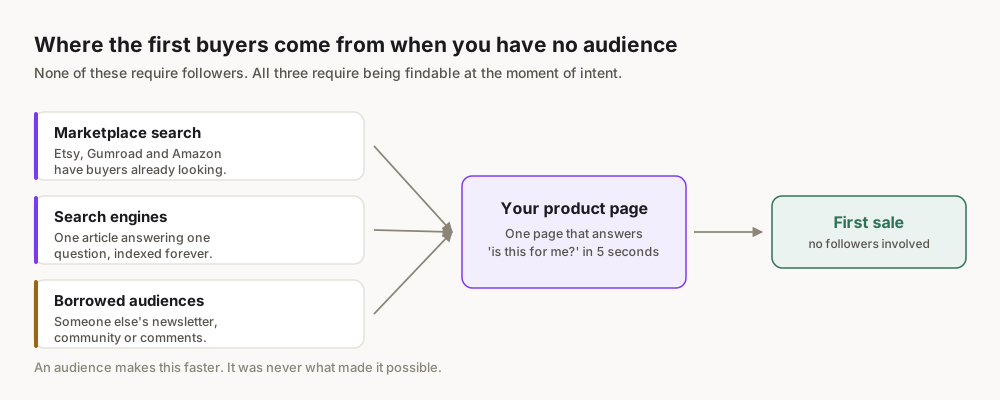
The Truth About Selling Courses with a Small Audience
Forget the myth that a large following is a prerequisite for success. In the world of online courses, particularly for beginners, a small, highly engaged audience is not a limitation—it's an immense advantage. This approach allows for deeper connections, more personalized feedback, and the ability to truly understand and serve your students.
The Power of Niche
A small audience often implies a highly niched audience. Instead of trying to appeal to "everyone interested in business," you might focus on "freelance graphic designers struggling with client contracts" or "new parents looking for specific sleep training techniques for toddlers." This laser focus is transformative for several reasons:
- Clearer Problem Identification: When your audience is specific, their problems are clearer. You can pinpoint their pain points, desires, and the precise transformation they seek.
- Tailored Solutions: With a clear problem, you can create a course that directly addresses it, making your offering incredibly valuable and irresistible to that niche.
- Easier Marketing: Knowing exactly who you're talking to makes your marketing messages resonate far more powerfully. You can use their language, address their specific fears, and highlight the exact benefits they'll gain.
- Higher Conversion Rates: A highly targeted message delivered to a highly targeted audience leads to significantly higher conversion rates, meaning more sales from fewer leads.
Consider the online education market. This isn't just driven by mega-creators; it's fueled by countless niche experts solving specific problems for dedicated learners. Your small audience allows you to tap into these micro-markets effectively.
Why Engagement Trumps Size
A list of 100 genuinely interested people who trust your expertise and actively engage with your content is infinitely more valuable than 10,000 passive followers who rarely click or convert. Engagement signifies trust, relevance, and a willingness to act on your recommendations.
- Direct Feedback Loop: A smaller group makes it easier to engage in conversations, solicit feedback, and tailor your course to their precise needs, ensuring it hits the mark.
- Authentic Advocacy: Your first students, if well-served, become your most passionate advocates. They'll share your course, provide testimonials, and help build your reputation organically.
- Building a Foundation: Starting small allows you to refine your teaching style, optimize your course content, and perfect your marketing message without the pressure of a massive launch. This foundational work is crucial for sustainable growth.
Don't just ask "What do you want to learn?" Ask "What problem are you currently facing that you wish you had a clear solution for?" This shifts the focus from desire to urgent need, revealing more profitable course ideas.
Finding Your Niche: What Course Should You Create?
This is arguably the most critical step. Your course's success, especially with a small audience, hinges on its ability to perfectly match a specific need with your unique solution.
Identify Your Expertise & Passion
Start with what you know and love.
- List your skills and knowledge: What are you genuinely good at? What do people ask you for advice on? This could be anything from advanced Excel formulas to sourdough baking, digital art techniques, specific software proficiency, or even parenting strategies.
- Identify your passions: What topics could you talk about for hours without getting bored? Passion fuels persistence, which you'll need during creation and marketing.
- Pinpoint your unique perspective: How do you approach these topics differently? Is there a specific methodology you use? A unique story you can tell?
Research Market Demand (Trends, Forums, Competitors)
Even with passion and expertise, you need an audience willing to pay for your solution.
- Google Trends: Use trends.google.com to see if interest in your topic is growing, stable, or declining. Look for related queries.
- Online Forums & Communities: Reddit, Facebook Groups, LinkedIn Groups, Quora, and specialized forums are goldmines. What questions are people asking repeatedly? What problems are they complaining about? What solutions are they seeking?
- Example: Searching "freelance contract problems" on Reddit might reveal common legal pitfalls or negotiation struggles.
- Competitor Analysis: Who else is offering courses in your general area?
- Analyze their course content, pricing, and reviews. What are they doing well? Where are the gaps? What complaints do their students have? This helps you differentiate.
- Important: Your goal isn't to copy, but to identify unmet needs or ways you can offer a superior, more specific, or more accessible solution.
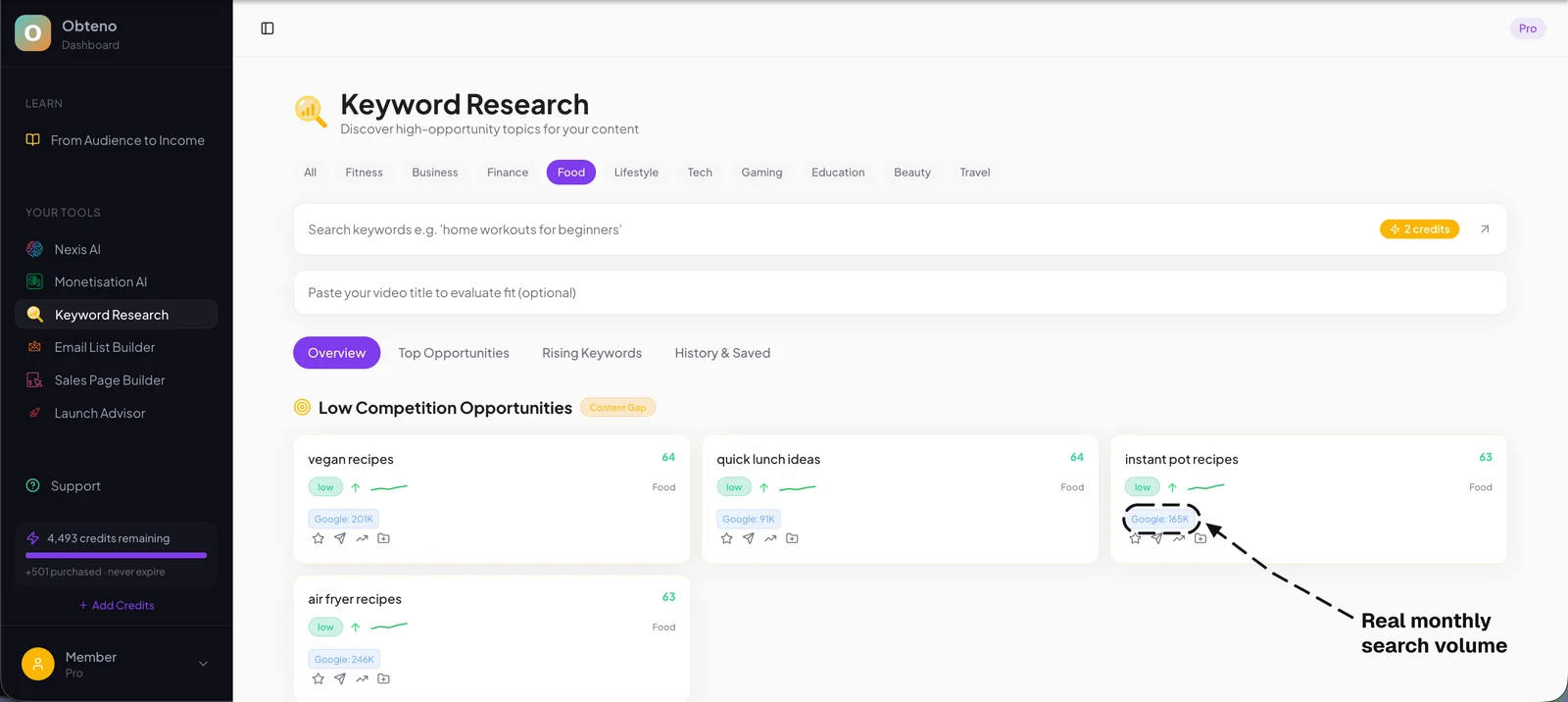
- Keywords: Use simple keyword research (Google search suggestions, "people also ask" boxes) to understand the language your audience uses.
Define Your Ideal Student Persona
Go beyond demographics. Create a vivid picture of your ideal student.
- Demographics: Age, location, occupation, income level.
- Psychographics: Goals, aspirations, fears, pain points, daily struggles, values.
- Current knowledge level: Are they absolute beginners, intermediate, or advanced?
- Motivation for learning: Why do they want to learn this? What transformation are they seeking?
- Where do they hang out online? (Crucial for marketing later)
Example Persona:
- Name: Sarah, 32
- Occupation: Freelance graphic designer, 4 years experience
- Pain Point: Struggling to draft clear, legally sound client contracts; frequently feels undervalued or taken advantage of; spends too much time on admin, not design.
- Goal: Wants simple contract templates, clear negotiation strategies, and a process to protect her creative work and time, so she can focus on design and earn more.
- Online Habits: Active in designer Facebook groups, reads design blogs, follows industry leaders on Instagram.
Validate Your Course Idea
Before you spend weeks creating content, ensure people are willing to pay.
- Direct Conversations: Talk to 5-10 people who fit your ideal student persona. Ask open-ended questions about their problems and their willingness to pay for a solution.
- Simple Survey: Use a free tool like Google Forms to survey your existing small audience (email list, social media followers). Ask about their biggest challenges related to your topic and what they'd like to learn.
- Pre-Sell/Waitlist: Offer a condensed version or a "coming soon" page with a clear problem and solution. Ask for email sign-ups for a waitlist or even a small deposit for early bird access. This is the ultimate validation.
Crafting Your Course Content: From Idea to First Lesson
Once validated, it's time to build the educational experience. Remember, your goal is transformation, not just information.
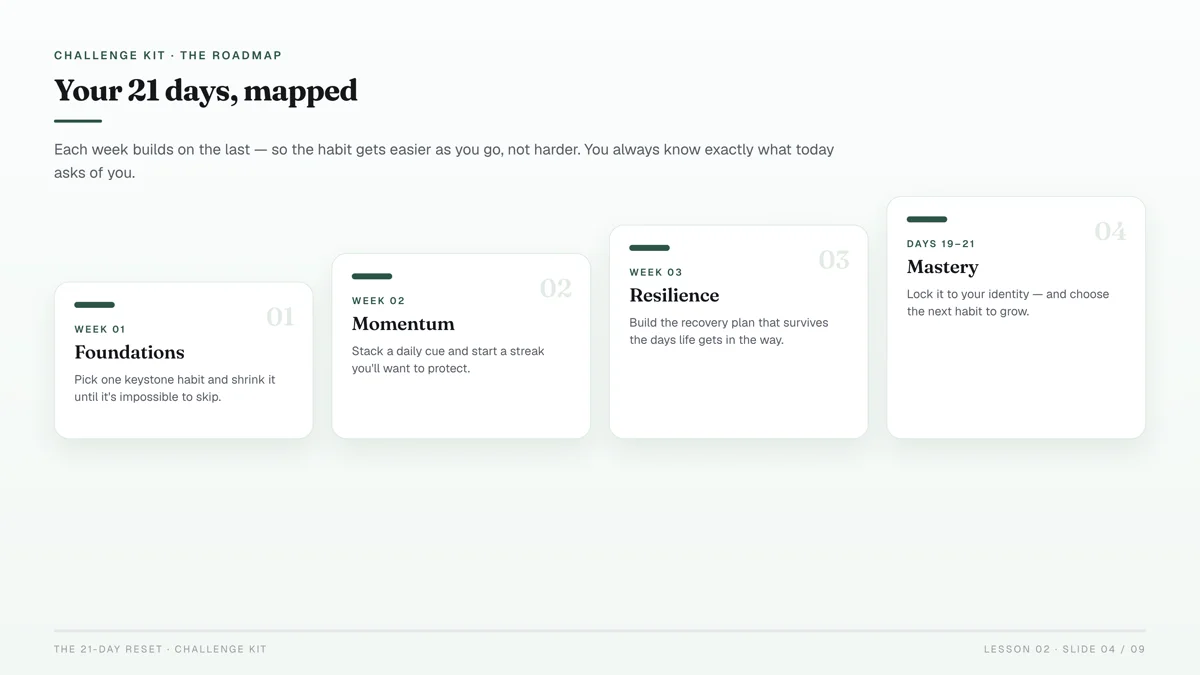
Outline Your Curriculum
This is your course's backbone.
- Identify the "Big Promise": What specific outcome will your student achieve by completing your course? (e.g., "Launch your first profitable Etsy shop in 30 days," "Master advanced Excel pivot tables in 5 hours," "Create professional-looking social media graphics without design experience.")
- Break it into Modules: These are the major milestones or sections of your course. Each module should have a clear learning objective that contributes to the big promise.
- Detail Lessons within Modules: For each module, list the individual lessons. Each lesson should be focused, digestible, and build logically on the previous one.
- Example Module: "Module 2: Crafting Your Offer"
- Lesson 1: Identifying your unique value proposition
- Lesson 2: Structuring your service packages
- Lesson 3: Pricing for profit and perceived value
- Lesson 4: Creating compelling service descriptions
- Add Actionable Exercises/Worksheets: Learning retention dramatically increases with application. Include exercises, quizzes, templates, or checklists that allow students to practice what they learn.
Choose Your Content Format (Video, Text, Audio, Live)
Consider your topic, your audience's learning style, and your comfort level.
- Video: Most popular for engagement. Can be talking head, screen share, or demonstrations. Requires decent audio/video quality but doesn't need to be Hollywood-level.
- Text: Ebooks, written lessons, transcripts. Great for detailed explanations, reference materials, or for learners who prefer reading.
- Audio: Podcasts, audio lessons. Excellent for on-the-go learning.
- Live Sessions: Webinars, Q&A calls, coaching sessions. Builds community and allows for real-time interaction, often offered as a premium add-on or bonus.
Create Engaging Lessons
Focus on clarity, conciseness, and actionability.
- Structure: Every lesson should have a clear introduction (what will be covered), body (the core content), and conclusion (what was learned, what to do next).
- Keep it concise: Break down complex topics into smaller, digestible chunks. Short videos (5-15 minutes) are often more effective than long lectures.
- Use visuals: Slides, diagrams, screenshots, and demonstrations enhance understanding and engagement.
- Be authentic: Your personality is an asset. Don't try to be someone you're not.
- Provide homework/action steps: Reinforce learning with practical application.
Course Creation Tools & Resources
You don't need expensive software to start.
- Video Recording: Your smartphone, a simple webcam, or free tools like Loom (for screen recording) are perfectly adequate. For better quality, consider OBS Studio (free) or Screenflow/Camtasia (paid).
- Audio: A basic USB microphone (e.g., Blue Yeti, Rode NT-USB Mini) makes a huge difference in audio quality.
- Slides/Visuals: Canva, Google Slides, or Keynote/PowerPoint.
- Document Creation: Google Docs, Notion, or Microsoft Word for text-based lessons, worksheets, and templates.
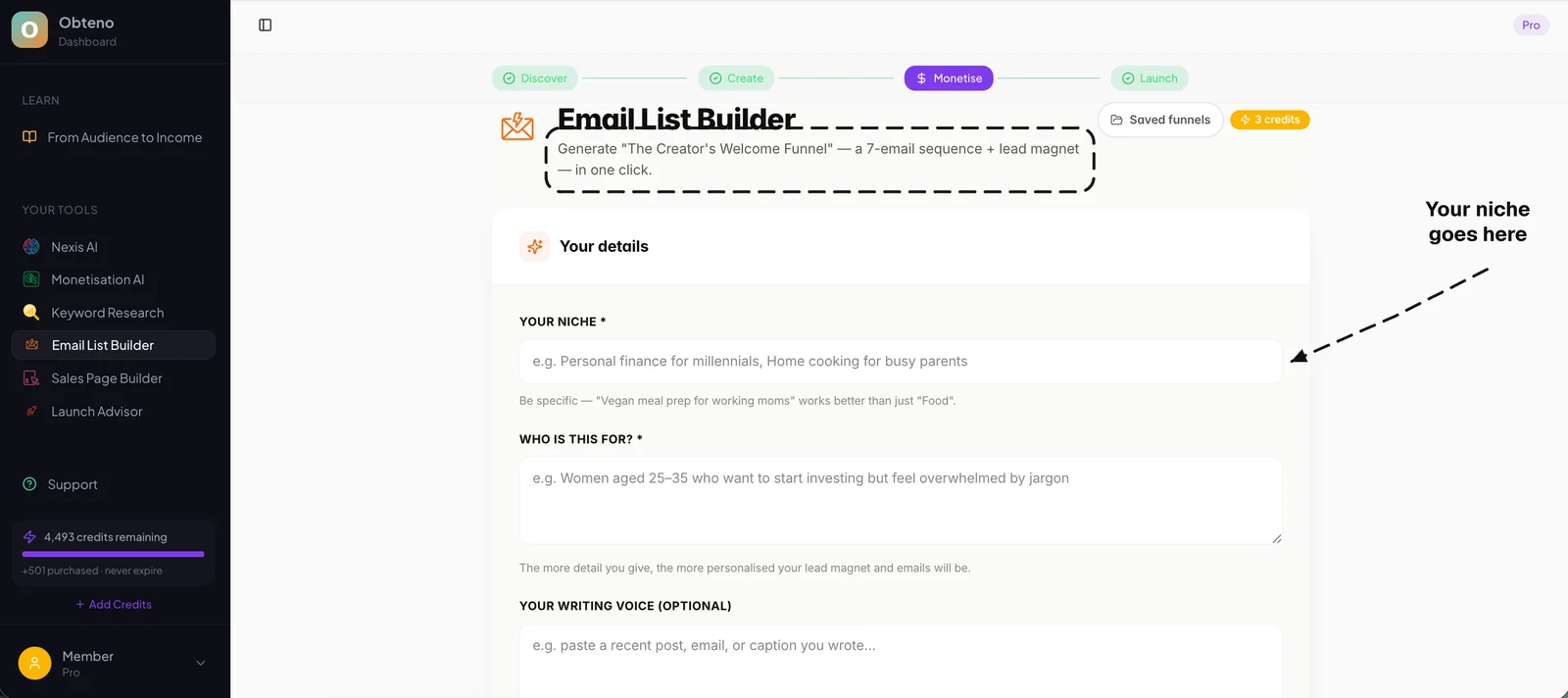
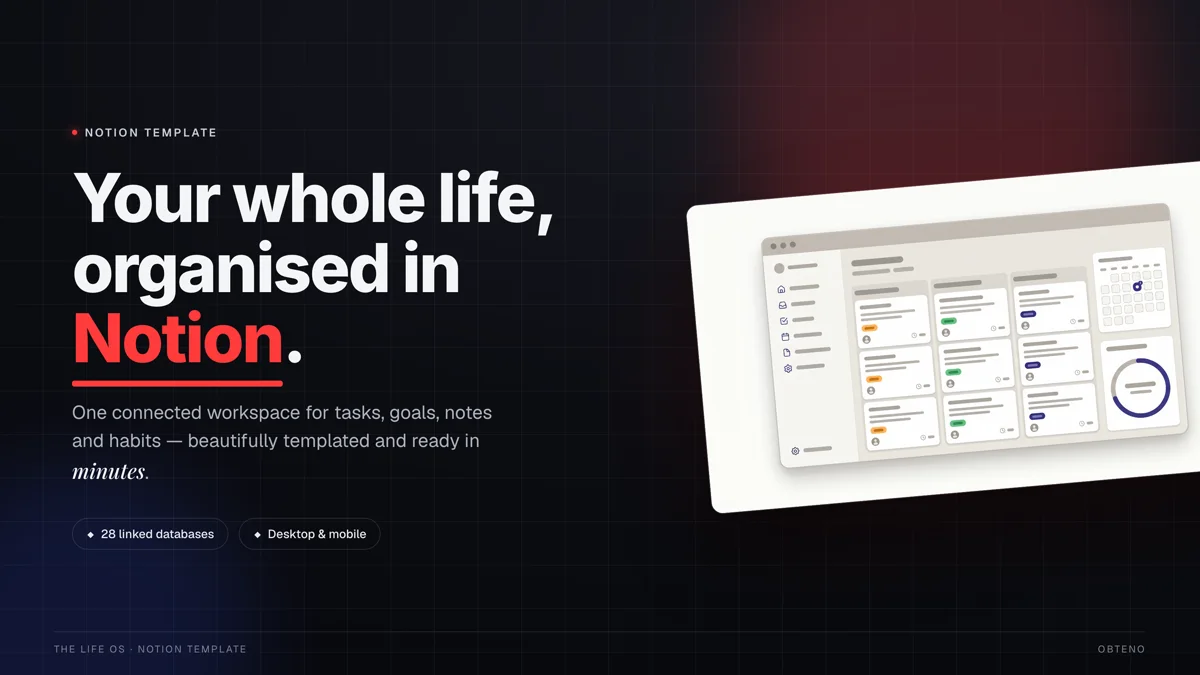
- Content Generation: The core lesson is always about solving a specific problem for a specific audience. Obteno drafts the lesson outlines and the slides that go with them, and Notion or Canva are there for anything you want to rebuild by hand. What none of them can supply is your expertise or your voice.
Building your first product as you read this? Obteno's free course walks you through every step — completely free, no card needed.
Choosing Your Platform: Where Will You Host and Sell Your Course?
This decision impacts your student experience, your technical workload, and your wallet. There's no single "best" platform; it depends on your needs.
Dedicated Course Platforms (Thinkific, Teachable, Kajabi)
These are all-in-one solutions designed specifically for online education.
- Pros:
- Ease of Use: User-friendly interfaces for course creation, hosting, and student management.
- Features: Built-in video hosting, payment processing, student dashboards, quizzes, certificates, drip content.
- Scalability: Designed to grow with your business.
- Support: Dedicated customer support for creators.
- Cons:
- Cost: Can be more expensive, especially for advanced features or no transaction fees.
- Less Customization: While flexible, they might not offer the same level of design freedom as a fully custom website.
- Best For: Most beginners who want a professional, hassle-free solution without deep technical knowledge.
Marketplace Platforms (Udemy, Skillshare)
These platforms host courses from many creators and have a built-in audience.
- Pros:
- Built-in Audience: Access to millions of potential students without needing your own marketing efforts.
- No Technical Hassle: They handle all hosting, payments, and student support.
- Low Barrier to Entry: Easy to upload and publish.
- Cons:
- Revenue Share: They take a significant cut of your sales (often 50% or more, especially if they market your course).
- Price Control: Limited control over your course pricing; platforms often run deep discounts.
- Competition: Your course is one among thousands, making it harder to stand out.
- No Student Ownership: You don't own your student data or email list, limiting your ability to build direct relationships.
- Best For: Testing ideas, gaining initial traction, or as a secondary distribution channel, but not ideal for building a sustainable business around a small, dedicated audience.
DIY with Website Builders (WordPress + LMS plugins)
For those who want maximum control and customization.
- Pros:
- Full Ownership & Control: You own all your data, branding, and student relationships.
- Ultimate Customization: Design your site exactly how you want it.
- No Transaction Fees (beyond payment processor): You keep more of your revenue.
- Cons:
- Technical Complexity: Requires more technical setup and maintenance (hosting, security, plugins).
- Time Commitment: Steeper learning curve.
- Additional Costs: Hosting, domain, premium themes/plugins can add up.
- Best For: Experienced creators, those with existing WordPress sites, or those who prioritize maximum control and don't mind the technical aspects.
Comparison Table: Course Hosting Platforms
| Feature | Dedicated Platform (e.g., Thinkific) | Marketplace (e.g., Udemy) | DIY (e.g., WordPress + LearnDash) |
|---|---|---|---|
| Ease of Setup | Very High | Very High | Moderate to Low |
| Cost (Monthly) | $39 - $499+ (tiered) | Free to list, revenue share | $10 - $100+ (hosting, plugins) |
| Revenue Share | 0-10% (on lower tiers) | 25-75% | 0% (excl. payment processor) |
| Audience Access | You bring your own | Built-in audience | You bring your own |
| Branding Control | High | Low | Very High |
| Marketing Tools | Built-in email, sales pages | Limited (platform promotion) | Unlimited (via plugins) |
| Student Ownership | Full | Limited | Full |
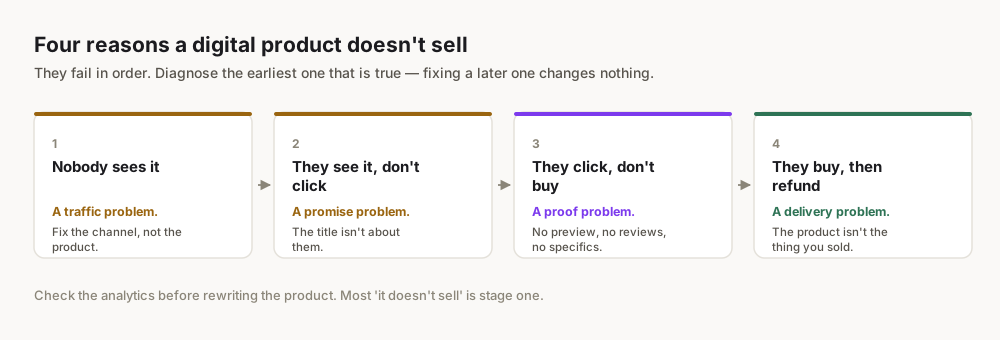
Marketing Your Course: How Do You Reach Your First Students?
This is where having a small, engaged audience becomes your greatest asset. You're not shouting into the void; you're speaking directly to people who already know and trust you (or are ready to).
Leveraging Your Existing Small Audience
Don't underestimate the power of your current connections.
- Personal Outreach: Reach out individually to friends, colleagues, past clients, or anyone who has expressed interest in your topic. A personal email or message converts far better than a general broadcast.
- Email List: If you have even a small email list (even 10-20 people), nurture it. Share valuable free content related to your course topic. When you launch, this list is your warmest audience.
- Social Media: Announce your course on your preferred platforms. Don't just post once; share the journey, behind-the-scenes, student testimonials, and snippets of lessons. Engage in conversations.
- Community Engagement: Participate in relevant online communities (forums, Facebook groups, LinkedIn groups) where your ideal students gather. Offer genuine value, answer questions, and subtly mention your course when appropriate and allowed by group rules. Do NOT spam.
Content Marketing (Blog, Social Media)
Create free content that attracts your ideal student.
- Blog Posts: Write articles addressing the specific problems your course solves. Share excerpts, case studies, or related tips.
- Short-Form Video: Create short tutorials, quick tips, or "a-ha" moments related to your course content for platforms like Instagram Reels, TikTok, or YouTube Shorts.
- Lead Magnets: Offer a valuable free resource (e.g., a checklist, template, mini-ebook, webinar recording) in exchange for an email address. This builds your email list with qualified leads who are interested in your topic.
Email Marketing (Crucial for Conversion)
Your email list is your most valuable asset.
- Build Your List: Use lead magnets, waitlists, and content upgrades to attract subscribers.
- Nurture Sequence: Once someone subscribes, send a series of automated emails that:
- Introduce yourself and your expertise.
- Share valuable free content.
- Tell stories and build rapport.
- Address common objections or misconceptions.
- Gently introduce your course as the ultimate solution to their problem.
- Launch Sequence: When you're ready to sell, send a dedicated launch sequence (typically 3-7 emails over a week or two) that:
- Announces the course.
- Explains its benefits and transformation.
- Shares testimonials.
- Addresses FAQs.
- Creates urgency (e.g., early bird bonus, limited time discount).
For your email list, don't just focus on "sign-ups." Focus on "qualified sign-ups." Your lead magnet should attract only people who are genuinely interested in the specific problem your course solves.
Strategic Partnerships & Affiliates
Collaborate with others in your niche.
- Guest Posting/Podcasting: Offer to write a guest post for a complementary blog or appear on a podcast whose audience aligns with yours.
- Joint Webinars: Co-host a free webinar with another expert to cross-promote each other's audiences.
- Affiliate Program: If your platform allows it, offer a commission to others who promote your course. This incentivizes people with existing audiences to share your offering.
Organic Growth & SEO Basics
While not an overnight solution, foundational SEO is important.
- Keyword-Rich Content: Use relevant keywords in your course title, description, lesson titles, and accompanying blog posts to help search engines understand what your course is about.
- Optimize Your Sales Page: Ensure your course sales page is clear, compelling, mobile-friendly, and loads quickly.
- Backlinks: Encourage others to link to your course sales page or blog content. This signals authority to search engines.
Pricing Your Course for Profit and Value
Pricing isn't just about covering costs; it's about perceived value and the transformation you offer.
Value-Based Pricing
Instead of pricing based on hours spent or number of videos, price based on the value your course delivers.
- What is the transformation worth? If your course helps someone save 10 hours a week, earn an extra $1000 a month, or avoid a costly mistake, what's that worth to them?
- Consider your audience's budget: Your ideal student's income level and willingness to invest will play a role. A course for hobbyists might be priced differently than one for professionals looking to advance their careers.
- Positioning: A higher price can sometimes signal higher quality and greater exclusivity, attracting a more committed student.
Tiered Pricing Strategies
Offer different levels to appeal to various segments of your audience.
- Basic Tier: Core course content only.
- Standard Tier: Core course + bonuses (e.g., templates, extra resources, private community access).
- Premium Tier: Standard Tier + live Q&A sessions, personalized feedback, 1-on-1 coaching call, or lifetime access.
Example:
- Course Name: "Freelance Contract Mastery"
- Basic ($197): All video lessons, contract templates, and a negotiation script.
- Pro ($347): Basic + access to a private student community, quarterly live Q&A sessions, and a bonus module on client onboarding.
- VIP ($997): Pro + two 30-minute 1-on-1 coaching calls with you, and personalized feedback on one contract.
The Psychology of Pricing
- Anchor Pricing: Show a higher "original" price, then offer a "discounted" price.
- Odd Pricing: Prices ending in 7 or 9 (e.g., $97, $297) are often perceived as better value than round numbers.
- Payment Plans: Offer monthly installments for higher-ticket courses to make them more accessible. Stripe and most course platforms integrate payment plan options.
- Bonuses: Instead of discounting, add valuable bonuses that increase the perceived value without lowering the price point.
Launch and Beyond: Iteration and Growth
Your first launch isn't the finish line; it's the starting gun.
The Soft Launch Advantage
With a small audience, a "soft launch" is your secret weapon.
- Beta Group: Offer your course at a reduced price to a small group of "beta testers" in exchange for honest feedback and testimonials. This allows you to iron out kinks before a wider release.
- Gather Feedback: Use surveys, direct conversations, and community forums to understand what's working, what's confusing, and what's missing.
- Build Testimonials: Strong testimonials are incredibly powerful social proof for future launches.
Gathering Feedback and Iterating
Online courses are living products.
- Surveys: Use simple tools like Google Forms or SurveyMonkey to regularly survey your students.
- Community Engagement: If you have a private community (e.g., Facebook Group, Discord), actively participate and ask for input.
- Analytics: Most course platforms offer analytics on lesson completion rates, quiz scores, and student engagement. Use this data to identify areas where students drop off or struggle.
- Update Content: Based on feedback, regularly update lessons, add new modules, or improve existing materials. This keeps your course fresh and valuable.
Scaling Your Impact
Once you have a successful course and happy students, you can think about scaling.
- Refine Your Marketing: Optimize your email sequences, content strategy, and sales page based on what resonated most with your first students.
- Paid Traffic (Optional): Once you have a proven sales funnel and understand your conversion rates, you can consider investing in targeted ads (Facebook, Google) to reach new audiences.
- New Products: Consider creating follow-up courses, advanced modules, or complementary digital products (e.g., templates, workshops, memberships).
- Automate & Delegate: As your business grows, look for ways to automate repetitive tasks or delegate work (e.g., customer support, content editing) to free up your time.
Remember, the journey of an online course creator is one of continuous learning and adaptation. Your small audience is the perfect environment to cultivate this iterative approach, building a truly impactful and profitable educational offering.
Frequently Asked Questions
How long does it take to create an online course?
The time varies widely, but a focused beginner can create a minimum viable course (4-6 modules, 1-2 hours of video content) in 4-8 weeks, dedicating a few hours per day. More comprehensive courses can take several months.
What's the minimum audience size I need?
There's no strict minimum, but even an email list of 50-100 highly engaged individuals or an active social media following of a few hundred in your niche can be enough to secure your first sales. Quality over quantity is key.
Should I offer a free version of my course?
Offering a free mini-course or a few free preview lessons is an excellent strategy to showcase your teaching style and expertise, build trust, and attract leads for your paid course. A full free course might devalue your offering unless it serves as a powerful lead magnet for a higher-ticket product.
How much money can I realistically make?
There is no honest average, and anyone quoting one is guessing. Earnings depend on your niche, your price and whether anyone is actually looking for what you made. What is documented: Obteno's founder built a $23,718 digital-product business in 60 days. Treat that as one data point, not a forecast — aim at your first sale, then your first hundred, and let the numbers after that be real ones.
What's the biggest mistake beginners make?
The biggest mistake is waiting for perfection or a massive audience before launching. Many beginners get stuck in creation mode, fearing their course isn't "good enough." The reality is, your first course will never be perfect, and the fastest way to learn and improve is to launch, get feedback, and iterate.
Do I need a professional video setup?
No. While good audio is crucial, you can start with a smartphone camera and natural lighting. Focus on clear content and engaging delivery. As you grow, you can gradually invest in better equipment, but don't let it be a barrier to starting.