
Why Do You Need a Lead Magnet in 2026?
In an increasingly noisy digital landscape, simply asking people to "subscribe to your newsletter" is no longer enough. People are protective of their inboxes, and rightly so. A lead magnet acts as an ethical bribe, offering immediate, tangible value in exchange for an email address. It's the handshake before the conversation, the demonstration of value before the commitment.
Here's why lead magnets are indispensable for your business:
- Accelerated List Growth: They are the fastest, most effective way to convert anonymous visitors into identifiable leads.
- Targeted Audience Building: By designing lead magnets around specific problems, you attract individuals genuinely interested in your solutions, leading to higher quality leads.
- Authority & Trust Building: Providing valuable content for free positions you as an expert and builds trust with your audience before they ever spend a dime.
- Lead Qualification: The type of lead magnet someone opts into can tell you a lot about their specific needs and where they are in their buying journey, allowing for more personalized follow-up.
- Nurturing & Sales: Once you have their email, you can nurture them with valuable content, build rapport, and eventually offer your paid products or services. It’s the first step in a profitable customer journey.
Without a compelling lead magnet, you're leaving money on the table and missing out on the opportunity to build a direct, owned audience—an invaluable asset in an era dominated by ever-changing social media algorithms.
What Makes a Lead Magnet Irresistible?
Not all lead magnets are created equal. Some gather dust, while others explode email lists. The difference lies in how well they address a core set of principles that make them genuinely irresistible.
Solves a Specific Problem
The single most crucial element of an irresistible lead magnet is its ability to address a very specific pain point or desire of your target audience. Generic advice or broad topics rarely convert well. Think micro-problems, not macro-problems.
- Bad Example: "Guide to Digital Marketing" (Too broad)
- Good Example: "5-Step Checklist to Launch Your First Facebook Ad Campaign in Under an Hour" (Specific problem, specific solution, quick win)
Delivers a Quick Win
People are looking for immediate gratification. Your lead magnet should offer a "quick win"—a small, tangible result or insight they can achieve almost immediately after consuming your content. This builds momentum and trust.
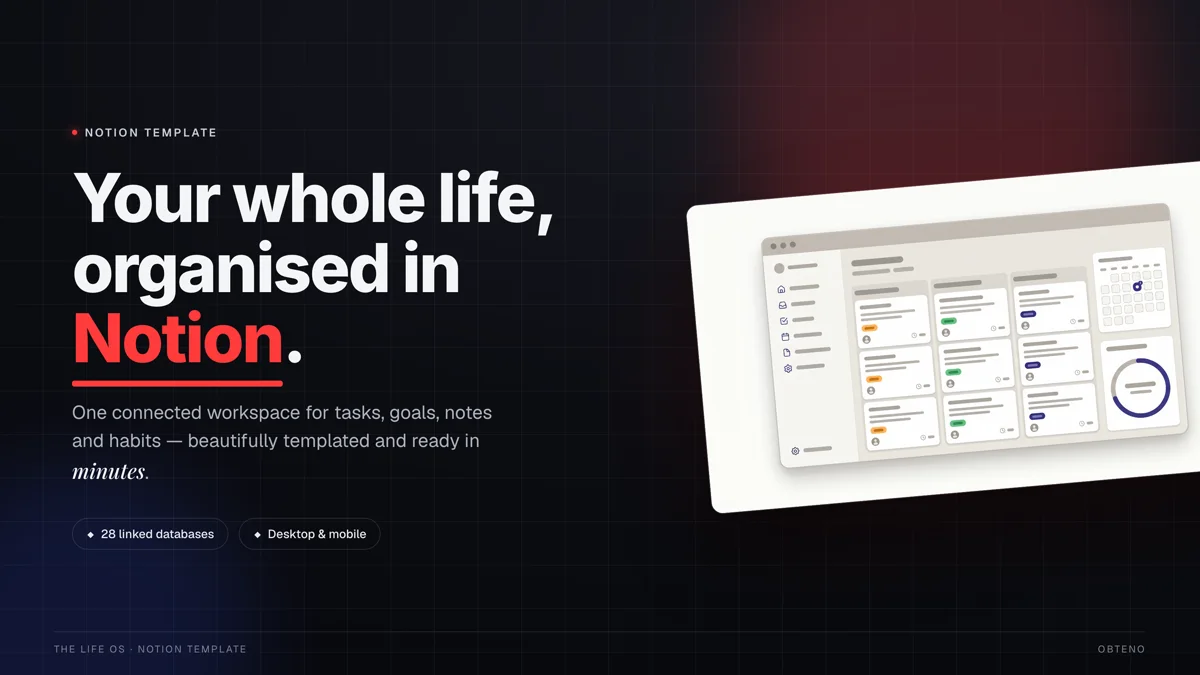
- Example: A template that instantly saves them design time, a checklist that streamlines a complex process, or a mini-guide that helps them understand a confusing concept.
High Perceived Value
Even though it's free, it needs to feel valuable. This comes from excellent content, professional design, and a clear promise of transformation. If it looks cheap or thrown together, its perceived value plummets.
Easy to Consume
Your audience is busy. Lead magnets should be digestible, not daunting. While an in-depth ebook can work for some audiences, often shorter, more actionable formats like checklists, templates, or short video tutorials perform better for beginners.
Highly Relevant to Your Core Offer
The lead magnet should naturally lead into your paid product or service. It should be a foundational piece of the puzzle that your paid offering completes. This ensures you're attracting the right audience—those who are genuinely interested in what you ultimately sell.
Think of your lead magnet as a "mini-version" of your paid solution. It should give a taste of the transformation your main product offers, leaving the subscriber wanting more.
Step-by-Step: Crafting Your High-Converting Lead Magnet
Creating a powerful lead magnet involves a clear, systematic approach. Follow these steps to maximize your chances of success.
Step 1: Define Your Audience & Their Problem
Before you write a single word or design a single page, you must deeply understand who you're trying to help and what specific problem they're struggling with.
- Create Buyer Personas: If you haven't already, develop 1-3 detailed buyer personas. Give them names, demographics, job titles, goals, challenges, and aspirations.
- Identify Pain Points: What keeps your ideal customer up at night? What frustrations do they experience related to your niche?
- Brainstorm Solutions: For each pain point, what quick, easy-to-implement solutions can you offer in a free resource? This is where your lead magnet idea will emerge.
For instance, if your target audience is new online course creators, their pain point might be "overwhelmed by course platform choices." A lead magnet could be "The Ultimate Checklist for Choosing Your First Online Course Platform."
Step 2: Choose the Right Lead Magnet Type
The format of your lead magnet is crucial for its perceived value and ease of consumption. There's no single "best" type; it depends on your audience, your niche, and the problem you're solving.
Here's a comparison of popular lead magnet types:
| Lead Magnet Type | Pros | Cons | Ideal For |
|---|---|---|---|
| Ebook/Guide | High perceived value, in-depth, builds authority | Time-consuming to create, longer consumption time | Complex topics, thought leadership, detailed how-tos |
| Checklist/Workbook | Quick win, highly actionable, easy to consume | Lower perceived value if too simple, can feel basic | Practical tips, step-by-step processes, organization |
| Template/Toolkit | Instant value, saves time, highly practical | Requires specific software/platform knowledge, niche | Design, social media, content creation, business planning |
| Mini-Course/Video Series | High engagement, builds strong connection, rich media | Production heavy, higher barrier to entry for creator | Demonstrating expertise, step-by-step visual learning |
| Resource List/Curated Tools | Easy to create, highly valuable for beginners | Can become outdated quickly, less unique content | Software recommendations, learning resources, productivity |
| Quiz/Assessment | Interactive, personalized results, high shareability | More complex to set up, requires dedicated tools | Lead segmentation, personality insights, self-discovery |
When deciding, ask yourself:
- What format best delivers the "quick win" for my audience?
- What format aligns best with my expertise and resources?
- What format will naturally bridge to my paid offering?
Step 3: Create Your Lead Magnet
Now for the creation itself. Focus on delivering quality content and a professional presentation.
Content Creation
- Outline: Structure your lead magnet clearly. Even a checklist needs a logical flow.
- Write with Clarity: Use simple, direct language. Avoid jargon.
- Focus on Action: Every section, every point, should move the user closer to their quick win.
- Proofread: Typos and grammatical errors erode trust. Use tools like Grammarly, and have someone else review it.
Design & Formatting
A well-designed lead magnet significantly increases its perceived value.
- Branding: Incorporate your logo, brand colors, and fonts.
- Visual Appeal: Use headings, subheadings, bullet points, and images to break up text and make it scannable.
- Tools:
- Canva: An excellent, user-friendly tool for designing professional-looking PDFs, social media graphics, and even short videos. Canva offers extensive template libraries for various lead magnet types.
- Google Docs/Notion: For text-heavy guides or checklists, you can start here and then export as a PDF.
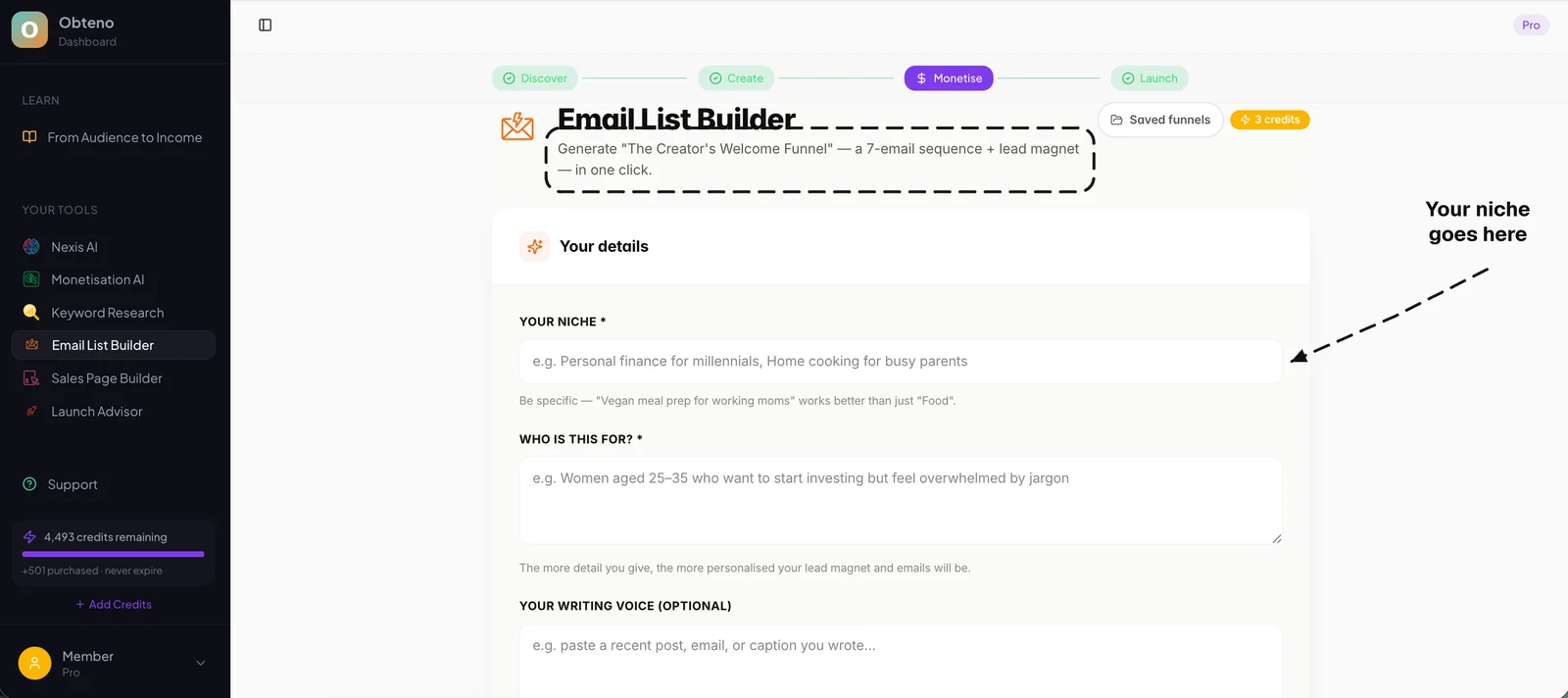
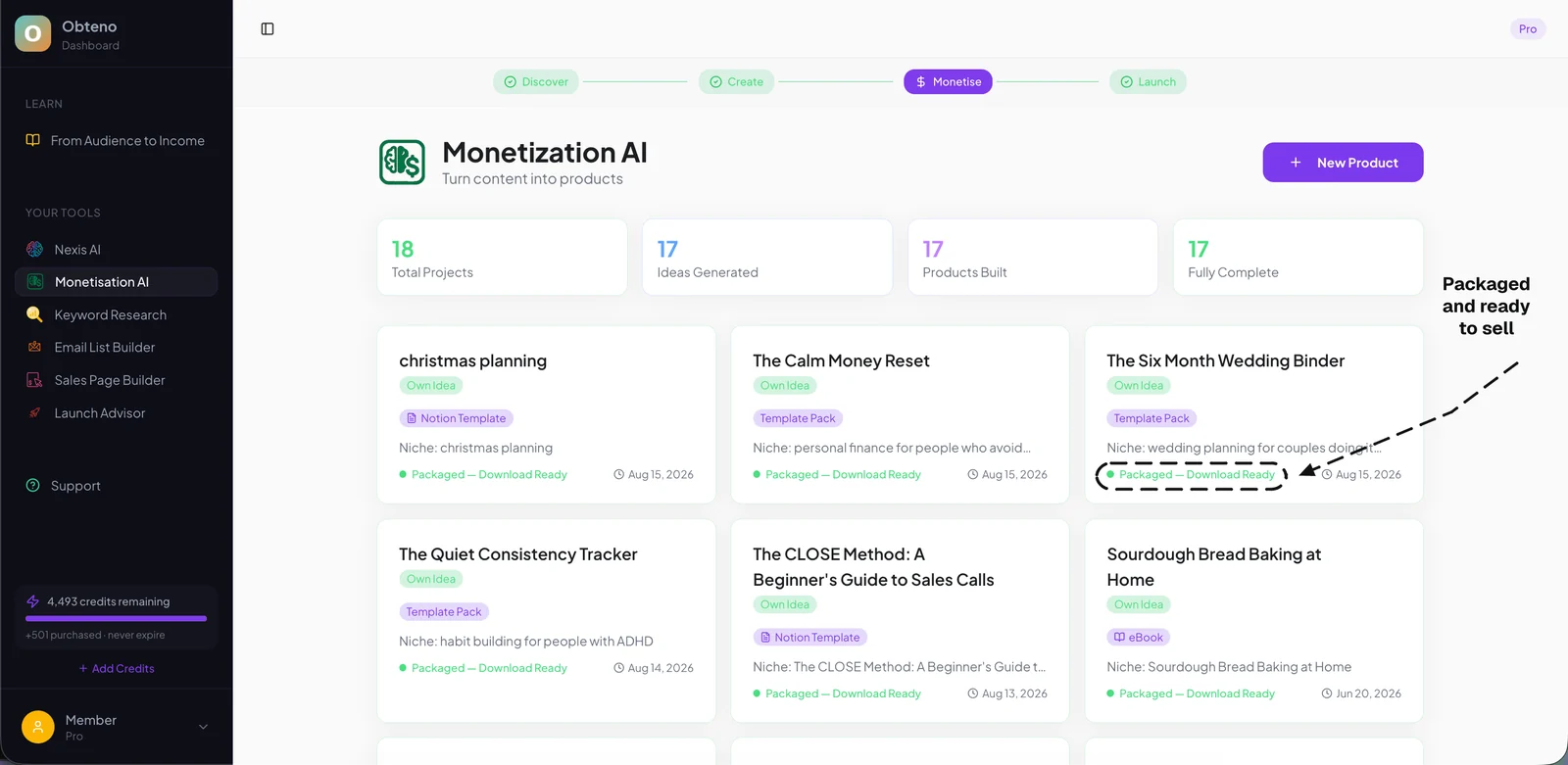
- Obteno: For building the lead magnet itself — a template pack, a mini-course, a resource library — Obteno writes and packages it, and gives you the listing copy to paste wherever you deliver it. This can be particularly useful if your lead magnet is a segment of a larger digital product you plan to sell later.
Add a subtle call-to-action (CTA) for your main product or service within the lead magnet itself, especially on the last page. This can be a link to your website, a free consultation, or a discount code.
Step 4: Design Your Landing Page & Thank You Page
Your lead magnet needs a dedicated home: a landing page optimized for conversions.
The Landing Page
This page has one job: convince visitors to give you their email address in exchange for your lead magnet.
- Compelling Headline: Clearly state the benefit and the quick win.
- Benefit-Oriented Copy: Focus on what the user will gain, not just what the lead magnet is. Use bullet points to highlight key benefits.
- Visual Representation: Include a mockup or screenshot of your lead magnet.
- Clear Call-to-Action (CTA): A prominent button with action-oriented text (e.g., "Download Your Free Checklist," "Get Instant Access").
- Minimal Distractions: Remove navigation menus and other links that could pull visitors away.
- Social Proof (Optional but Recommended): Testimonials or subscriber counts can boost credibility.
The Thank You Page
After someone opts in, they should be redirected to a thank you page.
- Confirm Delivery: Let them know the lead magnet is on its way to their inbox.
- Set Expectations: Explain what they can expect next from you (e.g., "Check your email for the download link, and keep an eye out for valuable tips from us every Tuesday!").
- Secondary CTA (Optional): Offer a low-friction next step, like following you on social media, joining a free community, or even a small, introductory paid offer.
Step 5: Set Up Your Email Automation
This is where the magic happens. You need a system to automatically deliver your lead magnet and begin nurturing your new subscriber.
- Email Service Provider (ESP): You'll need an ESP like Mailchimp, ConvertKit, ActiveCampaign, or HubSpot.
- Create a Form: Design a simple opt-in form within your ESP that you'll embed on your landing page.
- Set Up Automation/Sequence:
- Immediate Delivery Email: This email is triggered instantly after someone opts in. It contains the download link for your lead magnet.
- Welcome Sequence: A series of 3-5 emails sent over the next few days/weeks.
- Email 1 (Day 0): Lead magnet delivery + welcome, introduce yourself briefly.
- Email 2 (Day 2-3): Provide more value related to the lead magnet's topic. Share a blog post, a video, or another tip.
- Email 3 (Day 4-5): Share a personal story or case study, build connection.
- Email 4 (Day 6-7): Introduce your core paid offer, explaining how it builds on the quick win of the lead magnet.
Step 6: Promote Your Lead Magnet
A brilliant lead magnet is useless if no one knows about it. Strategic promotion is key.
- Your Website/Blog:
- Pop-ups: Exit-intent or timed pop-ups.
- Sidebar Widgets: Prominently display your lead magnet.
- In-content CTAs: Link to your lead magnet within relevant blog posts.
- Dedicated Page: Create a "Resources" or "Freebies" page that lists all your lead magnets.
- Social Media:
- Organic Posts: Share compelling graphics and benefit-driven copy linking to your landing page.
- Profile Link: Make it your primary link in bio on platforms like Instagram and TikTok.
- Paid Ads: If you have a budget, Facebook/Instagram Ads, Google Ads, or Pinterest Ads can drive highly targeted traffic to your landing page.
- Email Signature: Add a discreet link to your lead magnet in your professional email signature.
- Collaborations: Partner with complementary businesses or influencers to cross-promote each other's lead magnets.
- Online Communities: Share in relevant Facebook groups, LinkedIn groups, or forums where your target audience hangs out (where allowed and appropriate).
Step 7: Analyze and Optimize
Your work isn't done once the lead magnet is live. Continuous analysis and optimization are crucial for long-term success.
- Track Key Metrics:
- Conversion Rate: (Number of sign-ups / Number of visitors) 100. Aim for 20-40% or higher for a good landing page.
- Subscriber Growth Rate: How quickly is your list growing?
- Email Open Rates & Click-Through Rates: For your welcome sequence emails.
- Unsubscribe Rate: Keep an eye on this; high rates might indicate your lead magnet isn't attracting the right audience.
- A/B Test: Experiment with different elements of your landing page:
- Headlines
- CTA button text and color
- Images/mockups
- Length of copy
- Form fields (fewer fields often mean higher conversions)
- Gather Feedback: Ask new subscribers what they thought of the lead magnet and what other problems they need help with. This can inform your next lead magnet or product idea.
Common Lead Magnet Mistakes to Avoid
Even with the best intentions, it's easy to fall into common traps. Steering clear of these will significantly improve your lead magnet's performance.
- Being Too Generic: "Sign up for my newsletter" or a broad "Ultimate Guide to X" often fails because it lacks a specific promise and quick win. People need to know exactly what problem you're solving for them right now.
- Low Perceived Value: If your lead magnet looks cheap, is poorly written, or delivers on a weak promise, people won't opt-in, or worse, they'll unsubscribe immediately. Invest time in quality content and professional design.
- Not Solving a Real Problem: You might think a problem exists, but if your audience doesn't genuinely feel it, they won't exchange their email for your solution. Conduct market research and listen to your audience.
- Difficult to Consume: A 50-page ebook might have high perceived value, but if your audience is looking for a quick fix, they won't read it. Match the format to the problem's urgency and your audience's consumption habits.
- No Clear Next Step: Once someone downloads your lead magnet, what do you want them to do next? If your welcome sequence doesn't guide them towards your core offer or further engagement, you're missing a critical nurturing opportunity.
- Poor Promotion: Even the best lead magnet won't convert if it's hidden. Actively promote it across all relevant channels where your audience spends time.
- Forgetting Mobile Optimization: A significant portion of your audience will access your landing page on mobile devices. Ensure both your landing page and the lead magnet itself are fully responsive and easy to use on smaller screens.
Essential Tools for Lead Magnet Creation & Distribution
Building a high-converting lead magnet doesn't require a massive budget, but the right tools can make the process significantly smoother and more professional.
- Content Creation & Design:
- Canva: The go-to for visual design. Create stunning PDFs, checklists, social media graphics, and landing page mockups with ease. Canva offers both free and paid plans.
- Google Docs/Slides: Free, collaborative tools perfect for drafting content, outlines, and simple presentations that can be exported as PDFs.
- Notion: Excellent for organizing ideas, creating structured guides, or even building interactive resource hubs that can serve as advanced lead magnets.
- Landing Page Builders:
- Leadpages / Unbounce: Dedicated landing page builders with drag-and-drop interfaces, A/B testing capabilities, and robust analytics.
- Your ESP's Landing Page Builder: Many email service providers (like ConvertKit, Mailchimp, ActiveCampaign) now offer integrated landing page builders, which can be a cost-effective solution for beginners.
- WordPress with Page Builders (Elementor, Divi): If you already have a WordPress site, these plugins allow you to create highly customized landing pages.
- Email Service Providers (ESPs):
- ConvertKit: Popular among creators for its robust automation, segmentation, and user-friendly interface.
- Mailchimp: A great free tier for beginners, offering basic email marketing and landing page functionality.
- ActiveCampaign: More advanced, offering powerful CRM features, deep segmentation, and complex automation for businesses scaling their email efforts.
- MailerLite: A good balance of features and affordability, often praised for its ease of use.
- Digital Product Hosting & Delivery:
- Obteno: If your lead magnet is a digital product (a template pack, a mini-course, a downloadable), Obteno builds it and writes the copy that sells it. It does not host or deliver the file — that still happens on your email tool, your own site, or wherever you already sell.
- Gumroad: A simple platform for selling and delivering digital products. While often used for paid products, it can also host free lead magnets if you set the price to zero. Gumroad takes a percentage of sales, but free products are free to host.
- Analytics:
- Google Analytics: Essential for tracking traffic, conversions, and user behavior on your landing page.
Frequently Asked Questions
How long should a lead magnet be?
There's no single ideal length; it depends on the lead magnet type and the problem it solves. Checklists or templates might be 1-2 pages, while an ebook could be 10-20 pages. The key is to deliver the promised value efficiently, without unnecessary fluff.
What's the best lead magnet for beginners?
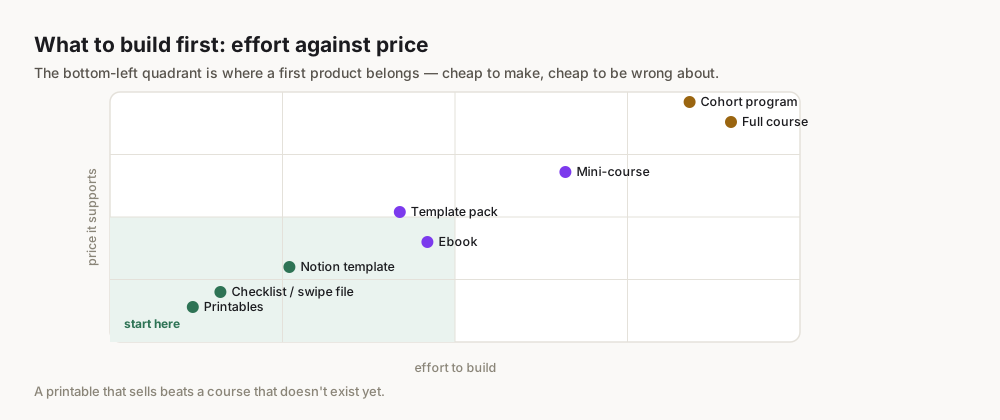
For beginners, a checklist, simple template, or a short resource guide is often the easiest to create and promote effectively. They offer immediate value and require less upfront time and design expertise than a full ebook or mini-course.
Do I need a website to use a lead magnet?
While a website provides a central hub, you don't strictly need one to start. Many email service providers (like ConvertKit or Mailchimp) offer free landing page builders that allow you to host your opt-in form and deliver your lead magnet without a separate website.
How much does it cost to create a lead magnet?
The cost can range from free (using tools like Google Docs and your ESP's free landing page builder) to several hundred or even thousands of dollars if you hire designers, copywriters, or use premium software. Focus on leveraging free tools initially and invest as your list grows.
How often should I create new lead magnets?
It's better to have a few highly effective lead magnets than many ineffective ones. Start with one or two, optimize their performance, and then consider creating new ones to target different segments of your audience or address new pain points as your business evolves.
Can a lead magnet be a physical product?
Traditionally, a lead magnet is a digital product delivered instantly. While you could offer a free physical sample, the logistics (shipping, costs, delays) make it less practical for rapid email list growth and immediate gratification compared to digital alternatives.