
You want to make money from home. You've heard about digital products, but the path from idea to sale feels unclear. This guide cuts through the noise.
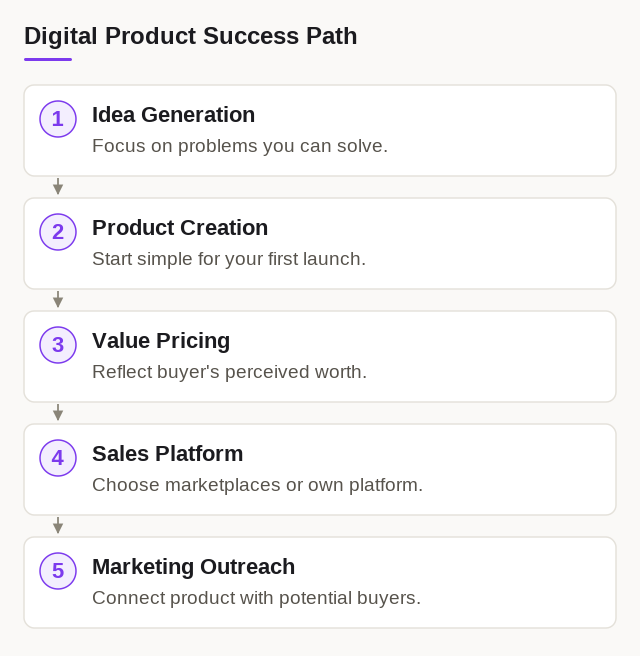
Digital products offer a way to build income without physical inventory, shipping, or storage. You create something once, and you can sell it many times. This article will show you how to find an idea, build your product, price it, and get it in front of buyers.
What Exactly Are Digital Products?
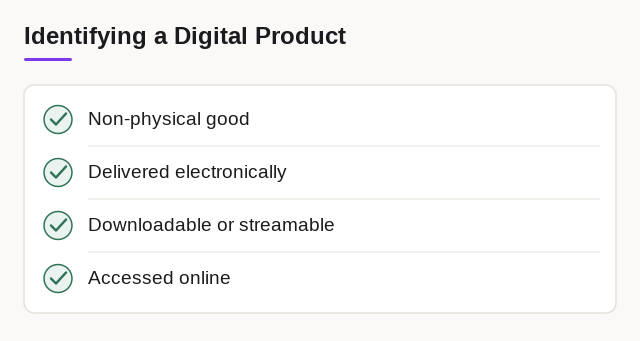
A digital product is any non-physical good delivered electronically. You download it, stream it, or access it online. There is no physical package. There is no delivery truck.
This means no manufacturing costs. No inventory to store. No shipping labels to print. You create the item once. Then you can sell unlimited copies of it. This scalability is a key advantage.
Why Digital Products?
The benefits are clear. You avoid the complexities of physical goods. You do not need a warehouse. You do not need to manage stock levels. Delivery is often automated. Once a buyer pays, they receive the files instantly. This allows you to focus on creation and marketing.
Common Digital Product Types
Digital products come in many forms. Some are simple to create. Others require more advanced skills.
- Ebooks & Guides: These solve a specific problem or teach a skill. Think "Beginner's Guide to Digital Photography" or "10-Day Meal Prep Plan." They are typically PDFs.
- Templates: These are pre-designed files that users customise. Examples include Notion templates for productivity, Canva templates for social media graphics, Excel budget planners, or resume templates.
- Online Courses: Structured learning experiences. These can include video lessons, text modules, quizzes, and downloadable resources. They teach a skill in depth.
- Digital Art & Music: This covers items like stock photos, custom fonts, Procreate brushes, music beats, or printable wall art.
- Software & Tools: This is more advanced. It includes plugins for websites, mobile apps, or custom spreadsheets with complex formulas.
Your first product should be simple. Aim for an ebook or a template. These are easier to produce and validate.
Open Etsy and search for "digital planner" or "Canva template." See the variety of products available.
Finding Your First Digital Product Idea
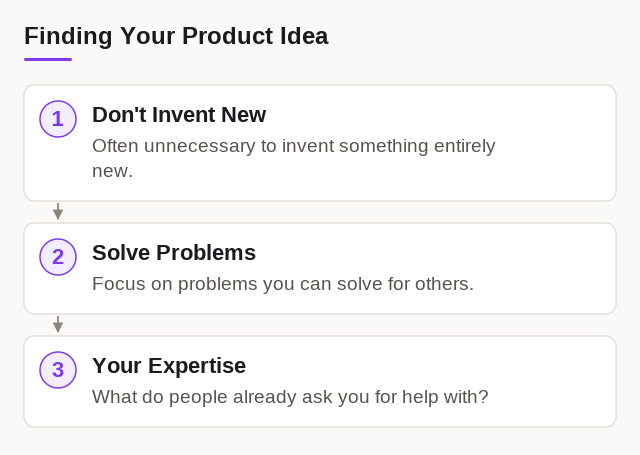
This is where many beginners stall. They try to invent something entirely new. This is often unnecessary. Focus on problems you can solve. What do people already ask you for help with?
Start with Your Expertise
Think about what you are good at. What do you enjoy doing? What skills do you have that others might lack?
- Do you manage your finances well? A budget template or a guide to saving money could be an idea.
- Are you organised? A productivity planner or a system for task management.
- Do you have a hobby you excel at? A guide for beginners in that hobby.
- Are you skilled with a particular software? A template or tutorial for it.
The best products come from genuine knowledge. You do not need to be an expert. You just need to know more than your target buyer on that specific topic.
Researching Niche Demand
Once you have a few ideas, check if people actually want them. Do not rely on assumptions.
- Google Trends: Use this tool to see interest over time for specific keywords trends.google.com/trends/. If a topic's interest is rising or stable, that is a good sign. If it is declining, reconsider.
- Reddit: Search subreddits related to your potential niche. What questions are asked repeatedly? What problems do people complain about? These are opportunities.
- Etsy & Other Marketplaces: Search for products similar to your idea. What sells well? Read the reviews. Buyers often mention what they liked or what was missing. This gives you ideas for improvement.
- Amazon: Look at book categories. If there are many books on a topic, there is demand. See what angles they cover.
Validating Your Idea
Before you spend weeks creating, get some feedback.
- Talk to Potential Buyers: Ask friends, family, or people in online groups. Describe your idea. Ask if they would use it. Ask what they would pay.
- Offer a Mini-Version: Create a small, free version of your product. Offer it to a small group. See their reaction. This gauges interest without full commitment.
- Look for Existing Products: Do not be scared if similar products exist. This confirms demand. Your job is to offer a better solution, a unique angle, or target a slightly different audience.
Do not chase trends that are already peaking. By the time you create your product, the interest might have fallen. Look for evergreen problems or rising, but not yet saturated, niches.
Action: Spend 30 minutes on Google Trends. Search for three problem-solving keywords related to your interests. See how their interest has changed over the last five years.
How Do You Create a Digital Product?
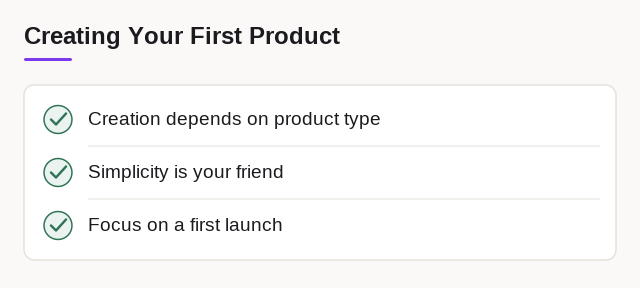
The creation process depends on the type of product. Simplicity is your friend for a first launch.
For Ebooks and Guides
Start with an outline. Structure your content logically. Break it into chapters or sections. Write clearly. Use simple language. Provide examples where possible.
- Writing: Use a word processor like Google Docs or Microsoft Word.
- Design: For a professional look, use Canva www.canva.com/. It has many templates for documents and covers.
- Export: Always export your final guide as a PDF. This ensures consistent formatting across all devices.
For Templates
Identify the platform your template will run on. Notion, Canva, or Excel are common choices.
- Design for Ease: The template must be easy for the user to understand and customise. Include clear instructions within the template itself.
- Platform Specifics: Canva has a vast library of templates you can adapt www.canva.com/templates/.
- Testing: Test your template thoroughly. Ask someone else to try it out. Make sure it works as intended.
For Online Courses
Break your topic into modules. Each module should have a few lessons.
- Content Format: Decide if you will use video, text, audio, or a mix. Video requires good lighting and sound. Text-based courses are simpler to produce initially.
- Recording: If using video, ensure clear audio. Poor audio quality is a common complaint.
- Platforms: Dedicated course platforms like Teachable or Thinkific can host your course content. They handle video hosting and student management.
Packaging Your Product
This is about presentation. A good package makes your product look professional and appealing.
- Cover Image: Design a compelling cover. This is the first thing buyers see. Canva is excellent for this.
- Description: Write a clear, benefit-driven description. Focus on what the product does for the buyer, not just what it is.
- File Organisation: If your product has multiple files, organise them neatly in a folder. Provide a "Read Me" file with instructions.
Many beginners spend months perfecting their first product. This is a mistake. The goal is to get it out and learn. It is not about launching a flawless product on day one. It is about launching a useful product and improving it.
Obteno builds the digital product for you. Obteno writes the ebook, designs the cover, packages the files, and writes the sales copy plus ready-to-paste listing fields. This means you can focus on the idea and the selling.
Action: Choose one product idea. Outline its main sections or features on paper.
Pricing Your Digital Product
Pricing is not about guessing. It is about understanding value. Your price should reflect what the buyer perceives as worth.
Value-Based Pricing
Consider the problem your product solves. How much time, money, or effort does it save the buyer?
- A $20 Notion template that saves a small business owner two hours of work each week is a clear win. The value is much higher than the price.
- A $50 guide that teaches someone a skill they can use to earn money or improve their life for years has significant value.
- A $5 printable checklist might offer small, but immediate, convenience.
Do not underprice simply because it is digital. If it delivers real value, price it accordingly.
Competitor Analysis
Look at similar products on platforms like Etsy, Gumroad, or even Amazon.
- What are they charging?
- What do they include in their package?
- How does your product compare in terms of quality, depth, or unique features?
Do not just copy their price. Understand the context. If your product offers more, you can charge more. If it is simpler, price it lower.
Pricing Tiers
Consider offering different versions of your product at various price points. This caters to different buyer needs and budgets.
- Basic Version: The core product.
- Standard Version: Includes the core product plus a bonus (e.g., a checklist, a mini-template).
- Premium Version: All of the above, plus perhaps a video tutorial, a more extensive resource, or limited support.
This strategy can increase your average sale value.
Action: Find three similar products to your idea. Note their prices and what they include in their offering.
Where Do You Sell Digital Products?
You need a place for buyers to discover your product, pay for it, and receive the files. You have two main options: marketplaces or your own platform.
Marketplaces vs. Your Own Platform
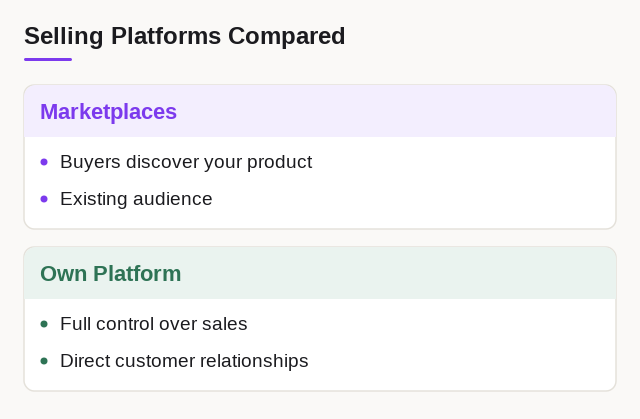
- Marketplaces: Platforms like Etsy have built-in audiences. People go there specifically to buy things. This makes it easier to get initial sales. The trade-off is higher fees and less control over your branding.
- Your Own Platform: This means your own website, perhaps with an e-commerce plugin. You have full control over branding, design, and customer experience. Fees are generally lower (after initial setup costs), but you are entirely responsible for driving your own traffic.
Popular Selling Platforms
Choose a platform that aligns with your product type and target audience.
- Etsy: Excellent for printables, digital art, planners, and templates. It has a massive audience looking for unique, creative digital goods.
- Fees: Etsy charges $0.20 per listing. There is a 6.5% transaction fee on the sale price, plus payment processing fees www.etsy.com/legal/fees.
- Gumroad: A simple, creator-friendly platform. It is popular for ebooks, online courses, software, and memberships. It handles payment processing and file delivery.
- Fees: Gumroad takes 10% + $0.50 per sale. There is no monthly fee gumroad.com/pricing.
- Whop / Lemon Squeezy: These are other platforms offering similar services, often with varying fee structures and features. You should check their pricing pages directly for current details.
- Your Own Website (e.g., WordPress with WooCommerce): This gives you maximum control. You will need to set up hosting, install WordPress, and add an e-commerce plugin. You will also need a payment processor.
- Payment processing fees apply (e.g., Stripe stripe.com/pricing). You will need to check their pricing page for specific rates.
Start where your audience already shops. If you sell digital planners, Etsy is a strong starting point. If you sell a niche ebook, Gumroad might be a better fit. You can always expand later.
Platform Comparison
| Feature | Etsy | Gumroad | Your Own Website (e.g., WordPress) |
|---|---|---|---|
| Audience | Built-in, large, specific to crafts | Built-in (some discovery), creator-focused | You build it from scratch |
| Ease of Setup | High | High | Moderate to Low (requires tech) |
| Fees | Listing + % per sale + processing | % per sale + fixed fee | Payment processor fees + hosting |
| Control | Limited | Moderate | Full |
| Customisation | Limited | Moderate | Full |
Obteno is not a storefront. It does not take payments or deliver files. Obteno produces the ebook, designs the cover, packages the files, and writes the sales copy. You then list these finished assets on your chosen selling platform.
Action: Open Etsy and Gumroad. Browse products similar to your idea. Note how they present their listings and what information they include.
Marketing Your Digital Product
Creating a great product is only half the effort. People need to know it exists. Marketing is how you connect your product with its potential buyers.
Finding Your Audience
You need to go where your potential buyers already spend their time online.
- Online Communities: Facebook groups, subreddits, niche forums, or Discord servers. Look for groups discussing the problem your product solves.
- Social Media: Instagram, Pinterest, TikTok, or YouTube. Different platforms suit different product types and audiences. Pinterest is particularly powerful for visual products like printables and templates.
- Blogs/Websites: Are there popular blogs or websites in your niche? Read their comments sections.
Example: If you sell a Notion template for students, look for student-focused subreddits or Facebook groups about study tips or university life.
Content Marketing
Create free content that is related to your product. This establishes your expertise and attracts potential buyers.
- Blog Posts: Write articles that address common questions or problems your product solves.
- YouTube Videos: Create short tutorials or helpful tips.
- Social Media Posts: Share valuable insights, tips, or mini-tutorials.
Example: If you sell a budget planner, write a blog post titled "5 Simple Ways to Save Money This Month." At the end, gently suggest your planner as a tool to help them.
Social Media Engagement
Do not just post sales messages. Engage with your community.
- Share useful tips and insights without asking for a sale.
- Use relevant hashtags to reach a wider audience.
- Respond to comments and messages. Build relationships.
Email List Building
This is one of the most effective long-term marketing strategies.
- Offer a Freebie: Provide a valuable free download (a mini-version of your product, a checklist, a short guide) in exchange for an email address.
- Nurture Your List: Send regular, helpful emails. Share new content, tips, and occasional product updates.
- Direct Access: An email list gives you a direct line to interested buyers, independent of social media algorithms.
Focus on one or two marketing channels first. Master them before expanding. Trying to be everywhere at once leads to burnout and diluted effort.
Action: Identify two online communities (e.g., a subreddit, a Facebook group) where your target audience gathers. Join one of them and observe the conversations for a week.
Common Mistakes and How to Avoid Them
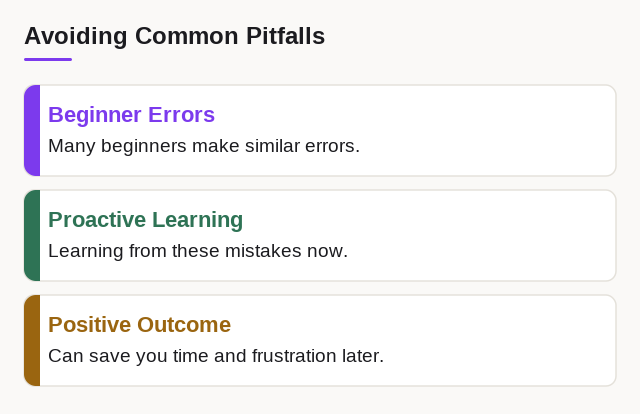
Many beginners make similar errors. Learning from these mistakes now can save you time and frustration later.
Not Validating the Idea
- Mistake: Spending weeks or months creating a product that nobody actually wants or needs. This leads to zero sales and discouragement.
- Avoid: Research demand thoroughly. Talk to potential buyers early in the process. Get feedback on your idea before you build the entire product.
Over-Complicating the First Product
- Mistake: Trying to build the "ultimate" or "perfect" product right from the start. This leads to endless delays and never launching.
- Avoid: Start simple. A short guide or a single, focused template is enough for a first product. Get it out, learn from it, and then build more complex versions or additional products.
Ignoring Marketing
- Mistake: Assuming that if you build a great product, buyers will automatically find it. This is rarely true.
- Avoid: Dedicate time to marketing from day one. It is as important as the creation process. Even a small amount of consistent marketing effort can make a big difference.
Giving Up Too Soon
- Mistake: Expecting instant success and getting discouraged by slow initial sales. Digital product businesses rarely take off overnight.
- Avoid: Understand that building sales takes time. Learn from every launch, every sale, and every piece of feedback. Adapt your product and your marketing. Persistence is key.
Action: Re-read your product idea. Can you simplify it by 50% for a first version? Focus on the core problem it solves.
Frequently Asked Questions
How long does it take to create a digital product?
It varies greatly. A simple template or short ebook could take a few days of focused work. A comprehensive online course, with video production and extensive content, might take weeks or months. Starting small significantly reduces initial creation time.
Do I need a website to sell digital products?
No, you do not. Marketplaces like Etsy or Gumroad allow you to list and sell your products without needing your own website. They handle the payment processing and file delivery for you, making it easier to get started.
How much money can I make from selling digital products?
There is no set amount. Your earnings depend on your product's value, your pricing strategy, and your marketing efforts.
What are the main costs involved?
Costs include any tools you might use for creation (e.g., a Canva Pro subscription, if you choose), platform fees (listing fees, transaction fees, payment processing fees), and potentially marketing expenses if you run paid ads. Your time and effort are also significant investments.
Can I sell the same digital product on multiple platforms?
Yes, you can. Selling on multiple platforms can help you reach a wider audience and diversify your income streams. However, you will need to manage your listings, inventory (if applicable), and customer service across each platform separately.
What if my first product doesn't sell?
This is a common experience for many creators. Review your product, its pricing, and your marketing approach. Ask for feedback from potential buyers. Consider refining your existing product or creating a different one based on what you learn.