
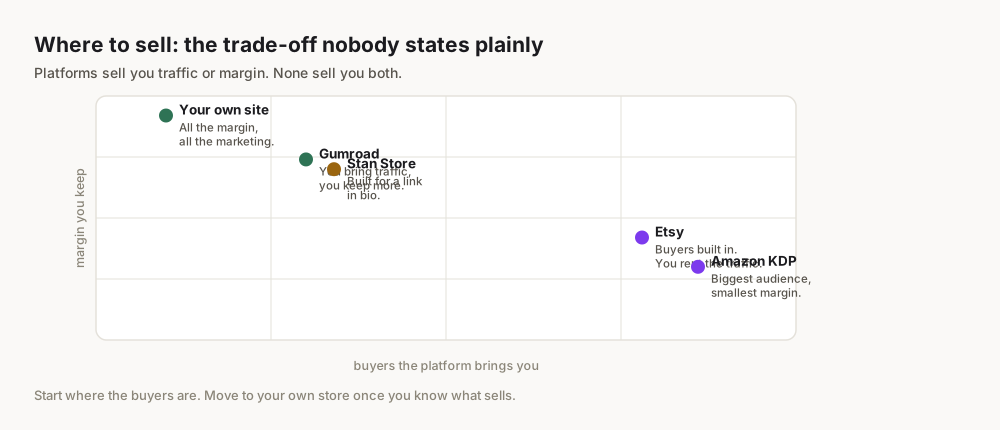
Imagine building a passive income stream that flows while you sleep, travel, or focus on other passions. For countless entrepreneurs, this isn't a pipe dream but a tangible reality made possible through low-content books on Amazon KDP. In a world increasingly valuing digital entrepreneurship and flexible income, the appeal of creating simple, high-demand products like journals, planners, and notebooks is undeniable. Amazon's vast marketplace, combined with the print-on-demand model of KDP, offers an unprecedented opportunity for beginners to publish their first book and tap into a multi-billion dollar e-commerce ecosystem without inventory, shipping, or upfront costs.
What Exactly Are Low-Content Books?
At its core, a low-content book is defined by its minimal inner content. Unlike a novel or a textbook, which are rich in text and complex narratives, low-content books provide a framework for the user to fill in. They are functional items designed for interaction, organization, or self-expression.
Defining Low-Content
The term "low-content" refers to publications where the primary value lies in their structure, layout, and purpose rather than extensive written material. Amazon KDP specifically defines them as books that "require the customer to fill in the majority of the content." This includes products like:
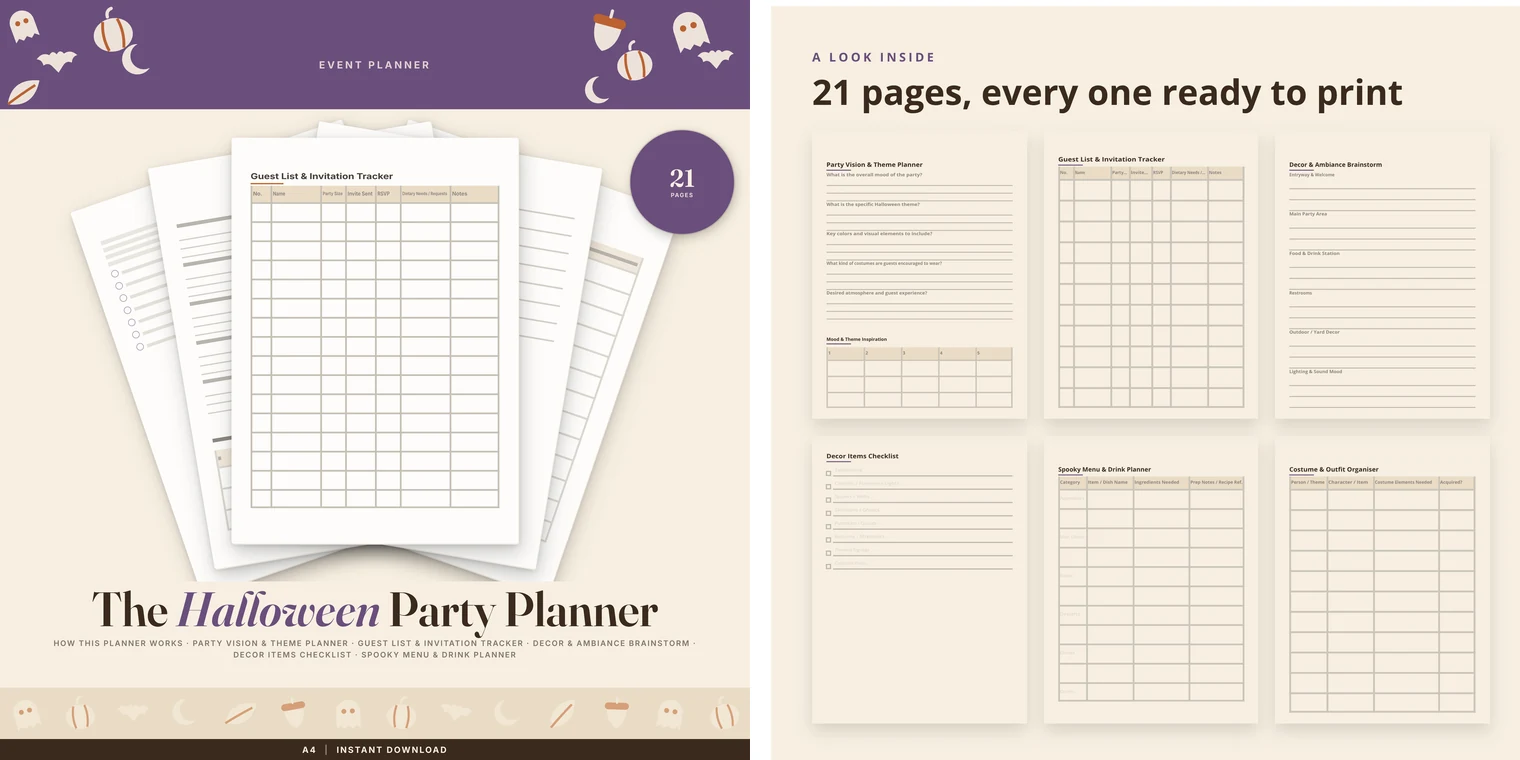
- Journals: Daily reflections, gratitude journals, travel journals.
- Planners: Daily, weekly, monthly, academic, financial planners.
- Notebooks: Lined, dotted, grid, blank pages for notes or sketching.
- Logbooks: Reading logs, fitness trackers, habit trackers, password organizers.
- Coloring Books: For adults or children, focusing on intricate designs.
- Activity Books: Word searches, Sudoku, mazes (though these lean towards medium-content).
The defining characteristic is that the customer adds the unique content, making each book personal and distinct after purchase.
Why KDP is the Platform of Choice
Amazon Kindle Direct Publishing (KDP) is not just for e-books. Its print-on-demand (POD) service allows anyone to publish paperback and hardcover books without holding any inventory. When a customer orders your book, Amazon prints it, ships it, and handles customer service, deducting the printing cost and royalty from the sale price.
This model is revolutionary for low-content book creators because:
- Zero Inventory Risk: You don't need to buy hundreds of books upfront.
- Global Distribution: Your book is available to Amazon's massive worldwide audience.
- Passive Income Potential: Once published, your book can sell repeatedly without further effort from you.
- Ease of Use: KDP's interface is designed to be user-friendly, even for beginners.
Examples of Low-Content Books
To truly grasp the potential, consider these popular examples:
- "My Daily Gratitude Journal": A simple book with prompts like "Today I'm grateful for..." and space for daily entries.
- "Undated Weekly Planner": Pages with a consistent layout for scheduling, to-do lists, and notes, usable any year.
- "Sketchbook for Artists": Blank or lightly textured pages for drawing, often with a durable cover.
- "Password Keeper Logbook": Alphabetized sections for users to record website credentials securely.
These examples illustrate how a simple concept, well-executed, can meet a real consumer need.
Why Should You Sell Low-Content Books on Amazon KDP in 2026?
The digital landscape is constantly evolving, but the core appeal of low-content books on KDP remains strong heading into 2026. This isn't just a fleeting trend; it's a robust business model with enduring advantages.
The Passive Income Promise
The allure of passive income is a powerful driver for many entrepreneurs. With KDP, you create the product once, publish it, and it can continue to generate royalties for years. While "passive" doesn't mean "no work" (initial setup and occasional optimization are necessary), it frees your time from direct fulfillment. Once your design is live, Amazon handles the heavy lifting, allowing you to focus on creating new products or exploring other ventures.
Low Barrier to Entry
Unlike traditional publishing or even selling physical products, the entry barrier for KDP low-content books is remarkably low:
- No Capital Investment: You don't need to buy inventory, rent a warehouse, or manage shipping. Amazon's print-on-demand model takes care of it all.
- No Prior Experience Needed: While design skills help, many free tools and templates make it accessible. You don't need to be a seasoned author or designer to start.
- Quick Setup: You can create a KDP account and publish your first book in a matter of hours or days, not weeks or months.
Amazon's Massive Audience
Amazon is the undisputed king of e-commerce. As of 2023, Amazon's share of the U.S. e-commerce market was estimated to be around 37.6% Statista. This means millions of potential customers are already browsing the platform daily, actively looking for products. By publishing on KDP, you are instantly putting your product in front of this enormous, engaged audience, eliminating the need to build your own traffic from scratch.
Scalability
Once you understand the process, you can replicate it. Each successful low-content book can become another stream of income. You can quickly expand your catalog by creating variations of successful designs, targeting new niches, or exploring different book formats. This ability to scale rapidly is a significant advantage over businesses that require more hands-on production or fulfillment for each new product.
Don't underestimate the power of iteration. Your first book might not be a bestseller, but each publication teaches you valuable lessons. Use sales data and customer reviews to refine your approach for subsequent releases.
Step-by-Step: Your Low-Content KDP Journey
Embarking on your KDP journey might seem daunting, but by breaking it down into manageable steps, you'll find it's an achievable process.
Step 1: Niche Research and Idea Validation
This is arguably the most critical step. Publishing in a saturated niche without a unique angle is a recipe for low sales.
Using Amazon Itself
Start by browsing Amazon.com.
- Search for broad terms: "journals," "planners," "notebooks."
- Filter by "Books": Then look at subcategories.
- Analyze Best Sellers: See what's currently popular. What features do they have? What price points?
- Look for Gaps: Read customer reviews on popular books. What complaints do people have? What features are missing? This reveals unmet needs.
- Examine "Also Boughts": What other products do customers buying these books purchase? This can reveal related niches.
- "Look Inside" Feature: Analyze interior layouts to understand design standards and common structures.
Leveraging Google Trends
Google Trends is a powerful, free tool to gauge interest in specific keywords or niches over time. Type in potential book ideas (e.g., "gratitude journal," "budget planner") and see if interest is rising, falling, or stable. Look for related queries and topics to uncover tangential opportunities. A rising trend indicates growing demand.
Keyword Research Basics
Keywords are how customers find your book.
- Broad vs. Specific: Start broad, then narrow down. "Journal" is too broad; "vintage floral gratitude journal for women" is more specific.
- Long-Tail Keywords: These are phrases of three or more words. They have lower search volume but much higher purchase intent and less competition.
- Competitor Analysis: Look at the keywords competitors use in their titles, subtitles, and descriptions. Don't copy, but learn from their strategy.
- KDP's Own Keyword Fields: When publishing, KDP gives you seven keyword fields. Use these wisely, incorporating both broad and long-tail terms.
Step 2: Interior and Cover Design
Once you have your niche and idea, it's time to bring your book to life. Quality design is crucial for standing out.
Interior Design Tools (Canva, Free Options)
- Canva: A popular, user-friendly graphic design platform. Its free tier offers robust features, and the Pro version unlocks even more templates and premium assets. You can create entire journal or planner interiors page by page, then duplicate and modify. Canva's pricing page provides details on its plans.
- PowerPoint/Google Slides: Surprisingly effective for simple layouts. You can set custom page sizes and export as PDF.
- Affinity Publisher (Paid, One-time): A professional desktop publishing tool, a strong alternative to Adobe InDesign for more complex layouts.
- BookBolt: (Paid, specialized) Offers interior templates and design features specifically for KDP low-content books.
Cover Design Principles (KDP Cover Calculator)
Your cover is your book's billboard. It needs to be eye-catching and clearly communicate what the book is about.
- Relevance: Does the cover accurately represent the interior?
- Readability: Is the title clear and easy to read, even as a small thumbnail?
- Appeal: Does it attract your target audience? (e.g., minimalist for professionals, colorful for children).
- Branding (Optional): If you plan multiple books, consider a consistent style.
KDP provides a crucial Cover Calculator and Template Generator tool. Input your book size, page count, and paper type, and it will give you precise dimensions for your full cover (front, spine, and back). This ensures your cover fits perfectly and isn't distorted during printing.
Understanding KDP Specifications
KDP has strict guidelines for interior and cover files:
- Interior File: Must be a PDF. Ensure fonts are embedded, and images are high resolution (300 DPI).
- Cover File: Must be a PDF. Ensure all text and important graphics are within the "safe zone" to avoid being cut off.
- Bleed vs. No Bleed: If your design extends to the edge of the page (e.g., a colored background or image), you need to select "bleed" when setting up your book and design with an extra 0.125" margin on the outside edges. If your content is entirely within the margins, choose "no bleed."
- Size: Common sizes include 6x9 inches, 8.5x11 inches, or 7x10 inches. Choose a size appropriate for your book's function.
Step 3: Publishing Your Book on KDP
This is where you bring your creation to the Amazon marketplace.
Setting Up Your KDP Account
If you don't have one, go to kdp.amazon.com and sign up with your Amazon account. You'll need to provide tax information and bank details for royalty payments. This process can take a few days to verify.
Uploading Interior and Cover Files
- Start a New Title: In your KDP dashboard, click "Paperback" or "Hardcover."
- Enter Details: Fill in the title, subtitle, author (can be a pen name), description, keywords, and categories.
- ISBN: KDP will provide a free ISBN for your paperback/hardcover. You don't need to purchase one.
- Print Options: Select trim size, bleed settings, paper type (black & white interior, color interior), and cover finish (matte or glossy).
- Upload Files: Upload your interior PDF and your full cover PDF (created using the KDP cover calculator dimensions).
- Previewer: Use the KDP Print Previewer to meticulously check your book. This is crucial. Look for cut-off text, blurry images, incorrect margins, and ensure the spine text is centered. What you see in the previewer is what customers will receive.
Writing a Compelling Description and Keywords
- Description: This is your sales copy. Highlight benefits, not just features. Use bullet points and bold text to improve readability. What problem does your book solve? Who is it for?
- Keywords: Use all seven keyword slots. Think like a customer. What would they type into the search bar? Mix specific long-tail keywords with broader terms. Don't repeat keywords unnecessarily.
Category Selection
Choose up to two categories for your book. Be as specific as possible. Instead of just "Books > Self-Help," consider "Books > Self-Help > Journaling" or "Books > Arts & Photography > Sketchbooks." Specific categories can help your book rank higher against less competition.
Step 4: Pricing and Royalties
Understanding how you get paid is vital for profitability.
Understanding KDP Royalty Rates
For paperbacks and hardcovers, KDP offers a 60% royalty rate. However, this is after print costs are deducted.
Formula: `(List Price 60%) - Print Cost = Royalty`
Competitive Pricing Strategies
- Market Research: Look at similar books in your niche. What are they charging?
- Value Perception: Price your book competitively but also reflect its perceived value. A high-quality, unique planner might justify a slightly higher price than a basic lined notebook.
- Psychological Pricing: Prices ending in .99 (e.g., $7.99) are often perceived as better value.
- Minimum Price: KDP enforces a minimum list price based on your book's page count and print cost to ensure the royalty calculation can cover printing. You cannot sell below this minimum.
Print Costs Explained
Print costs depend on:
- Page Count: More pages = higher cost.
- Ink Type: Black & white interior is much cheaper than color.
- Trim Size: Standard sizes can sometimes be slightly more efficient.
- Paper Type: White paper is standard; cream paper might have a marginal difference.
You can find a detailed breakdown of print costs on the KDP pricing page. Always run your desired price through the KDP royalty calculator during the publishing process to see your exact estimated royalty per sale.
For low-content books, aim for a print cost that allows you to price competitively (e.g., $6.99-$9.99) while still earning a decent royalty (e.g., $1.50-$3.00 per book). This often means keeping page counts reasonable and sticking to black & white interiors.
Step 5: Promotion and Optimization
While KDP offers a vast audience, you can still take steps to boost visibility.
Amazon Ads Basics (Optional for Beginners)
Amazon Ads (formerly AMS) allows you to run pay-per-click campaigns to promote your books.
- Sponsored Products: Your book appears in search results and on product pages.
- Keyword Targeting: Bid on keywords relevant to your niche.
- ASIN Targeting: Target specific competitor books.
While effective, this requires a budget and a learning curve. For beginners, focus on organic optimization first.
Optimizing Your Listing for Organic Search
This is free and highly effective:
- Title and Subtitle: Incorporate relevant keywords naturally.
- Description: Use strong sales copy and include keywords (but don't keyword stuff).
- Keywords Field: Maximize all seven slots with a mix of broad and long-tail terms.
- Categories: Choose the most specific and relevant categories.
- A+ Content (Brand Registered): If you have a brand registered with Amazon (which typically requires a trademark), you can create rich, visually appealing A+ Content for your product page, significantly boosting conversion. This is usually a later-stage strategy.
Review Generation (Ethical Methods)
Reviews are vital for social proof and ranking.
- Ask for Reviews: Include a polite request at the beginning or end of your book.
- Deliver Quality: The best way to get good reviews is to have a high-quality product that delights customers.
- DO NOT: Offer incentives for reviews or ask family/friends to leave reviews, as this violates Amazon's terms of service.
Common Mistakes Beginners Make (And How to Avoid Them)
The path to KDP success is often paved with learning from mistakes. Here are some of the most common pitfalls and how to steer clear of them.
Skipping Niche Research
- Mistake: Publishing a generic notebook or journal without understanding demand or competition.
- Avoid: Dedicate significant time to Step 1. Use Amazon, Google Trends, and keyword tools to find specific, underserved niches. Look for problems your book can solve.
Poor Quality Design
- Mistake: Rushing the design process, leading to pixelated images, unreadable fonts, incorrect sizing, or a generic, unappealing cover.
- Avoid: Invest time in learning design basics (or using user-friendly tools like Canva). Always use the KDP Print Previewer meticulously. Get feedback on your cover before publishing. Remember, your cover is your first impression.
Ignoring Keywords and Categories
- Mistake: Filling keyword fields with single, generic words or choosing broad, irrelevant categories.
- Avoid: Treat keywords and categories as critical discovery tools. Research long-tail keywords. Select the most specific categories that accurately describe your book. This directly impacts whether customers can find your product.
Giving Up Too Soon
- Mistake: Publishing one or two books, seeing minimal sales, and concluding that KDP doesn't work.
- Avoid: Success on KDP is often a numbers game combined with continuous learning. It's rare for a first book to become an overnight bestseller. Commit to publishing a portfolio of books (e.g., 10-20 titles) and learn from each one. Analyze what sells, what doesn't, and why. Persistence is your biggest asset.
Low-Content vs. No-Content vs. High-Content: A Comparison
Understanding the nuances between different book types on KDP is essential for setting expectations and strategy.
| Feature | No-Content Books | Low-Content Books | High-Content Books |
|---|---|---|---|
| Description | Entirely blank pages | Pages with minimal prompts/structure | Pages filled with extensive text/narrative |
| Examples | Lined notebooks, sketchbooks | Journals, planners, logbooks | Novels, textbooks, non-fiction guides |
| Interior Complexity | Very Low | Low to Medium | High |
| Content Creation Effort | Minimal (page template) | Moderate (template + design elements) | Very High (writing, editing, formatting) |
| Profit Potential (per unit) | Low | Medium | High |
| Competition | Very High | High | Varies (niche-dependent) |
| Marketing Focus | Cover aesthetics, keywords | Cover, interior function, keywords | Story/content, author platform, SEO |
Tools and Resources for Your KDP Business
Building a successful KDP business can be streamlined with the right tools.
Design Tools
- Canva: (Free/Paid) As mentioned, excellent for beginners for both interiors and covers. Its drag-and-drop interface and vast template library make design accessible.
- PicMonkey: (Paid) Similar to Canva, offers photo editing and graphic design features.
- GIMP: (Free) A powerful open-source image editor, similar to Photoshop, for more advanced image manipulation.
- KDP Cover Calculator: (Free, from Amazon) Essential for getting your cover dimensions right.
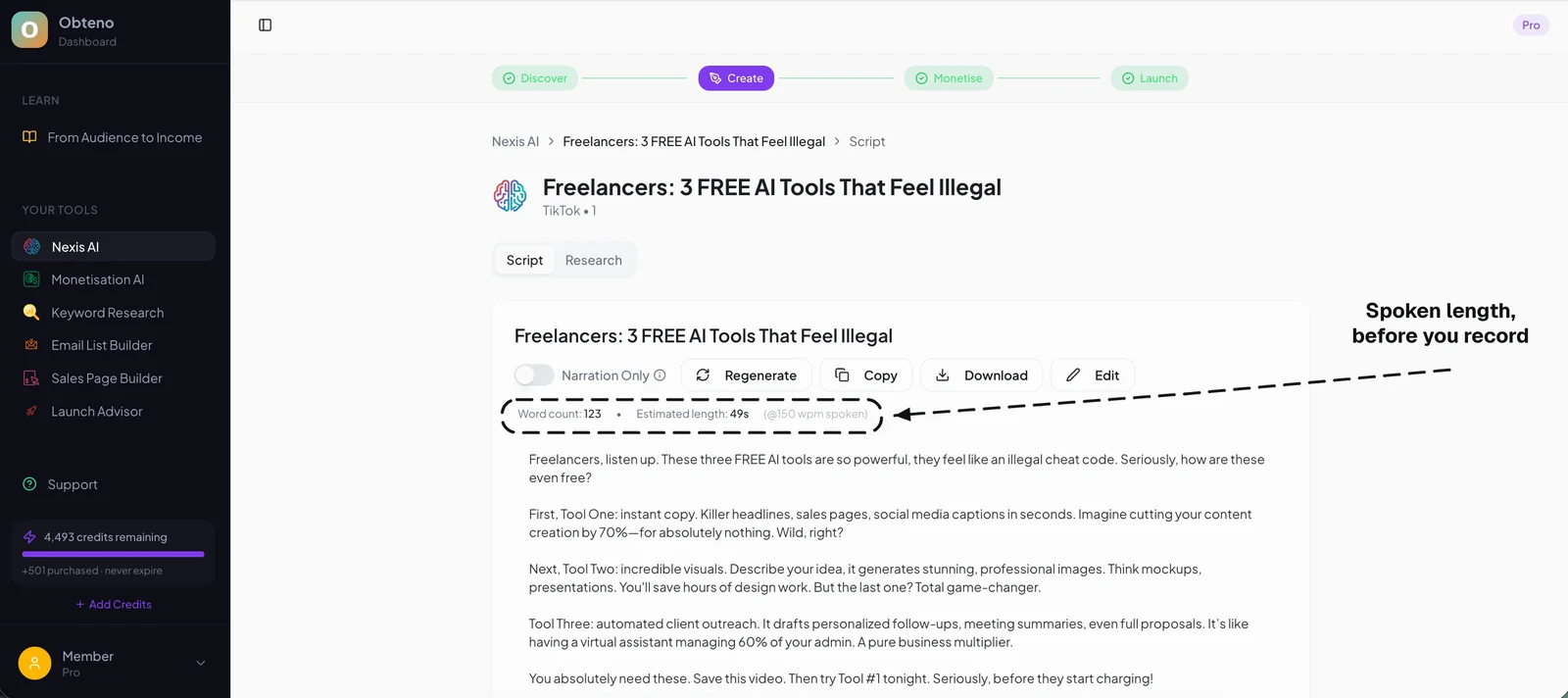
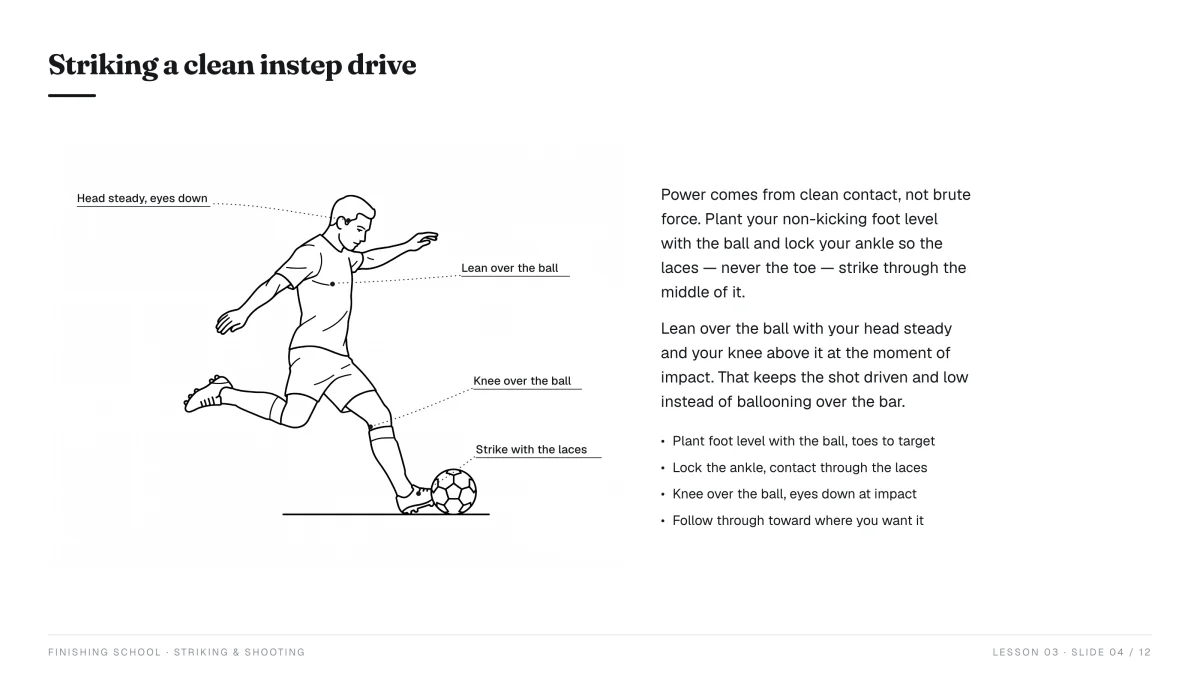
- Obteno: Obteno builds print-ready printable packs — the pages and the cover — which is most of a low-content book interior already. It does not upload to KDP; that part is yours. Its focus on efficiency and scalability can significantly reduce the time spent on design and preparation, particularly for templated content like journals and planners, by streamlining the creation of diverse digital assets.
Research Tools
- Amazon Search Bar & "Look Inside": Your primary free research tools.
- Google Trends: (Free) For validating niche interest.
- Publisher Rocket: (Paid, one-time) A popular software specifically designed for KDP authors to find profitable niches, keywords, and analyze competition.
- BookBolt: (Paid, monthly) Offers a suite of tools for low-content publishers, including niche research, interior templates, and cover designers.
Productivity Tools
- Notion: (Free/Paid) A versatile workspace for organizing your KDP ideas, tracking your books, managing keywords, and planning your publishing schedule. It's fantastic for keeping all your business assets in one place.
- Google Sheets/Excel: (Free/Paid) For tracking sales, royalties, and expenses. Simple but effective.
Frequently Asked Questions
How much does it cost to start selling low-content books on KDP?
The beauty of KDP is its low barrier to entry. It costs nothing to set up a KDP account and publish a book. Your only potential costs are for design software (e.g., Canva Pro, Publisher Rocket) or hiring a designer, but free alternatives exist.
How long does it take to see sales?
Sales can start anywhere from a few days to several months after publishing. It highly depends on your niche research, keyword optimization, cover design, and the overall competitiveness of your chosen market. Consistency and a portfolio of books generally lead to more predictable sales over time.
Can I use AI to create my low-content books?
Yes, AI tools can assist with various aspects, such as generating niche ideas, writing descriptions, or even creating simple interior prompts. However, always review and refine AI-generated content to ensure quality, uniqueness, and adherence to KDP's content guidelines. Avoid simply copying and pasting AI output without human oversight.
What are the best niches for low-content books?
"Best" niches are subjective and change, but consistently strong areas include: personal development (gratitude, manifestation journals), health & fitness (workout, food logs), hobby-specific (reading, gaming logs), and organizational (planners, budget trackers). The key is to find an underserved sub-niche within these broader categories.
Do I need an ISBN for my low-content books?
No, Amazon KDP provides a free ISBN for your paperback and hardcover books. You can choose to use this free KDP ISBN or provide your own if you've purchased one independently. For low-content books, the free KDP ISBN is generally sufficient.