
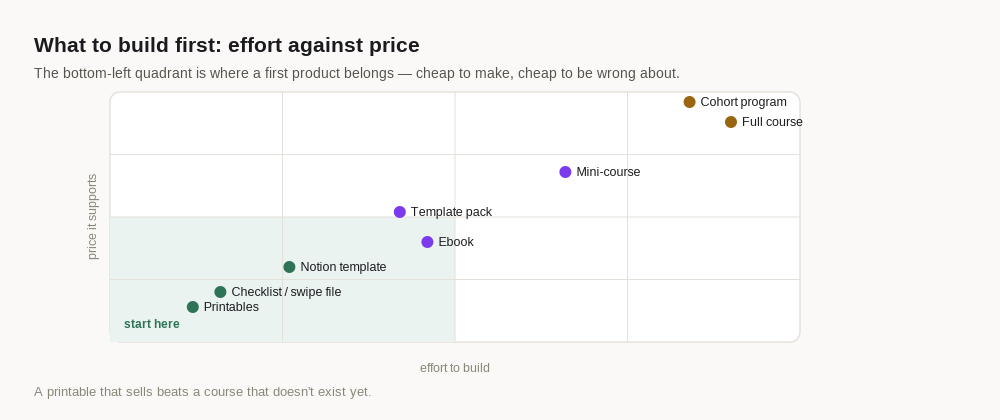
You're looking to create and sell business planner templates. You need to know what buyers actually want to spend money on. The market is full of options, and standing out means understanding specific needs, not just offering blank pages.
The best-selling templates solve real problems. They provide structure, clarity, and a clear path forward for someone trying to manage their business. It is about delivering immediate, tangible value.
Why Do People Buy Business Planner Templates?
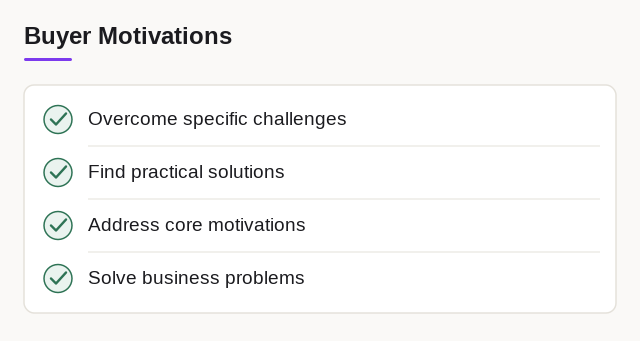
People buy business planner templates to overcome specific challenges. They are looking for solutions, not just stationery. Understanding these core motivations is crucial for creating a product that sells.
Solving a Specific Problem
A buyer doesn't wake up wanting a "business planner." They wake up needing to organise their marketing, track their finances, or plan their product launch. Your template must address one of these specific pains directly. For example, a template focused solely on social media content planning for small businesses will resonate more than a general "business plan" document. Buyers want to see their problem reflected in your product's title and description. They need to know immediately that your template is the answer.
The Desire for Structure and Clarity
Many new business owners feel overwhelmed. They have ideas but lack a framework to organise them. A good planner template provides that missing structure. It breaks down complex tasks into manageable steps. This clarity is a major selling point. It helps them move from feeling chaotic to feeling in control.
Saving Time and Effort
Time is a valuable commodity for any entrepreneur. Building a business plan or marketing strategy from scratch takes significant effort. A template saves them hours. It provides a ready-made framework they can populate with their own details. This efficiency is a core benefit. They are buying back their time, not just a document.
Start by identifying one specific, urgent problem your ideal buyer faces. Then, design a template that directly solves it.
What Makes a Business Planner Template Sell?
Selling a template goes beyond its basic function. It involves understanding the psychology of the buyer and designing for their needs. This means focusing on more than just the layout.
Clear Niche and Target Audience
The most successful templates target a narrow audience. Do not try to serve every business owner. A "Small Business Social Media Planner for Etsy Sellers" is more compelling than a "General Business Planner." When you narrow your focus, you can tailor the content, design, and language precisely. This makes your template feel custom-made for the buyer. They see themselves in your product.
Actionable Content, Not Just Space
Buyers want guidance. A template with empty boxes and lines is not enough. It needs prompts, examples, and guiding questions. For instance, a "Goal Setting" section should ask: "What is your main revenue goal for Q3?" or "What three actions will you take this week to achieve it?" It should not just offer a blank space labelled "Goals." The template should prompt them to think and act.
Thoughtful Design and User Experience
A template must be easy to use. This means clear headings, logical flow, and intuitive navigation. The visual design also matters. It should be clean, professional, and align with the target audience's aesthetic. If it's a digital template, ensure it works seamlessly in common applications like Google Sheets, Notion, or Canva. A confusing layout or difficult-to-edit file will lead to frustration and refunds.
Customisation Options
While structure is important, buyers also want to make the template their own. Offer options for customisation. This could be editable text fields, changeable colours, or modular sections they can rearrange. The ability to personalise the template makes it more valuable. It adapts to their unique business needs.
Value-Added Components
Consider what else your buyer might need. This could be a short guide on how to use the planner, a checklist, or a bonus worksheet. These additions enhance the perceived value. They show you understand their journey beyond just the planner itself.
Include a "Quick Start Guide" PDF with your template. Even if it's just one page, it helps buyers immediately understand how to get the most out of your product, reducing friction and increasing satisfaction.
Spend time reviewing templates in your niche on Etsy or Gumroad. Note what features they highlight and what problems they claim to solve.
Essential Features for Any Business Planner Template
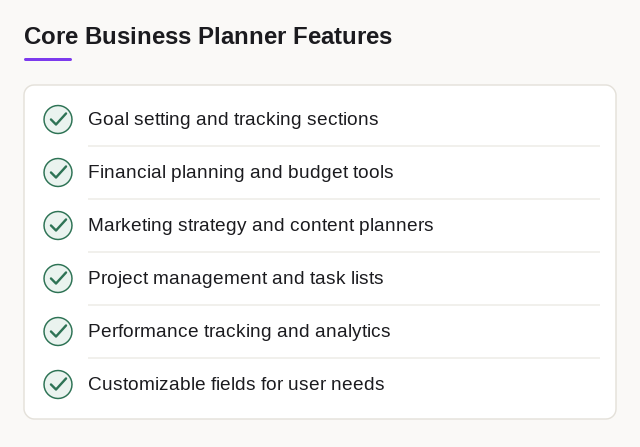
Regardless of your niche, certain core functionalities are consistently in demand. These features form the backbone of a genuinely useful business planner.
Goal Setting and Tracking
Every business needs goals. A planner must provide clear sections for defining short-term and long-term objectives. This includes space for specific, measurable, achievable, relevant, and time-bound (SMART) goals. Beyond setting, it needs tracking mechanisms. This could be weekly check-ins, progress bars, or monthly review sections. Buyers want to see their progress.
Financial Planning Modules
Money is central to business. Templates need dedicated sections for financial management. This includes:
- Revenue Tracking: Space to record income sources and amounts.
- Expense Tracking: Categories for common business expenses.
- Budgeting: Tools to plan and monitor spending.
- Profit & Loss Overview: Simple summaries to understand financial health.
These modules help buyers stay on top of their money. They provide clarity on where funds are coming from and where they are going.
Marketing and Content Strategy
Many small businesses struggle with marketing. A planner should offer sections to plan and execute marketing efforts.
- Content Calendar: For social media posts, blog articles, or email newsletters.
- Audience Definition: Prompts to identify target customers.
- Marketing Channel Overview: Space to plan activities across different platforms.
- Campaign Planning: Sections for specific promotions or launches.
These features help buyers create a consistent and effective marketing presence.
Project Management and Task Organisation
Running a business involves many moving parts. A planner needs tools to manage projects and daily tasks.
- Project Breakdowns: Steps, deadlines, and responsible parties for larger initiatives.
- Daily/Weekly To-Do Lists: Prioritisation features.
- Deadlines and Milestones: Clear tracking for important dates.
This helps buyers stay organised and ensure nothing falls through the cracks.
Reflection and Review Sections
Growth comes from learning. A good planner includes opportunities for reflection.
- Monthly/Quarterly Reviews: What worked, what didn't, what to improve.
- Lessons Learned: Space to document insights.
- Adjustments: Prompts to modify strategies based on performance.
This encourages continuous improvement. It turns the planner into a dynamic tool for growth.
Consider which of these core features are most relevant to your chosen niche. Then, build those sections out with actionable prompts.
How to Research What Buyers Actually Want
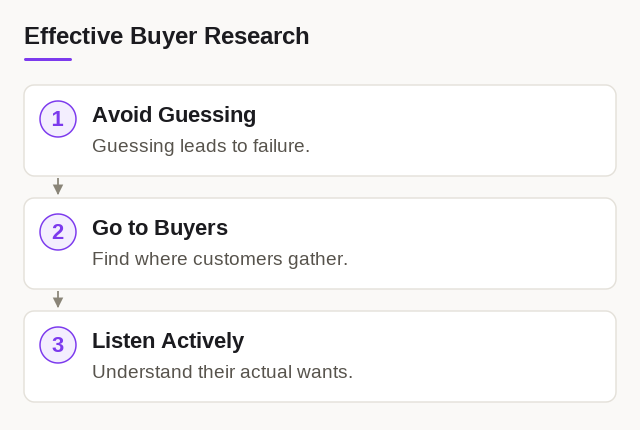
Guessing what buyers want is a fast way to fail. Effective research takes time, but it pays off. You need to go where your potential customers are and listen.
Examine Existing Best-Sellers
Go to marketplaces like Etsy or Gumroad. Search for "business planner," "marketing planner," or "financial planner." Filter by "best-selling" or "most popular."
- Analyse Titles and Descriptions: What keywords do they use? What problems do they promise to solve?
- Review Product Images: How do they showcase the template? What features are highlighted visually?
- Read Customer Reviews: This is gold. Look for common praises ("easy to use," "helped me stay organised") and complaints ("too generic," "hard to customise," "missing X feature"). Pay close attention to what buyers wish the product had. This reveals unmet needs.
- Identify Gaps: Can you create a template that combines the best features of several top sellers, or addresses a recurring complaint?
Listen to Customer Feedback
If you already have an audience or sell other products, ask them directly.
- Social Media Polls: Ask what their biggest business planning challenge is.
- Forum Discussions: Join relevant subreddits or Facebook groups. See what questions people are asking about business planning.
- Comments Sections: Read the comments under articles or videos about business strategy. People often share their struggles there.
This direct feedback provides qualitative insights you cannot get from sales data alone.
Use Keyword Research Tools
Tools like Google Trends can show you what people are searching for.
- Type in "business planner template" and related terms.
- Look at "related queries" and "rising searches" trends.google.com/trends/. This can reveal emerging needs or niche interests.
- For example, if "Notion content planner" is trending, it tells you about both the type of planner and the platform people prefer.
This data helps you title your product and write your descriptions. It ensures your template is discoverable.
Look at Related Niches
Sometimes, the best ideas come from outside your immediate area.
- Personal Finance Planners: What features do they have for budgeting or goal setting that could apply to business?
- Student Planners: How do they structure tasks and deadlines?
- Project Management Software: What core functionalities do they offer that could be simplified into a template?
This cross-pollination of ideas can lead to innovative features for your business planner.
Start by spending an hour on Etsy. Search for your niche, sort by best-selling, and read the first ten product descriptions and their reviews.
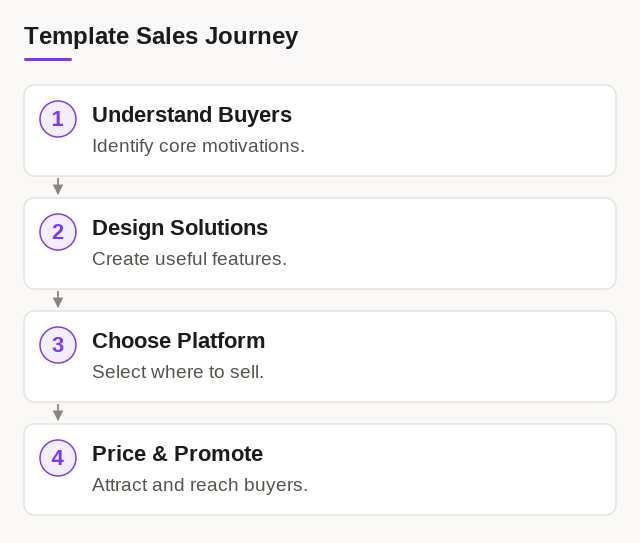
Choosing Your Platform: Where to Sell Your Templates
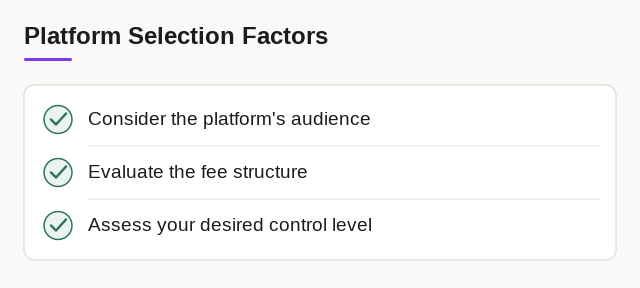
Deciding where to sell is as important as creating the template itself. Each platform has its own audience, fee structure, and level of control.
| Feature | Etsy | Gumroad | Your Own Website (e.g., WordPress + WooCommerce) |
|---|---|---|---|
| Discovery | High (built-in marketplace audience) | Low (you drive all traffic) | Low (you drive all traffic) |
| Fees | $0.20 per listing + 6.5% of sale price + payment processing etsy.com/legal/fees | 10% + $0.50 per sale gumroad.com/pricing | Varies (hosting, payment processor fees, theme, plugins) |
| Control | Limited (platform rules, branding) | Moderate (customisable product page, email lists) | High (full branding, design, data ownership) |
| Ease of Setup | Easy (create shop, list product) | Easy (create product, link) | Moderate to Complex (requires technical setup, maintenance) |
| Target Audience | Crafters, small business owners, DIY enthusiasts | Digital creators, infopreneurs, niche audiences | Any (audience you build) |
| Checkout | Built-in | Built-in | You integrate (e.g., Stripe stripe.com/pricing) |
Etsy for Discovery
Etsy is a marketplace. People go there specifically to buy digital products, handmade goods, and craft supplies. This means a built-in audience. You benefit from their search engine and existing traffic. The downside is competition. You also pay listing fees ($0.20 per listing) and a transaction fee (6.5% of the sale price), plus payment processing fees etsy.com/legal/fees. Your branding is limited by Etsy's storefront design.
Gumroad for Direct Sales
Gumroad is a platform designed for creators to sell digital products directly to their audience. It's simple to set up a product page. You retain more control over your branding and customer data than on Etsy. However, Gumroad provides almost no discovery. You are responsible for driving all traffic to your product page. Gumroad takes a percentage of each sale (10% + $0.50 per sale) gumroad.com/pricing. This platform is good if you already have an audience or a strong marketing plan.
Your Own Website for Control
Building your own website gives you maximum control. You own the customer data, dictate the branding, and set your own rules. You can integrate any payment processor you choose, like Stripe stripe.com/pricing. The trade-off is the effort and cost involved. You need to handle hosting, website design, security, and all marketing yourself. This option is best for those looking to build a long-term brand and who are comfortable with the technical aspects.
Start on a marketplace like Etsy to validate your idea and get initial sales. Once you have a proven product and an understanding of your audience, consider expanding to Gumroad or your own site for more control.
Choose the platform that aligns with your current resources and long-term goals. If you're just starting, a marketplace often makes the most sense.
Pricing Your Business Planner Templates Effectively
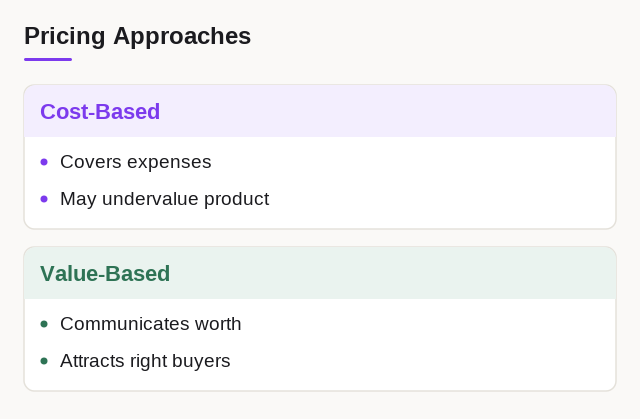
Pricing is not just about covering your costs. It's about communicating value and attracting the right buyers. Get it wrong, and you leave money on the table or scare customers away.
Value-Based Pricing
Your template solves a problem. The price should reflect the value of that solution. If your planner saves a business owner 10 hours a month, and their time is worth $50 an hour, that's $500 in saved value. Your template should be a fraction of that, but significantly more than a generic blank document. Do not price based on how long it took you to create. Price based on the benefit it delivers.
Tiered Options
Consider offering different versions of your template at various price points.
- Basic Version: The core template, perhaps with fewer customisation options.
- Standard Version: The core template plus a bonus guide or a few extra worksheets.
- Premium Version: Everything in the standard, plus perhaps a video tutorial, a customisation service, or a bundle of related templates.
This allows buyers to choose the option that best fits their budget and needs. It also increases your average order value.
Promotional Strategies
Discounts can be effective, but use them strategically.
- Launch Discount: Offer a lower price for the first week to generate initial sales and reviews.
- Bundle Deals: Combine your planner with another related template (e.g., a social media content calendar with a marketing planner) for a slightly reduced combined price.
- Email List Exclusive: Offer a special discount to your email subscribers.
Be careful not to devalue your product with constant, deep discounts. Buyers will come to expect the lower price.
Before setting your final price, research what similar, high-quality templates are selling for on your chosen platform. Position your price within that range, justifying any higher price with superior value.
Obteno: Creating Your Template Faster
Developing a high-quality business planner template takes time. From niche research to design and sales copy, it's a significant undertaking. This is where tools like Obteno come in.
Obteno builds the digital product for you. It finds a profitable niche using real keyword data. Obteno then writes the ebook, template, or course content. It designs the cover and packages all the necessary files. Finally, Obteno writes the sales copy and ready-to-paste listing fields for your chosen marketplace. This means you can focus on selling, not spending weeks on creation.
Obteno offers monthly plans at $39, $69, or $99 after a 7-day free trial, and the trial asks for a card. Obteno is not a storefront; it does not take payments or host your product page. It produces the finished product, and you sell it wherever you choose – on your own site, Gumroad, Etsy, or other platforms. Obteno takes no percentage of your sales, no transaction fee, and no commission.
If you are struggling with the creation process, Obteno packages the files and writes the listing copy, giving you a complete product ready to sell.
Promoting Your Business Planner Templates
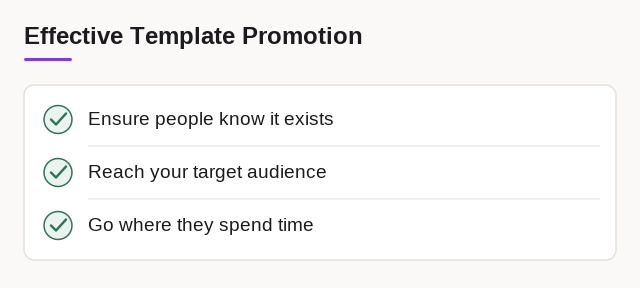
Creating a great template is only half the battle. People need to know it exists. Effective promotion is about reaching your target audience where they spend their time.
Social Media Engagement
Identify which social media platforms your target audience uses most.
- Instagram/TikTok: Visual platforms are great for showcasing your template's design and how it looks in use. Create short videos demonstrating specific features or showing a "day in the life" using the planner.
- Pinterest: This is a visual search engine. Create attractive pins linking directly to your product. Focus on keywords like "small business planner," "marketing strategy template," or "financial tracker."
- Facebook Groups: Join groups where your target audience hangs out. Share genuinely helpful tips related to business planning, and occasionally mention your template as a solution (check group rules first).
Do not just post "Buy my planner!" Provide value first, then introduce your product.
Content Marketing
Create content that helps your audience with their business planning challenges.
- Blog Posts: Write articles like "5 Ways to Plan Your Q4 Marketing" or "How to Set Achievable Business Goals." Naturally, link to your planner within these articles as a solution.
- YouTube Videos: Create tutorials on aspects of business planning. Show how your template can simplify these processes.
- Email Newsletter: Build an email list and share exclusive tips, insights, and occasional promotions for your templates. This builds a direct relationship with potential buyers.
This strategy establishes you as an expert, building trust and attracting buyers organically.
Collaborations and Bundles
Partner with other creators or businesses.
- Joint Promotions: Find someone who sells complementary products (e.g., a graphic designer who creates branding kits, or a business coach). Promote each other's products to your respective audiences.
- Bundles: Create a bundle with another creator's product. For example, your business planner bundled with a social media caption pack. This offers more value to the buyer and exposes your product to a new audience.
These partnerships can significantly expand your reach without direct advertising costs.
Choose one promotion strategy and commit to it for a month. Track what works and what does not.
Frequently Asked Questions
How do I know if my template idea is good?
Research existing best-sellers on platforms like Etsy and Gumroad. Read customer reviews to identify common pain points and unmet needs. Use Google Trends to see what people are searching for. If there's a clear problem your template solves for a specific audience, it's a good start.
What's the best file format for business planners?
The best format depends on how users will interact with it. PDF is good for printables or digital use with annotation apps. Google Sheets or Excel are ideal for financial trackers. Notion templates are popular for highly customisable digital workspaces. Canva templates are great if you want users to easily edit colours, fonts, and layouts.
Can I sell templates made with free tools?
Yes, you can absolutely sell templates made with free tools like Canva's free version or Google Docs/Sheets. The value lies in the content, structure, and problem-solving ability of your template, not necessarily the software used to create it. Just ensure you comply with the tool's licensing terms for commercial use.
How much should I charge for a business planner template?
Price your template based on the value it provides to the buyer, not just the time it took to create. Research similar high-quality templates on marketplaces. Consider offering tiered pricing (basic, standard, premium) to cater to different budgets and needs. A common range might be $15-$50 for a comprehensive digital planner.
Do I need a professional designer?
Not necessarily. Many successful templates are created by individuals with a good eye for clean design and user experience. Tools like Canva canva.com/templates/ offer many professional-looking templates you can adapt. Focus on clarity, functionality, and ease of use. If design is not your strength, consider investing in a pre-made template base or using a tool like Obteno that designs covers for you.
What about legal considerations for selling templates?
Ensure your template does not infringe on any copyrights or trademarks. Clearly state your terms of use, including whether the template is for personal or commercial use, and if it can be resold (most often, it cannot). Add a disclaimer if your template involves financial or legal advice, stating it is for informational purposes only.